Parents managing online contact
Your main decision is which games and friends your child can reach, and whether voice or text communication can be restricted at both account and game level.


Start with the games your child wants to play and who they want to play with, then choose a compatible device and set up a supervised child account before enabling online features. Consoles, tablets and network accessories serve different roles: Nintendo’s guidance treats Switch 2 GameChat separately from ordinary game-communication restrictions, while a headset mute or router schedule does not replace the game’s and platform’s contact permissions.
Your main decision is which games and friends your child can reach, and whether voice or text communication can be restricted at both account and game level.
Check the specific game’s UK age rating, the child-account setup and any game-specific age or consent requirement before choosing a device.
You want hardware that runs the intended games in the right place, without buying another device if settings on equipment you already own meet the need.
Check the intended games and their account requirements first, then compare contact, age, spending and time controls before deciding whether new hardware is needed.
| Concern | What to check when buying | Who this matters to |
|---|---|---|
| Online contact | Check the platform’s multiplayer and communication settings, plus chat controls in the specific game. | If my child plays online, I want to know who can contact them and whether game chat has separate controls; around 28% of consumers put online contact first. |
| Age and content | Check the specific game’s UK age rating and the account requirements for that game. | When choosing games for my child, I want the game and account settings to match their age; around 22% of consumers prioritise age and content. |
| Spending and memberships | Check account purchase controls and whether the intended game’s online features require a membership. | If I need to manage game purchases and ongoing memberships, I want to know which account and game settings apply; around 22% of consumers prioritise spending. |
| Play time | Compare platform account limits with any router schedule, noting that a router schedule affects internet access. | When gaming needs to fit around our household routine, I want limits that work across the devices my child uses; around 17% of consumers put play time first. |
| Device fit | Check game compatibility, handheld or TV use, disc access and whether the existing device can meet the need. | If my child has particular games or places to play in mind, I want a device that suits both; around 11% of consumers prioritise device fit. |
A microphone mute affects the microphone, not account-level permissions. Some games also manage communication separately from the console.
Set communication permissions in the platform and the specific game first; buy a headset only if its audio features and connection suit the intended device.
The cited Xbox Series S and PS5 Digital Edition models have no disc drive, so they cannot play game discs.
Check the exact console variant and the household’s game formats before choosing a model.
Membership requirements vary by platform and game. Nintendo says many games require Nintendo Switch Online, while some free-to-play games do not; Xbox says free-to-play online multiplayer is open to every Xbox player.
Check the intended game’s multiplayer requirements and the platform’s current membership terms before choosing.
Router schedules manage internet access rather than game-account permissions. TP-Link notes that some HomeShield parental-control features require compatible equipment, firmware and a subscription.
Check the existing router first, then confirm the exact model’s supported functions and subscription terms if you are considering a change.
Nintendo Switch consoles may suit households looking for Nintendo games and handheld play; Nintendo documents parental controls and supervised purchase restrictions.
PlayStation may suit households whose intended games and friends use that platform and who want child-account controls.
Xbox family settings may suit households choosing games for the Xbox platform and looking for organiser-managed controls.
An iPad may suit app-based games when a multipurpose tablet fits the household better than a console.
Compatible Deco and router models may suit households that need network-level scheduling or controls.
These Joybuy options cover children’s gaming tablets and connected consoles. Compare the intended games, supervision settings, play location and disc requirements before choosing.
 No image available
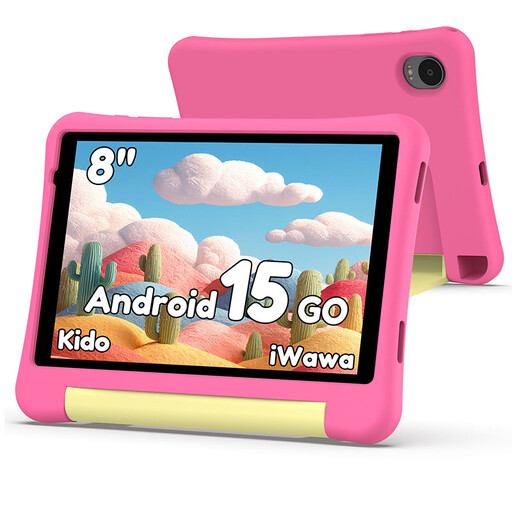
The listing describes this Android tablet for children’s use and states that Child Lock includes screen-time and content-access controls.
8-inch display; Android 15; Child Lock; Unisoc T310; 3GB+32GB; 5G WiFi.
The product title states that no adapter is included.
 No image available
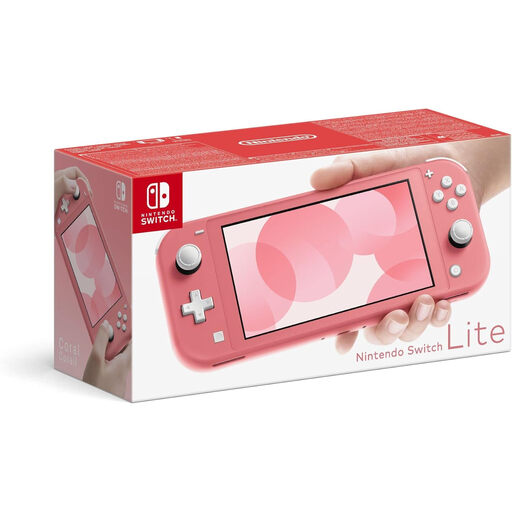
This handheld console may suit a child playing compatible Nintendo Switch games away from a television.
The listing specifies handheld-only play, with no TV output, dock or detachable controllers.
Nintendo UK documents parental controls and parent-managed eShop restrictions. Check the intended game’s online membership requirements.
 No image available
This disc-free Xbox console may suit a household choosing digital games and Xbox family settings.
1TB storage; all-digital edition. Physical game discs cannot be used.
Xbox Support documents organiser-managed settings for content, multiplayer, communication and screen time.
 No image available
This disc-free Xbox console may suit a household choosing digital games and Xbox family settings.
512GB storage; no disc drive, so physical game discs cannot be used.
Xbox Support documents organiser-managed settings for content, multiplayer, communication and screen time.
 No image available
This console may suit households that want handheld play or play on a television using the dock.
Nintendo specifies a 7.9-inch screen. Nintendo UK says GameChat settings are separate from ordinary game-communication restrictions.
Nintendo states that GameChat requires a Nintendo Switch Online membership after the welcome offer ended in March 2026.
No; check the game’s own communication settings as well as the console’s. Nintendo says ordinary game-communication restrictions do not apply to Switch 2 GameChat, which has separate settings.
Set up the platform’s child or supervised account, enter the child’s correct age and review game access, communication, multiplayer and purchasing settings. Then check the particular game’s account and communication controls; Nintendo eShop restrictions, for example, are managed through a parent or guardian’s Nintendo Account family group.
It depends on the platform and game. Nintendo says many Switch games require Nintendo Switch Online, although some free-to-play games do not; Xbox says free-to-play online multiplayer is open to every Xbox player. Check the intended game’s requirements before choosing.
Check the existing platform, game and home-router settings first. A compatible router can schedule internet access, while a headset mute affects its microphone; neither determines whom the child is permitted to contact through an account.
No. The cited Xbox Series S and PS5 Digital Edition models have no disc drive, so check the exact console variant if the household uses physical games.