Living-room Xbox or Windows players
You run historical adventures on an Xbox or a Windows PC connected to a TV and want controls that fit a sofa-based setup.


Choose for the console or computer running your historical adventure, not for the size of the TV. An Xbox-compatible controller suits an Xbox or supported Windows setup, DualSense is the native choice for PS5, and a Switch controller should be matched to the exact Switch generation; on PC, connection method and game support determine whether particular controller features work.
You run historical adventures on an Xbox or a Windows PC connected to a TV and want controls that fit a sofa-based setup.
You play on PS5 or a large-screen PC and want to know whether your games and connection can use DualSense haptics or adaptive triggers.
You play Nintendo Switch games on a TV and prefer a full-size controller to detached Joy-Con controllers.
Identify the device and game first. Then work out how you will connect from your seat and which optional controls you would actually use.
| Concern | What to check | Who this matters to |
|---|---|---|
| Platform and game compatibility | Match the exact console or operating system, controller model and game’s controller support. | If my controller will not work with the device running the adventure, its other features are beside the point. Around 33% of consumers put platform and game compatibility first. |
| Sofa-distance connection and power | Check the connection method at your seating position and how the controller is powered or charged. | For a long session away from the console or PC, I want a workable connection without overlooking the power setup. Roughly 27% of consumers make sofa-session convenience their primary concern. |
| Supported immersion | Confirm game-specific haptics, triggers or motion features; PlayStation says PC DualSense haptics require USB. | I want tactile or motion effects only if my game and connection can use them. About 20% of consumers prioritise supported immersion features. |
| Configurable controls | Check mapping, profiles and extra controls in the platform mode you intend to use. | If I regularly adjust controls for menus or repeated actions, I need those settings to work on my chosen device. Around 20% of consumers put customisation first. |
A controller’s ability to connect does not establish that the console or individual game supports the functions you expect.
Note your exact console or PC operating system and the games you plan to play, then check the controller’s stated compatibility.
PlayStation says DualSense haptic feedback on PC requires USB, while haptics and adaptive triggers also depend on the game.
Check the game’s feature information and whether a USB connection works from your seat.
That setup may require a suitable cable reaching the PC.
Firmware requirements and features such as motion controls, rumble or console wake-up can differ between models.
Use the exact model’s instructions to confirm the functions you need on your intended console.
A battery-powered controller and a rechargeable one call for different arrangements during longer sessions.
Check the chosen model’s power method before ordering and look up local electrical-equipment and battery collection options when it reaches end of life.
The Xbox Wireless Controller is an official route for Xbox consoles and supported Windows setups.
DualSense is the native PS5 route and an option for PC games that support its particular features.
The Nintendo Switch Pro Controller is a full-size option for docked Nintendo Switch play.
The Ultimate 2 Bluetooth Controller is a configurable option for buyers seeking Switch and Windows compatibility.
These controllers cover specific large-screen setups: Nintendo Switch or Switch 2, Xbox or Windows, and PS5 or PC. Match the model to your device and game before considering its additional controls.
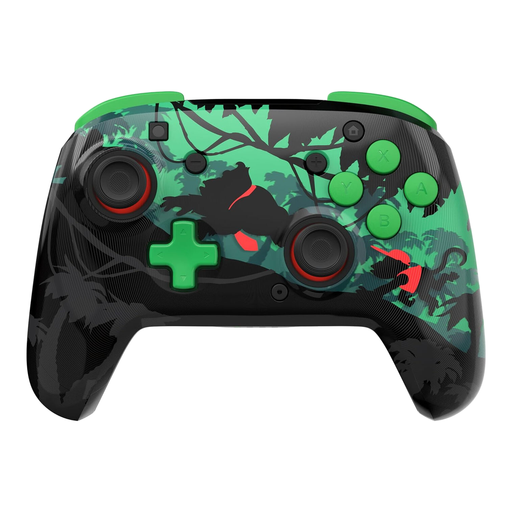 No image available
For Nintendo Switch adventures played on a TV, check that your game supports this controller and any motion or remapping functions you want.
If you plan to use it with Switch 2, check whether you need a C Button; this model’s listing says it does not have one.
 No image available
For Xbox One, Xbox Series X|S or PC play, this is a route to consider if you want adjustable controls; confirm your game’s controller support before ordering.
 No image available
For Xbox Series X|S, Xbox One or Windows 10/11 play, consider this model if configurable controls matter to you. Check its connection options against your seating position and confirm game support.
 No image available
For historical adventures on a docked Nintendo Switch 2, choose this model only for that console generation and check whether your game uses the controller features you want.
 No image available
For PS5 or a supported PC game, check whether the adventure uses haptics or adaptive triggers before choosing it for those effects. PlayStation says PC haptic feedback requires a USB connection.
No. Choose a controller for the console or computer running the historical adventure, then check the game’s controller support and whether your chosen connection works from your seat.
No. PlayStation says haptic feedback on PC requires USB, while haptics and adaptive triggers work only in games that support them. Check the game’s feature information before choosing DualSense for those effects.
Check the exact controller model, console generation, firmware requirements and the functions your game needs. For example, 8BitDo lists Switch 2 compatibility for its Ultimate 2 Bluetooth Controller after a firmware update; that does not establish identical support across its other models.
Look for a suitable local electrical-equipment collection route and check how to handle any removable battery separately. GOV.UK describes waste electrical and electronic equipment rules as a way to reduce electrical equipment sent to landfill or incineration.