
24/7 Customer Support

Free returns

Same-day & Next-day Delivery

Quality Guaranteed

Unlock Your Welcome Offers: FREE Delivery | Up to 80% OFF | Free 30-day JoyPlus trial
Download the APP
Buying one of the many gaming controllers available online can seem straightforward until compatibility, connection type and comfort become a problem. A controller may look suitable in photographs but still lack the features needed for your console, PC or phone.
The most common buying traps are:
Use the checks below before choosing a replacement, spare or performance-focused controller.
Start with the device you will use most often. A PS5 controller, Xbox controller, Nintendo Switch controller and PC gaming controller may use similar layouts, but their compatibility is not interchangeable.
Check:
A Bluetooth gamepad offers freedom from cables, but pairing can involve reconnecting the controller when switching devices. USB connection is often simpler for a desktop PC and can provide a stable connection.
A wireless gaming controller is convenient for living-room play, but battery arrangements differ. Some models use replaceable AA batteries, while others have an integrated rechargeable battery. Check the stated playtime, charging port and whether a cable is included.
A rechargeable game controller avoids regular disposable battery purchases, although its battery will eventually lose capacity through normal use. It is sensible to check whether the controller can also be used while charging.
A wired gaming controller does not need batteries and can offer plug-and-play use. However, cable length matters. A 2.4-metre or 3-metre lead is more practical for a television positioned across a room than a short desktop cable. Route cables safely to reduce trip risks.
Look for textured grips, well-spaced analogue sticks and buttons that are easy to reach without changing hand position. Weight is also important: a heavier design may feel substantial, while a lighter controller can be more comfortable during longer sessions.
Competitive players may value a professional gaming controller with adjustable triggers, remappable buttons, rear paddles or interchangeable stick caps. These features are useful only if you intend to configure them. They can also increase cost and add more components to maintain.
Other features to assess include:
For UK buyers, also review the seller’s product information, included accessories, warranty details and safety instructions. Keep rechargeable devices dry, use suitable charging equipment and stop using a controller that becomes unusually hot or damaged.
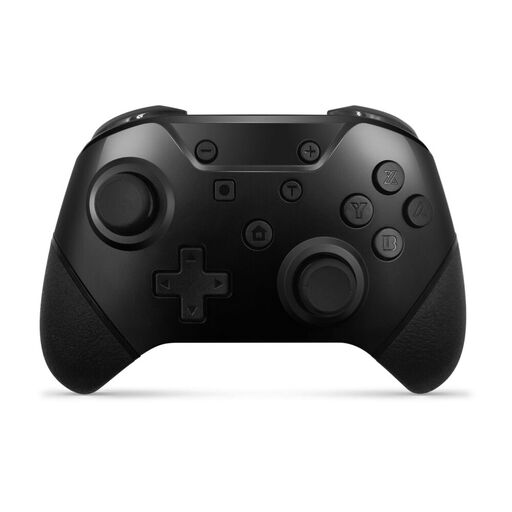
Why This Fits Their Persona: The two-controller pack suits households, couples and friends who want multiplayer equipment without purchasing two separate packages.
It provides both wireless Bluetooth and USB-C wired connection, helping users switch between untethered play and a direct connection. Check individual game requirements because some Nintendo Switch titles need original Joy-Con-specific features.
Two controllers are included, with motion controls, rumble vibration, programmable turbo and an integrated rechargeable battery rated at approximately 8–10 hours per charge.
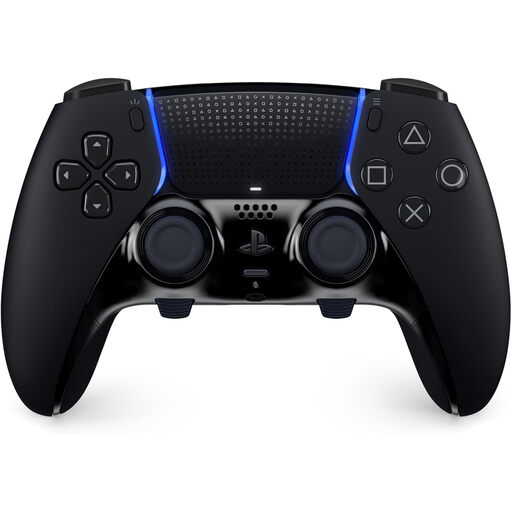
Why This Fits Their Persona: It is intended for PS5 players who want control profiles and hardware adjustments for different genres or play styles.
Its value is not based solely on appearance: users can remap inputs, adjust stick sensitivity and dead zones, alter trigger travel and configure interchangeable back buttons.
It includes DualSense haptic feedback and adaptive triggers, plus a carrying case and replaceable stick modules sold separately.
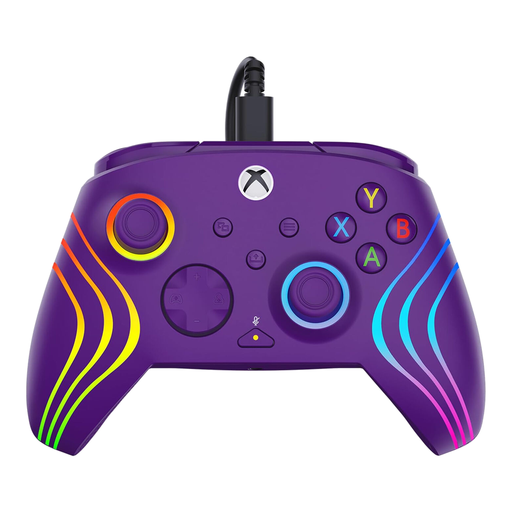
Why This Fits Their Persona: Xbox and Windows PC players who prioritise a direct connection, custom controls and easy audio adjustment may find this format practical for extended sessions.
The 10-foot USB-C cable avoids battery management and wireless pairing. It is important to route the cable safely and confirm that your preferred PC games recognise the controller.
Features include Hall-Effect magnetic sensors with three-stage trigger adjustment, two remappable quick-action buttons, eight-zone RGB lighting and D-pad audio controls.
We have compiled a complete, real-time list of products that fully satisfy these strict selection criteria and UK safety regulations.
They can be, provided the device supports the controller’s connection method and the game accepts controller input. Bluetooth pairing is usually convenient, while USB-C can be more dependable for phones and PCs that support wired accessories. Check the product’s listed operating systems before purchase.
Battery performance depends on usage, vibration, lighting and other features. Treat the quoted playtime as an estimate rather than a guarantee for every game. To extend service life, use a suitable cable, keep the controller dry and avoid storing it fully discharged for long periods.
A wired model removes battery concerns and wireless pairing, which can make setup simpler. It also keeps the player physically connected to the device, so cable placement matters. A wireless controller may be preferable for sofa gaming, provided it has suitable compatibility and battery capacity.