
24/7 Customer Support

Free returns

Same-day & Next-day Delivery

Quality Guaranteed

Unlock Your Welcome Offers: FREE Delivery | Up to 80% OFF | Free 30-day JoyPlus trial
Download the APP
Buying gaming controllers can seem straightforward until compatibility, connection type, battery life and comfort enter the picture. A controller may look suitable in a product photo but still lack support for your console, use a connector that does not fit your phone or feel uncomfortable after a long session.
This guide explains the practical checks that UK shoppers should make before buying a wireless gaming controller, PS5 controller, Nintendo Switch controller, PC gaming controller or mobile gaming controller.
A Bluetooth gamepad is not automatically compatible with every device. Some models support only a particular console family, while others work on PC or mobile devices only with selected games.
Check:
For example, the Sony DualSense range supports PS5 and selected PC, Mac, iOS and Android applications, but feature support can vary between platforms.
Battery figures are usually maximum or “up to” estimates. Actual use may vary depending on vibration, lighting, wireless distance and gameplay. A wireless gaming controller with a rechargeable battery is convenient, but it still needs a suitable charging cable and regular charging.
For longer sessions, check:
A red gaming controller or themed model can suit a particular setup, but colour and artwork do not indicate how it will feel in your hands. Pay attention to the controller’s shape, weight, grip texture and button placement.
Players with larger hands may prefer a fuller ergonomic game controller, while younger users or those who travel may find a slimmer, lighter design easier to handle. Mappable rear buttons can also be useful, but only if they are positioned where you can reach them without changing your grip.
Wireless controllers offer freedom from cable clutter, particularly for sofa gaming. Bluetooth is widely used for PC, mobile and some console connections, although pairing steps and supported features vary.
A USB-C gamepad provides a direct wired connection. This can reduce the need for pairing and is practical for mobile gaming, where stable input is important. The REDMAGIC Shadow Blade models use a Type-C wired connection and are designed for compatible iPhone and Android devices.
For competitive games, compare the connection method rather than relying only on phrases such as “fast response”. A wired connection normally avoids wireless pairing interruptions, but it also connects the phone physically to the controller.
A PS5 controller should be checked for compatibility with PS5, PC and mobile separately. The DualSense controller includes haptic feedback, adaptive triggers, motion sensing, a built-in microphone and USB-C connectivity, but enhanced features depend on the game and device.
For Nintendo Switch, confirm whether the controller supports:
Look for a balanced layout, textured grips and analogue sticks that are easy to reach. A lighter controller can be more convenient for travel, while a larger design may feel steadier during long home sessions.
For mobile gaming, a split-grip shape can make the phone feel more like a handheld console. Check the handset dimensions and port position before ordering, as a protective case may need to be removed for a secure USB-C connection.
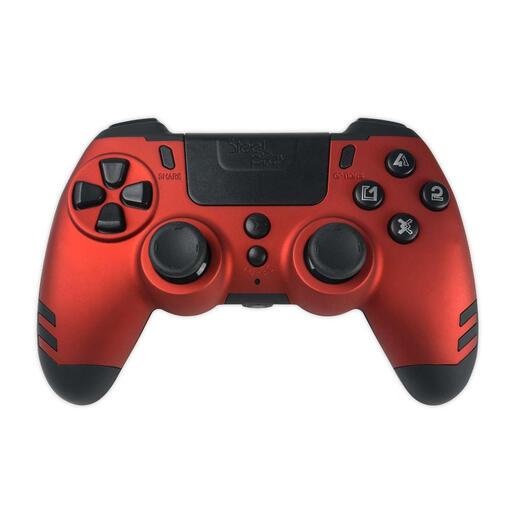
Why This Fits Their Persona: A practical option for shoppers wanting a red wireless controller for PS4 and Windows PC without moving to a more feature-heavy model. Its slim, lightweight shape may also suit casual gaming and spare-controller use.
The compatibility information identifies PS4 and Windows PC support, helping buyers avoid assuming it is a PS5 controller.
Wireless connectivity, USB charging or wired play, vibration feedback and a Ruby Red finish.
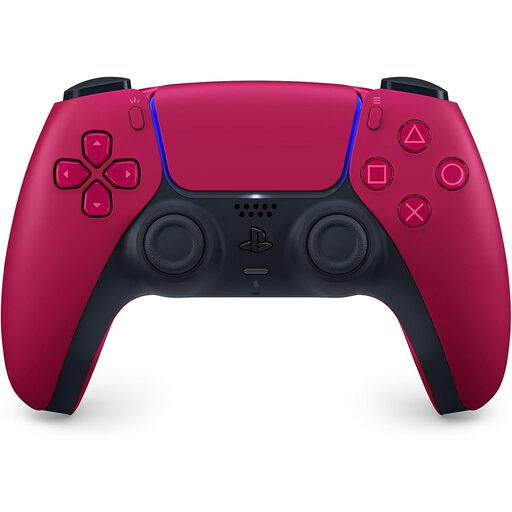
Why This Fits Their Persona: Designed for PS5 owners who want the console’s native control features alongside a distinctive Cosmic Red finish. It can also connect to supported PC, Mac and mobile devices.
It clearly lists PS5 compatibility and both Bluetooth and USB-C connectivity, rather than relying on a generic wireless claim.
Haptic feedback, adaptive L2 and R2 triggers, six-axis motion sensing, built-in microphone and USB-C charging.
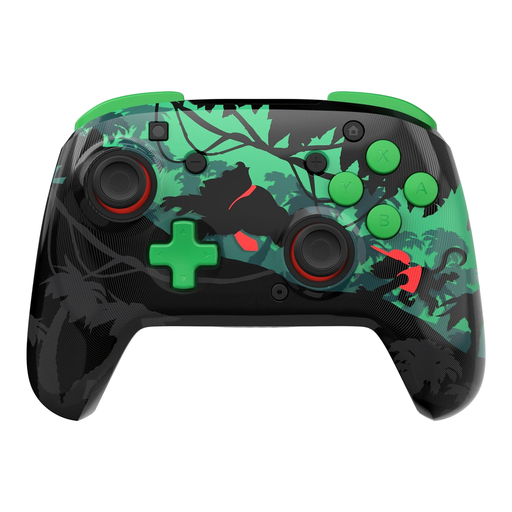
Why This Fits Their Persona: A Nintendo Switch controller for players who want a themed design, wireless freedom and extra control options for home or tabletop play.
The listing specifies support for Switch, Switch Lite, Switch OLED and Switch 2, while noting that the C Button is not included.
Up to 40 hours of stated rechargeable playtime, motion controls, two mappable quick-action buttons and a 30-foot wireless range.
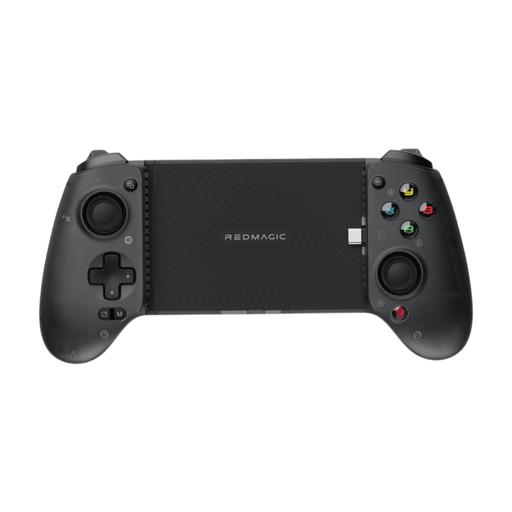
Why This Fits Their Persona: Suitable for mobile players who regularly play FPS, MOBA, racing or action titles and prefer physical controls over touchscreen input.
Its Type-C wired design avoids Bluetooth pairing and identifies compatibility with Type-C iPhone and Android devices.
Ergonomic split-grip design, tactile controls, improved triggers, plug-and-play use and a protective pouch.
We have compiled a complete, real-time list of products that fully satisfy these strict selection criteria and UK safety regulations.
Many are, but connection methods vary. Some pair through Bluetooth, while others use a USB receiver or cable. Check whether your PC has compatible Bluetooth hardware and whether the controller is recognised by the games you play.
A DualSense controller can connect to supported iOS and Android devices through Bluetooth or USB-C. However, not every mobile game supports physical controllers, and advanced features such as adaptive triggers may not be available outside compatible games.
Lifespan depends on frequency of use, storage, cleaning and battery care. Avoid moisture, excessive force and unsuitable chargers. Keeping analogue sticks and buttons free from dust can also help maintain reliable operation over time.