Game-and-screen matcher
You want your first desktop to suit the games you play and the monitor you own or plan to buy, without paying for an undefined performance target.


Start with the games you want to play and your monitor’s resolution and refresh rate, then compare complete desktop configurations against those targets rather than choosing by graphics card name alone. A prebuilt suits buyers who want an assembled system and stated support; a builder-configured PC offers component choices without DIY assembly, while assembling individual parts gives you more control and responsibility for compatibility and troubleshooting.
You want your first desktop to suit the games you play and the monitor you own or plan to buy, without paying for an undefined performance target.
You prefer an assembled machine and want to understand who handles faults, parts, labour and transport.
You want to choose components or make future changes, and are prepared to check compatibility and handle assembly or troubleshooting.
Consider it when: you want a specified, assembled system with a published support arrangement.
Trade-off: configurations and warranty terms vary, so check the exact system and coverage.
Consider it when: you want to select components but would rather not assemble the PC yourself.
Trade-off: confirm the final specification, assembly terms and how parts, labour and transport are covered.
Consider it when: choosing individual parts and building the system are part of what you want from the purchase.
Trade-off: you take on compatibility checks and fault-finding, and need to keep track of each seller’s terms.
| Concern | What to check when buying | Who this matters to |
|---|---|---|
| Game and display fit | List your games, intended settings and monitor resolution and refresh rate. Compare the complete configuration with the relevant game requirements. | If I want a desktop that suits my games and screen, I would compare those requirements before choosing components. Consumers who put game-and-screen fit first account for around 31%. |
| Complete setup cost | Compare like-for-like desktop specifications, assembly and delivery, plus any operating system, monitor or essential peripherals you still need. | If I am setting up at home, I want to compare the whole setup rather than the tower alone. Consumers whose primary concern is complete setup cost account for around 25%. |
| Assembly and support | Check who assembles the PC and compare parts, labour and transport coverage, including any location limits on service. | If I am new to desktop gaming, I may value an assembled PC and a clear route for help if something goes wrong. Consumers who prioritise assembled-system support account for around 25%. |
| Component control and upgrades | Check the exact CPU and motherboard combination, any relevant BIOS requirement, and whether planned parts fit the system. | If I want to select components or change them later, I need to be comfortable checking compatibility. Consumers who put component control and upgrades first account for around 19%. |
A graphics card name does not tell you whether a complete PC suits a particular game, display resolution or settings target. Epic Games distinguishes Fortnite requirements by level, while CD PROJEKT RED notes that Cyberpunk 2077 performance varies with hardware, software, resolution and settings.
Write down the games and display target you have in mind, then compare the full desktop specification with the relevant publisher requirements.
System terms may separate parts, labour and transport, or change the service arrangement over time. A headline duration alone may not explain what happens if a fault occurs.
Read the terms for the exact system and check coverage periods, exclusions, service location and who arranges or pays for transport.
A desktop listing may not include everything needed for your home setup, and different component specifications are not a like-for-like comparison.
Compare equivalent configurations and include assembly, delivery, operating system, monitor and any essential peripherals you do not already own.
These Joybuy choices are prebuilt gaming desktops for a fixed home setup. Compare each listed configuration with your games, monitor and the other items you need.
 No image available
A prebuilt desktop option for a fixed home gaming setup; compare its listed configuration with your games and monitor.
Ryzen 7 9800X3D; NVIDIA GeForce RTX 5080 16GB; 32GB DDR5; 2TB NVMe SSD; Windows 11 Home.
Monitor and peripherals are not included.
 No image available
A prebuilt desktop to compare against your game and display requirements; allow for the monitor and peripherals you still need.
Intel Core Ultra 7 265KF; NVIDIA GeForce RTX 5070 12GB; 32GB DDR5; 1TB NVMe SSD; Windows 11 Home.
Monitor and peripherals are not included.
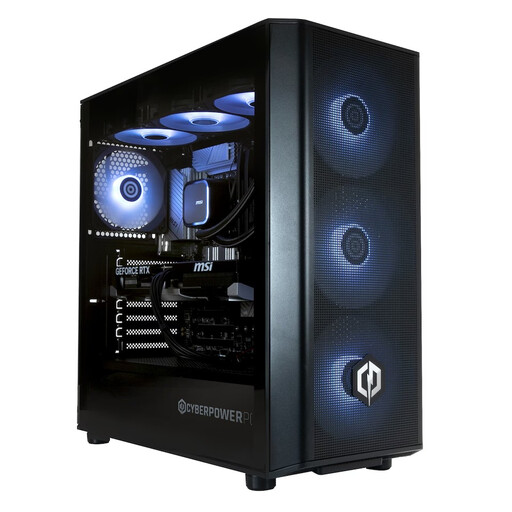 No image available
A prebuilt gaming desktop option; check its listed storage and configuration against your needs.
Ryzen 5 9600X; RTX 5060 Ti; 16GB DDR5; 500GB SSD.
 No image available
A prebuilt desktop option for a fixed home gaming setup; check the configuration against your games and screen.
Intel Core i7; 32GB RAM; 2TB SSD; RTX 5080; Windows 11.
Monitor, keyboard and mouse are not included.
 No image available
A prebuilt gaming desktop to compare with your games, monitor and storage needs.
AMD Ryzen 7 5700X; RTX 5070; 32GB RAM; 2TB SSD; Windows 11.
Compare the requirements for the game, settings and resolution you intend to use. Epic Games lists Fortnite requirements at different levels, and CD PROJEKT RED explains that Cyberpunk 2077 performance can vary with hardware, software, resolution and settings, so neither is a universal desktop threshold.
No; assembly after an order does not by itself settle whether an exception applies. UK government guidance says a computer assembled from parts in a standard range is not necessarily bespoke for this purpose. Where the distance-selling cancellation right under the Consumer Contracts Regulations 2013 applies, the usual goods period ends 14 days after receipt; the actual order and applicable terms matter, and fault remedies are separate.
Check parts, labour and transport separately, along with exclusions, service arrangements and any location limits. A multi-year headline does not necessarily mean the same coverage applies throughout the period, so read the terms for the exact system you are ordering.
Check the exact CPU and motherboard pairing, including whether the selected combination requires a particular BIOS version. Confirm the full parts list and relevant fit and connection requirements before buying, and keep the component details and manuals available.
No. UK Department for Business and Trade guidance dated 31 March 2026 lists UKCA or CE for electrical equipment placed on the Great Britain market, and CE or UKNI-and-CE for equipment placed on the Northern Ireland market, subject to the applicable product rules. These market-placement requirements do not establish whether an individual listing complies.