
24/7 Customer Support

Free returns

Same-day & Next-day Delivery

Quality Guaranteed

Unlock Your Welcome Offers: FREE Delivery | Up to 80% OFF | Free 30-day JoyPlus trial
Download the APP
A gaming desktop PC can serve as a gaming, streaming, editing and home-office system for several years, but the headline specification does not tell the whole story. A low-looking price may hide limited storage, an older memory platform or a case that is difficult to upgrade.
Before choosing a prebuilt gaming PC, check these common purchasing traps:
The graphics processing unit (GPU) has the greatest effect on game image quality and frame rates. An RTX gaming PC is useful for titles that support ray tracing, AI-assisted upscaling and modern video encoding. However, the right model depends on your monitor.
The RTX 5070, RTX 5070 Ti and RTX 5080 systems listed below target different performance tiers. Actual results vary by game, settings, cooling and driver version, so avoid assuming that a graphics card guarantees a particular frame rate in every title.
For gaming with Discord, browsers and streaming software open, 32GB RAM is a practical capacity to consider. It also suits many video-editing and 3D applications, although very large projects may benefit from more.
An Intel gaming PC with a high-core-count processor can suit streaming, compilation and heavily threaded applications. An AMD gaming PC may appeal to buyers looking for Ryzen-based multitasking and a recognised upgrade platform. Check:
For example, the Stormforce Cyclone combines an Intel Core i7-14700F with 32GB DDR4, while the Lenovo Legion T7 uses an Intel Core Ultra 7 265K and 32GB DDR5-5600.
An NVMe SSD generally provides quick system and application loading, but capacity is just as important as speed. A gaming PC with 2TB SSD storage leaves more room for games, recordings and active projects than a 512GB or 1TB configuration.
Also check:
Windows 11 Home pre-installed makes a Windows 11 gaming PC ready for initial setup, but you should still run Windows Update and install current graphics drivers before downloading games.
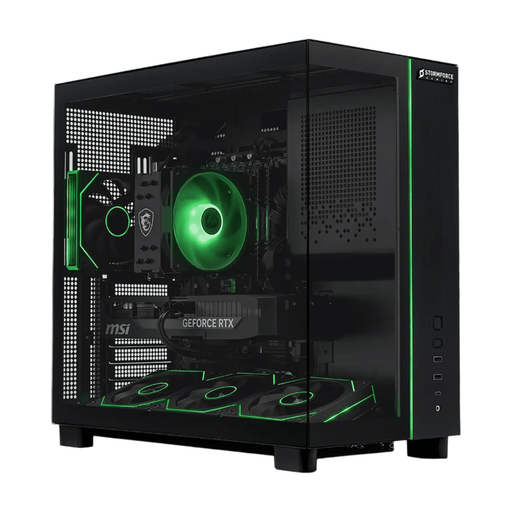
Why This Fits Their Persona: This ready-to-use tower combines 32GB DDR4, a 2TB NVMe SSD and an RTX 5070, giving UK buyers a straightforward desktop for gaming, streaming and everyday creative work.
It avoids the small-drive problem by providing 2TB of NVMe storage and states the CPU, GPU and memory configuration clearly.
Ryzen 7 5700X processor; 32GB RAM and 2TB SSD; Windows 11 Home pre-installed.
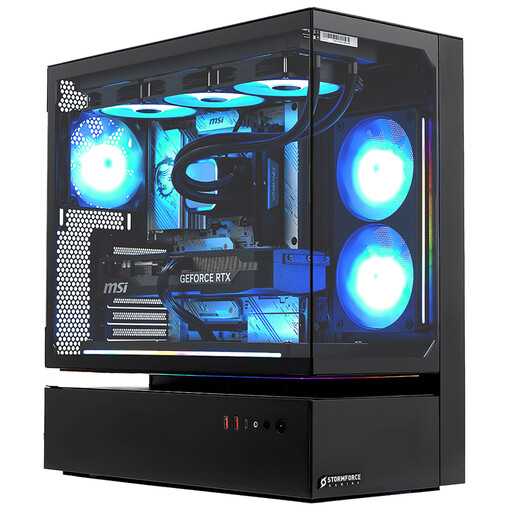
Why This Fits Their Persona: This full-size tower is aimed at buyers prioritising high-resolution gaming, demanding applications and substantial built-in storage over portability.
The specification identifies the RTX 5080 with 16GB GDDR7, 32GB RAM and a 2TB NVMe SSD instead of relying on a vague “high performance” label.
Intel Core i7-14700F with 20 cores; RTX 5080 16GB GDDR7; 3-year collect, repair and return parts-and-labour guarantee.
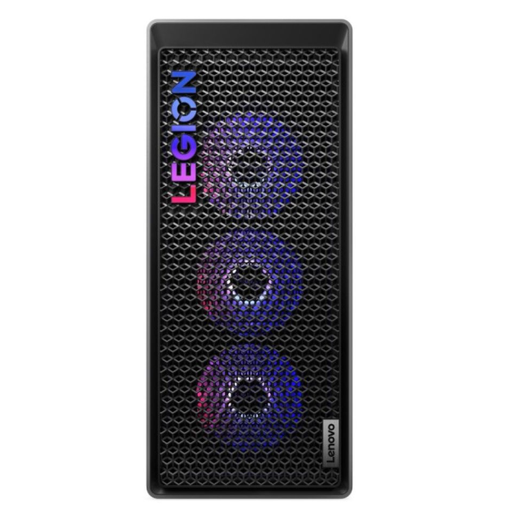
Why This Fits Their Persona: Streamers, creators and users who expect frequent upgrades may value the DDR5 platform, 850W power supply and tool-less 34-litre chassis.
It makes the memory type, PSU rating and upgrade design visible, helping heavy users assess expansion rather than focusing only on the GPU name.
Core Ultra 7 265K; RTX 5070 Ti with 16GB GDDR7; Wi-Fi 6E, Thunderbolt 4 and tool-less access.
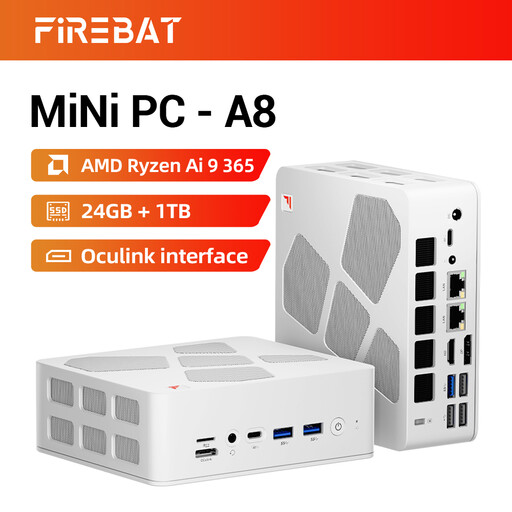
Why This Fits Their Persona: Its small footprint suits UK desks, home offices and multi-screen setups where a full tower would be inconvenient.
The listed Radeon 880M graphics, USB4 and OCuLink support help clarify its compact-system design; buyers should still match expectations to integrated rather than dedicated graphics.
Ryzen AI 9 365; 24GB DDR5 and 1TB PCIe 4.0 SSD; supports 4K quad-display output.
We have compiled a complete, real-time list of products that fully satisfy these strict selection criteria and UK safety regulations.
Place a tower on a stable surface with clear intake and exhaust paths. Avoid closed cabinets, especially during long gaming or rendering sessions. Connect the monitor to the dedicated graphics card where applicable, not automatically to the motherboard video output.
Electricity use depends on the GPU, processor, game settings and hours of use. A higher-wattage system can draw more power under load, so check the PSU specification and consider your expected weekly usage. Use a suitable UK socket, surge protection and the supplied power cable.
Most prebuilt systems require a monitor, keyboard, mouse and mains connection. Complete Windows setup, install updates, connect to Ethernet or Wi-Fi, and update the graphics driver before starting demanding games.
There is no fixed lifespan. It depends on cooling, dust management, workload and whether the hardware continues to meet the requirements of new games. Choosing adequate RAM, SSD capacity and an upgrade-friendly case can delay the need for replacement.
Not necessarily. A desktop may offer more performance per pound and easier upgrades, but its power consumption varies with the installed components. Compare the PSU, GPU class and expected usage rather than judging running costs from the product price alone.