
24/7 Customer Support

Free returns

Same-day & Next-day Delivery

Quality Guaranteed

Unlock Your Welcome Offers: FREE Delivery | Up to 80% OFF | Free 30-day JoyPlus trial
Download the APP
Buying a gaming desktop PC in the UK should be straightforward: choose a processor, graphics card, memory and storage, then connect your monitor. In practice, product listings can hide important details. A low price may reflect older memory, limited storage or a power supply that leaves little room for future upgrades.
This guide explains the specifications that matter, the marketing pitfalls to avoid and which systems may suit different types of UK buyer.
An RTX gaming PC can still feel poorly balanced if its processor, cooling or memory is unsuitable. A powerful graphics card paired with only 8GB of RAM may struggle when you run a game alongside Discord, browser tabs and streaming software.
For modern gaming, 16GB RAM is a practical starting point, while a 32GB RAM gaming PC is more suitable for streaming, video editing, large mod collections and heavy multitasking.
NVMe SSDs are generally preferable to mechanical hard drives for Windows, games and creative applications because they offer faster access and loading. However, the advertised capacity is not the same as usable capacity. Windows, recovery files and installed software occupy part of the drive.
A 2TB NVMe SSD gaming PC gives more room for large game libraries and project files than a 500GB or 1TB system. Check whether the listing identifies the drive as M.2 NVMe rather than simply “SSD”.
A full-size tower may not fit comfortably beneath a compact UK desk. Check the listed dimensions and weight before ordering. Also confirm whether a monitor, keyboard and mouse are supplied. Many prebuilt gaming PCs include the tower only.
Video cables should be connected to the dedicated graphics card when the processor has no integrated graphics. For example, the CyberPowerPC systems listed below require display output through their installed NVIDIA graphics card.
The GPU largely determines the visual settings and resolution a system can handle. An RTX 5070 gaming PC can suit high-quality 1440p gaming, depending on the title and settings. An RTX 5080 gaming PC includes more graphics memory and processing capability for demanding high-resolution games, ray tracing and GPU-accelerated creative software.
For 4K gaming, check more than the GPU name. Frame rates vary according to the game, resolution, graphics preset, ray tracing, drivers and upscaling support. Features such as DLSS or other AI-assisted technologies require compatible games and software.
A Ryzen gaming PC may appeal to buyers prioritising gaming-focused processors such as AMD’s X3D models. An Intel gaming PC can be suitable for users who also run heavily threaded applications, compile projects or use productivity software.
Look at the complete specification rather than the brand. Core count, thread count, boost frequency, motherboard chipset and cooling all influence practical use. A processor without integrated graphics is not a problem when a dedicated GPU is installed, but your monitor must be connected to the correct ports.
For a new system, 16GB RAM is suitable for everyday gaming, while 32GB gives more headroom for streaming and content creation. Confirm whether the system uses DDR4 or DDR5. DDR5 is a newer memory standard, but DDR4 systems can still provide useful performance when matched with the right CPU and GPU.
Also check the motherboard, power supply and available expansion space. A tool-less case, such as the Lenovo Legion T7 configuration below, can make access to internal components more convenient. Warranty conditions should be checked before carrying out upgrades.
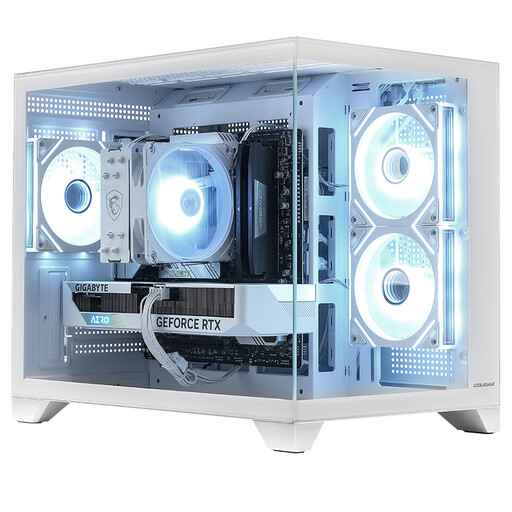
Why This Fits Their Persona: A practical starting point for 1080p or selected 1440p gaming, studying and general home use, with a compact white case that may suit a small-footprint gaming setup.
It specifies a dedicated RTX 5060 Ti 8GB GPU, 16GB DDR4 memory and a 1TB NVMe SSD rather than relying only on vague “gaming-ready” wording.
Ryzen 5 5500 processor, 650W power supply, Windows 11 Home and included Wi-Fi connectivity.
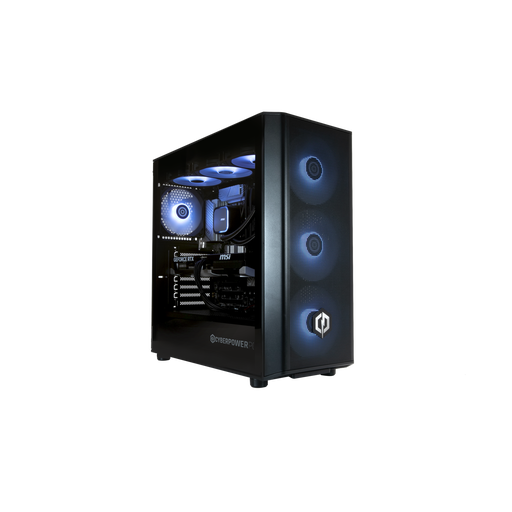
Why This Fits Their Persona: Suitable for a buyer wanting a ready-to-use Windows 11 desktop for gaming, streaming, multitasking and compatible creative applications.
The listing identifies the CPU, GPU, memory and storage clearly and states that the RTX 5070 provides display output because the 265KF processor has no integrated graphics.
20-core Intel Core Ultra 7 265KF, 32GB DDR5, 1TB M.2 NVMe SSD and two HDMI plus two DisplayPort outputs.
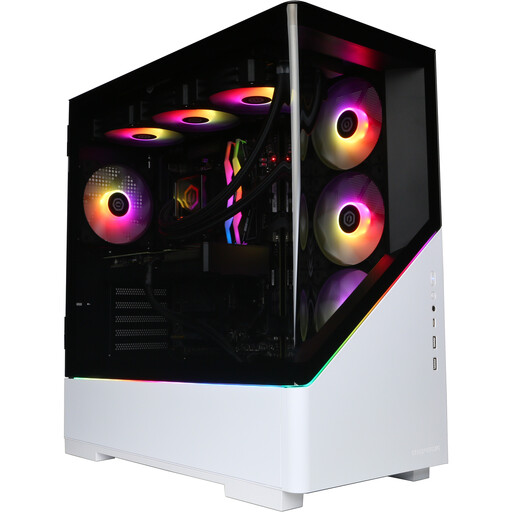
Why This Fits Their Persona: A high-spec option for demanding players, streamers, video editors and users who want 2TB of fast storage in a white desktop tower.
It combines 32GB DDR5 and a 2TB M.2 NVMe SSD, reducing the need for an immediate memory or storage upgrade.
Ryzen 7 9800X3D with 3D V-Cache, RTX 5080 16GB GDDR7, Wi-Fi 5 and two HDMI plus two DisplayPort outputs.
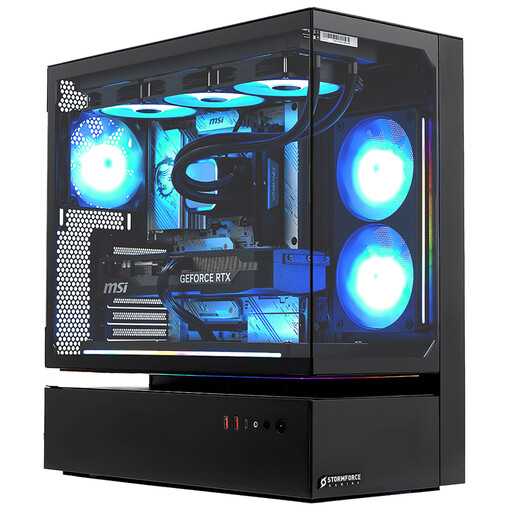
Why This Fits Their Persona: Designed for users considering 4K gaming, high-refresh esports, OBS streaming, editing and other demanding desktop workloads.
The listing provides specific CPU, GPU, RAM and SSD capacities instead of presenting performance as a result without explaining the hardware.
Intel Core i7-14700F with 20 cores and 28 threads, RTX 5080 16GB GDDR7, 32GB DDR4 and 2TB NVMe storage.
We have compiled a complete, real-time list of products that fully satisfy these strict selection criteria and UK safety regulations.
Place the tower on a stable, dry, level surface with clear space around intake and exhaust vents. Avoid enclosed cabinets, carpets and soft furnishings that can restrict airflow. Larger systems may weigh more than 20kg, so use two people when moving them.
For electricity use, a high-performance gaming desktop PC generally consumes more power under sustained gaming or rendering loads than an office desktop. Actual cost depends on the system’s power draw, hours of use and your electricity tariff. Windows updates, graphics drivers and game patches also require internet access.
Yes. A prebuilt gaming PC arrives with the main components assembled and Windows 11 Home installed. You will normally still need to provide a monitor, keyboard, mouse and headset unless the listing says otherwise.
There is no fixed lifespan. Cooling, dust levels, usage patterns and future game requirements all matter. A system with 32GB RAM, a current-generation GPU and accessible upgrade options may remain practical for longer than a lower-spec model, but performance expectations will vary.
A 4K monitor can display a desktop from almost any modern PC, but demanding games at 4K require considerably more graphics capability. Check independent game requirements, intended settings and whether the title supports compatible upscaling before choosing an RTX 5070, RTX 5080 or similar system.