Who this guide is for

Families choosing around friends

Work out where your child’s friends play and which communication features they use before settling on a device. Ofcom identifies contact with strangers through games or chat as a concern for parents of children who play online.

Families with particular games in mind

Check that each intended game has a suitable version for the device, supports the way your child wants to play with friends and meets the relevant age requirements. PEGI ratings describe age suitability, not game difficulty.

Families who need portable play

Consider whether your child needs to play away from a TV or desk, and compare handheld consoles with tablets only after checking game compatibility and the relevant account controls.

What to check before choosing

Games consoles

Consider when: the child’s intended games and friends use the same console ecosystem. Check the specific game’s platform and cross-play arrangements.

Trade-off: disc-free models require you to check how games will be accessed; some online features have separate membership requirements.

Tablets

Consider when: the intended games have compatible tablet versions and portable play or other apps matter to the household.

Trade-off: device and app-store controls have specific limits, so check the game’s own chat and payment settings as well.

Gaming-capable computers

Consider when: an intended game needs its PC version or the child also needs computer functions.

Trade-off: check the exact computer configuration against the game’s requirements, then configure controls in each relevant game store or service.

Concern What to check when buying Who this matters to
Communication Check voice and text options, friend permissions, account age and controls on both the device platform and game service. If my child needs to play or chat with friends, I want to manage who can contact them without blocking the intended way to play. Around 25% of consumers put communication first.
Game fit and age List the intended games, their age information, device versions, cross-play arrangements and online-feature requirements. When I have particular games in mind, I need to know they run on the device and can connect with the intended friends. Roughly 25% of consumers prioritise whether the games and platforms fit.
Family controls Check the child account’s content and spending settings, and whether approvals cover the relevant store or payment route. If I need to manage age-appropriate access and spending, I want to check every account and payment route my child will use. About 20% of consumers focus first on supervision.
Portability Consider where the child will play, whether a TV or desk is available and whether non-gaming apps are also needed. When my child needs to play away from a fixed TV or desk, I want a portable option that still supports the intended games and controls. Around 15% of consumers prioritise portable play.
Whole-setup requirements Check game format, online memberships, storage and necessary accessories for the specific games and features. If I am comparing the complete setup, I want to account for how games are accessed and which online features need a membership. Roughly 15% of consumers focus first on requirements beyond the device.

Buying pitfalls to avoid

  • Choosing the device before checking the games

    A device specification alone does not establish that a game will run on it or let the child play with friends on another platform.

    Check each intended game’s supported devices, age information, cross-play arrangements and online-feature terms before choosing hardware.

    A mismatch may mean needing a different game version, service membership or device, so confirm compatibility before buying.

  • Assuming one control manages every game’s chat

    Game services can have separate voice, text, friend and purchasing permissions. Nintendo also documents GameChat controls separately from general Switch 2 console restrictions.

    Review the child account, the console or operating-system settings, and the settings for each game service.

  • Overlooking disc and online-feature requirements

    PS5 Digital Edition and Xbox Series S models do not accept game discs. Nintendo specifies a Nintendo Switch Online membership for Switch 2 GameChat.

    Check how each intended game will be accessed and whether the particular online feature requires a membership.

    Compare the game format and current online-feature terms for the exact device and service you plan to use.

  • Assuming similarly named computers have the same capabilities

    Lenovo lists different possible configurations within the LOQ 15IAX9E family, so a family name alone does not establish a particular configuration’s suitability for a game.

    Check the complete model and configuration against the intended games’ published requirements.

Relevant brands to consider

Nintendo

Switch 2 is a handheld-and-TV console option when the child’s intended games support it.

  • Nintendo documents console-level content and playtime restrictions.
  • Nintendo says general controls apply to the console rather than individual users. GameChat has separate controls, and supervised users under 16 need the linked smart-device app for GameChat.

PlayStation

A PS5 route when the child’s intended games and friends use PlayStation.

  • PlayStation documents child-account settings for content, communication, playtime and monthly spending.
  • The PS5 Digital Edition has no disc drive. PlayStation states that online multiplayer requires paid PlayStation Plus, subject to the applicable game’s terms.

Xbox

Xbox Series S is a console route when the child’s intended games and friends use Xbox.

  • Microsoft documents family settings for age-based content, social communication and multiplayer.
  • The 512 GB Series S is all-digital and does not accept game discs. Check the intended game’s account and online-play terms separately.

Apple

The iPad represents a tablet option when the intended games have compatible iPad versions.

  • Apple documents Screen Time controls for child accounts and lists 128 GB as one iPad 11-inch (A16) capacity.
  • Apple notes that parental-control availability varies by device and that some controls depend on software updates. Check game-service settings separately.

Google

Family Link and Google Play are relevant to supported supervised Android devices, not a guarantee about every tablet or game.

  • Google documents app management on supported supervised devices and purchase approvals for Google Play billing.
  • Check device support and remember that Google Play purchase approvals apply to Google Play billing, not every payment route.

Lenovo

LOQ gaming laptops illustrate the computer route for families considering PC games or other computer use.

  • The LOQ 15IAX9E product reference lists possible configurations for this laptop family.
  • Specifications vary by configuration, and Lenovo notes that some configurations are available only in selected regions. Check the exact model against the intended games’ requirements.

Related Joybuy products

These listings cover children’s tablets and portable handheld consoles. Check each intended game’s compatible version, online features and account controls before choosing; the product category alone does not confirm online-play compatibility.
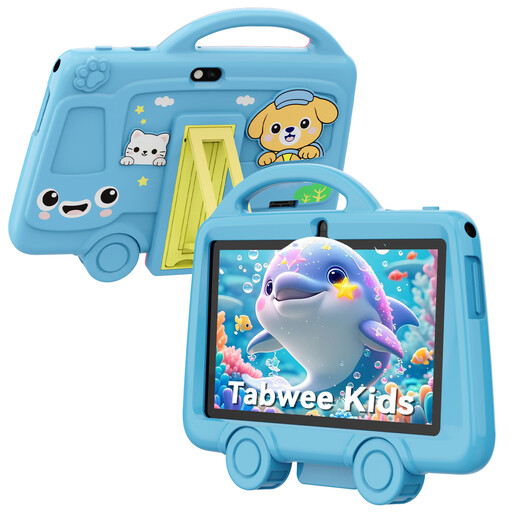
TABWEE K8 children’s tablet, 7-inch, blue

TABWEE K8 Kids’ Tablet, 7-inch, 3 GB RAM, 32 GB storage, blue

A child-focused tablet form may suit portable use; check whether it runs your child’s intended online games and services.

7-inch screen; 3 GB RAM; 32 GB storage; 2.4 GHz Wi-Fi; Bluetooth 4.2; 3.5 mm headphone jack.

Joybuy

TABWEE K8 children’s tablet, 7-inch, 2 GB RAM

TABWEE K8 Kids’ Tablet, 7-inch, 2 GB RAM, 32 GB storage

A child-focused tablet form may suit portable use; check whether it runs your child’s intended online games and services.

7-inch screen; 2 GB RAM; 32 GB storage; 2.4 GHz Wi-Fi; Bluetooth 4.2; 3.5 mm headphone jack.

Joybuy
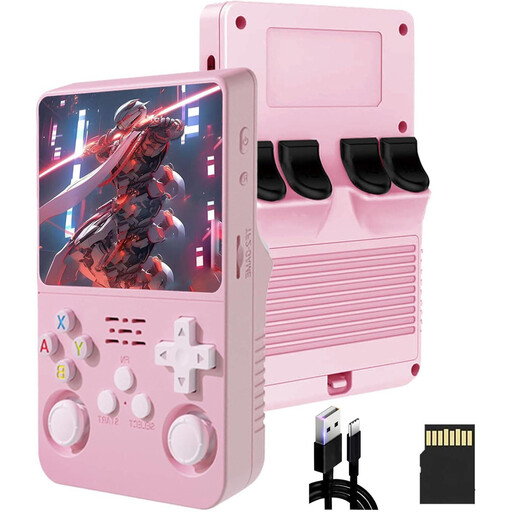
R36S retro handheld console, 128 GB, pink

R36S Retro Handheld Console, 128 GB, pink

This listing identifies a portable handheld console; confirm that it supports the specific online games and services your child wants to use.

128 GB storage; 3.5-inch IPS colour display; dual joystick design.

Joybuy
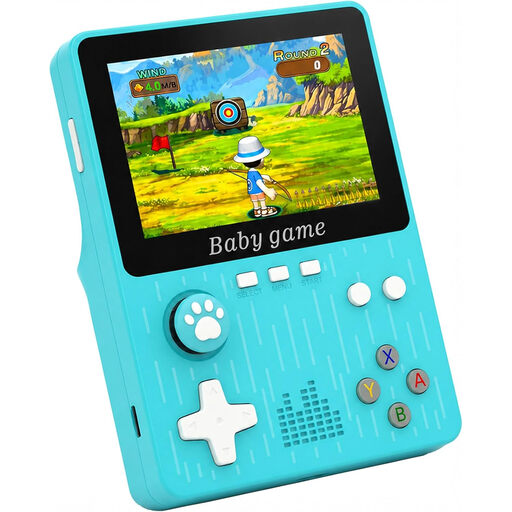
Handheld game console for children, blue

Handheld Game Console for Children, 300 Games, 3.5-inch IPS Screen, Blue

This listing identifies a portable handheld console; check the specific game and online-service compatibility before treating it as an option for online play.

3.5-inch IPS screen; joystick; rechargeable.

Joybuy
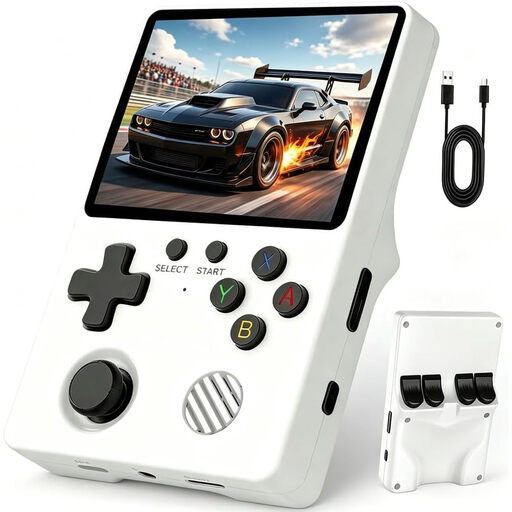
Retro handheld console, 3.5-inch IPS display, Linux system

Retro Handheld Console, 3.5-inch IPS Display, Linux

This listing identifies a portable retro console; confirm that it supports the particular online games and features your child needs.

Linux system; 3.5-inch IPS display.

Joybuy

Frequently asked questions

Does a child account make every online game and chat feature age-appropriate?

No. Register the child’s correct age, check the particular game’s PEGI information and service age requirements, and review communication settings on both the platform and game service. PEGI ratings describe age suitability, not game difficulty.

What must we set up before a child under 16 uses Switch 2 GameChat?

Nintendo says to link the Nintendo Switch Parental Controls smart-device app and set up GameChat-specific parental controls. Nintendo also specifies a Nintendo Switch Online membership and a persistent internet connection for GameChat; check the account requirements during setup.

Will tablet purchase approval stop payments made anywhere in a game?

Not necessarily. Google says its purchase approvals apply to Google Play billing, so check separate game-service permissions and payment arrangements. Apple provides its own child-account approval settings for supported Apple purchases.

Will a headset’s mute switch stop other players contacting my child?

No. A microphone mute controls the headset microphone; configure communication permissions separately in the child’s platform account and the relevant game service.

Are PEGI age ratings legally enforced in the UK?

UK government guidance says games rated PEGI 12, 16 or 18 cannot be sold or hired to someone below the stated age; PEGI 3 and 7 ratings are advisory. This concerns the supply of rated games, not an age restriction on buying a console or permission to use every online feature.