Parents managing online contact
If multiplayer or chat is part of the plan, check both the platform and the game’s communication settings. Nintendo Switch 2 GameChat has a separate parental-approval arrangement, according to Nintendo UK Support.


Choose a device that runs the games your child intends to play, then check its account controls for communication, content, spending and playtime. PlayStation and Xbox offer child-account settings for console gaming, while Nintendo Switch restrictions can apply to everyone using the console; tablets and computers also require checks on the relevant store and individual game settings.
If multiplayer or chat is part of the plan, check both the platform and the game’s communication settings. Nintendo Switch 2 GameChat has a separate parental-approval arrangement, according to Nintendo UK Support.
If approving downloads or limiting spending is the priority, check the child account’s store and payment controls. Apple’s Ask to Buy and Google Play purchase approvals apply to specified store transactions, as described by Apple Support UK and Google For Families Help.
Start with the games your child wants to play and whether the setup needs a TV, handheld screen, tablet or computer. The UK government’s Kids Online Safety campaign describes online gaming across consoles, phones, tablets, computers and other devices.
Ofcom identifies online contact, bullying, unsuitable content and pressure to make in-game purchases among UK parents’ gaming concerns. Check the settings on the device, store and individual game rather than assuming one control covers them all.
| Concern | What to check when buying | Who this matters to |
|---|---|---|
| Online contact and communication | Check child-account communication permissions and any separate approval or chat settings for the intended game. | If online chat is part of the plan, I want to know who can contact my child before they join a game. Around 25% of consumers put online contact and communication first. |
| Age-appropriate games and content | Check age-rated game and app restrictions on the selected account, and whether settings apply to each user or the whole device. | If access to age-rated games and content is my main concern, I need to understand which restrictions apply to my child’s account. Around 20% of consumers put content restrictions first. |
| Purchases and spending | Check store approval or spending controls and which billing routes they cover; verify disc and service requirements for the exact console variant. | If I want to approve downloads or limit in-game spending, I need to know which transactions the account controls cover. Around 20% of consumers put spending controls first. |
| Playtime and household routines | Check where schedules or app limits are set and whether they cover the intended device, game or website. | When play needs to fit around a household routine, I want limits that apply to the relevant account and apps. Around 15% of consumers put playtime limits first. |
| Game compatibility and play setting | Confirm each intended game supports the device; check whether play needs a TV, handheld mode or a computer, and whether discs are required. | If the child already has particular games in mind, I need to match those titles to a device and play setting that works. Around 20% of consumers put game-and-device fit first. |
Controls can have different scopes. Nintendo manages console restrictions separately from eShop purchase restrictions, while Google Play approvals apply to purchases made through Google Play billing.
Before play begins, list the intended games, chat features and payment routes, then check the relevant account settings for each.
Xbox Series S and PS5 Digital Edition have no disc drive, so physical game discs cannot be used on those variants.
Check the exact console model against the games the household already owns and plans to play.
Nintendo Switch 2 GameChat requires an internet connection and Nintendo Switch Online membership; children under 16 also need parental approval.
If GameChat matters, check the current membership, internet, account and approval requirements before choosing the setup.
Relevant when the intended games need to work across TV, tabletop or handheld play.
Relevant when the intended games are on PlayStation and the household wants child-account settings.
Relevant for households considering Xbox console games or a Windows computer with Microsoft family-account tools.
Relevant if the intended games run on iPad and the household also wants a general-purpose tablet.
Relevant when a child-profile-led tablet setup suits the household and the intended games are available.
These choices cover console gaming and a child-focused Android tablet. Match the device to the intended games, then check the relevant account and game controls for your household.
 Image unavailable
A choice to consider if your household wants TV, tabletop and handheld play and the intended games are available for Switch 2.
The listing includes a Nintendo Switch Sports Resort download and a 3-month Nintendo Switch Online membership. Nintendo says GameChat requires membership and parental approval for children under 16; console restrictions apply to everyone using the console.
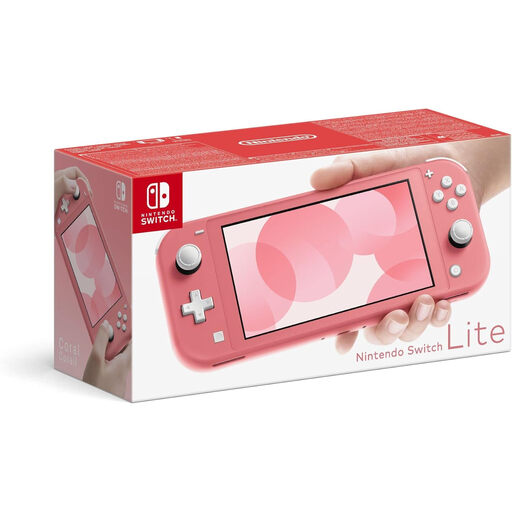 Image unavailable
A handheld option if the intended games support handheld mode and play away from a TV suits your household.
Handheld-only, with no TV output, detachable controllers or kickstand. Check the game packaging or eShop for handheld-mode compatibility.
 Image unavailable
A tablet option if the intended games run on Android and the listed Child Lock feature fits the household’s setup.
Android 15, 8-inch screen, 3GB RAM and 32GB storage; the title specifies 5G WiFi and a blue protective case. The title states that an adapter is not included.
 Image unavailable
A TV or monitor console option if the intended games are Xbox titles and the household’s child-account settings suit the way it will be used.
512GB all-digital console with no disc drive; disc-based games are not compatible.
 Image unavailable
A TV or monitor console option if the intended games are Xbox titles and the household’s child-account settings suit the way it will be used.
1TB all-digital console with no disc drive.
No; check the child’s platform account and the intended game’s communication and payment arrangements. Nintendo manages Switch 2 GameChat separately from some other communication restrictions, while Google Family Link purchase approvals apply to purchases through Google Play billing.
Plan for the console’s restrictions to apply to everyone who uses it. Nintendo says eShop purchase restrictions are managed separately through a parent or guardian’s Nintendo Account family group, and GameChat has additional approval arrangements.
No; an accessory does not set a platform or game communication restriction. Use accessories for the household’s preferred play arrangement, and set contact permissions in the relevant child and game accounts.
Check the requirements for the exact game and online feature before choosing a device. Nintendo says Switch 2 GameChat requires a Nintendo Switch Online membership and an internet connection; children under 16 also need parental approval.