What should you check before buying?
For a child playing with friends, check that the game, account and communication setup work together before deciding whether extra hardware or an online membership is needed.
| Concern |
What to check when buying |
Who this matters to |
| Who can communicate? |
Check child-account chat permissions, friend approvals and any separate controls in the game. Xbox distinguishes multiplayer permissions from voice or text communication. |
If I want my child to talk only with approved friends, I need to check both account and game settings. Consumers who put contact control first account for around 25%. |
| Joining friends’ games |
Confirm the exact game and edition, supported devices, cross-play and chat arrangements, and any online membership requirement. Support can vary by game. |
When the priority is joining friends in particular games, I would check their devices and the game’s arrangements before choosing a platform. Consumers who prioritise game compatibility make up around 25%. |
| Child-account controls |
Check account setup, age-related permissions, spending controls and whether settings apply to a user or the whole device. |
If I need age-appropriate access and spending settings for my child, I would check who can manage the account and which controls cover the intended games. Consumers focused on child-account management account for around 20%. |
| Extra microphone or controller |
Check what the device already includes, the game’s player and chat controls, and the accessory’s connection. Nintendo does not guarantee that every product works with the Switch 2 audio jack. |
When I am unsure whether another microphone or controller is needed, I would check the included hardware and intended setup first. Consumers who put accessory fit first represent around 15%. |
| Ongoing game and online costs |
Check the chosen game’s membership requirements, physical or digital format and the permissions needed to make purchases. |
If I want to understand the cost of the intended games and online features over time, I would check the game and console edition before buying. Consumers who prioritise ongoing costs account for around 15%. |
Joybuy products for connected gaming
These Joybuy listings cover gaming consoles, a tablet, controllers and headsets. Check each item against the child’s intended games, account settings and device before choosing accessories.
 No image available
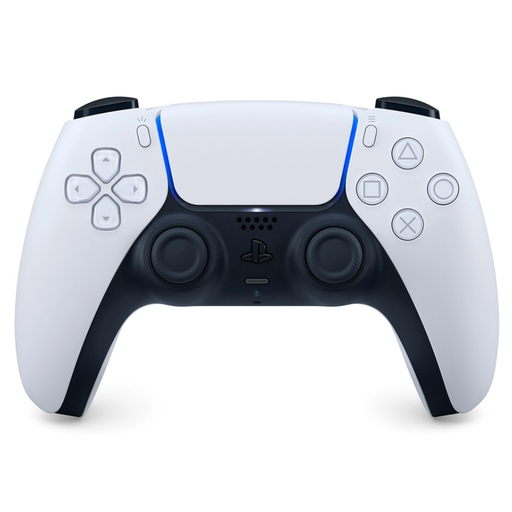
Sony DualSense PS5 Wireless Controller - White
For a PS5 setup that needs another controller; check that the intended game supports the planned player arrangement.
The listing describes Bluetooth and USB-C connectivity, a built-in microphone, a headset jack, haptic feedback and adaptive triggers.
View on Joybuy
 No image available
Nintendo Switch 2 Console (UK Version)
Consider this console if the intended games and friends’ arrangements suit Switch 2; Nintendo lists a built-in microphone for GameChat.
For under-16 or supervised users who will use GameChat, Nintendo requires the parental-controls app to be linked and additional controls to be set up. Nintendo Switch Online is required for GameChat after the welcome offer ended in March 2026; check online-play requirements for each game.
View on Joybuy
 No image available
Alldocube Kido 8-inch Android 15 Children’s Tablet
Consider this tablet route only if the intended game supports the device and its account and chat settings meet the family’s needs.
The listing specifies Child Lock, a Unisoc T310 processor, 3GB+32GB, 5G WiFi, a 5000mAh battery, two speakers, a 3.5 mm socket and front 2MP and rear 5MP cameras. It lists a blue protective case and no adapter.
View on Joybuy
 No image available
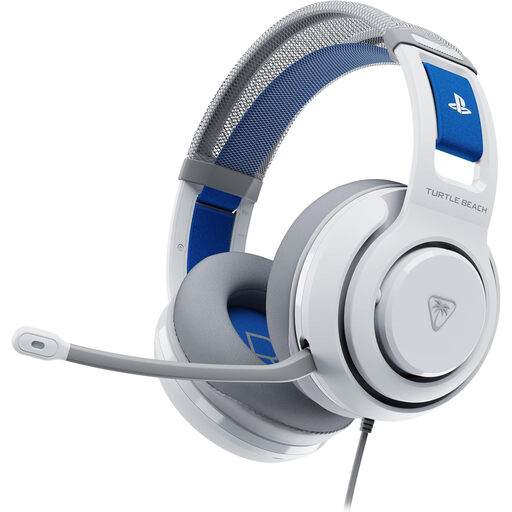
Turtle Beach Atlas 200 Wired Gaming Headset for PS5 and PS4 - White
For a listed PlayStation setup that needs a separate microphone; confirm the intended game permits the planned voice chat.
The listing describes a wired 3.5 mm connection and a flip-to-mute microphone. Its description also lists Xbox, Nintendo Switch and PC compatibility; check the specific device and connection.
View on Joybuy
 No image available
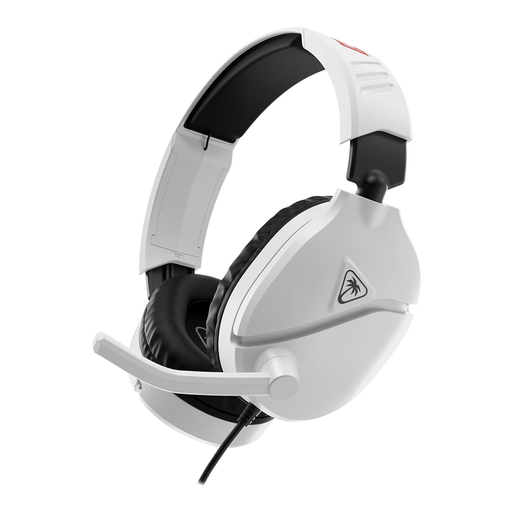
Turtle Beach Recon 70N Gaming Headset, Nintendo Licensed - White
For a Switch 2 setup that needs a separate microphone; check the intended game’s chat permissions before choosing a headset.
The listing describes a wired 3.5 mm connection and a flip-to-mute microphone, and names Switch 2, Switch, Switch OLED and Switch Lite compatibility.
View on Joybuy
Questions about gaming with friends
How can I check whether my child can talk only with intended friends?
Check both the child account’s permissions and the game’s communication settings. Xbox separates multiplayer from voice or text permissions, and Roblox has age-dependent communication controls. Check the intended arrangement using the child’s account rather than assuming a headset enables chat.
Does a child under 16 need a special setup for Switch 2 GameChat?
Yes, if they will use GameChat. Nintendo requires the parental-controls app to be linked to the console and a parent to set additional GameChat controls for under-16 and supervised users. This applies to that feature, not to every gaming-device purchase.
Do I need to buy a headset for Switch 2 GameChat?
Not necessarily: Nintendo lists a built-in microphone on Switch 2. If you prefer a separate headset, check its connection and microphone operation, as Nintendo does not guarantee that every product connected to the audio jack will work.
Is an online-play subscription always necessary?
No; the requirement depends on the game and feature. Nintendo says many Switch games require Nintendo Switch Online for online play but identifies exceptions, including Fortnite. Switch 2 GameChat requires membership after its welcome offer ended in March 2026, so check the intended game and feature before buying.
What UK age-rating rule applies to a boxed game?
The UK Games Rating Authority says physical PEGI 12, 16 and 18 games cannot legally be sold or rented to someone below the respective rated age. This rule concerns the supply of those physical games; it is not a blanket legal age limit on buying a console, tablet or headset. Check the particular game’s rating and content information.


