Start with the games your child wants to play and the platforms their friends use, then check account and communication controls before choosing a device. Consoles, tablets and PCs differ in portability, shared-device management and game compatibility; no single device setting controls every game's chat or purchase route.
Who this guide is for
Parents arranging play with friends
You need the intended games and multiplayer options to work with your child's friends, while deciding which accounts and communication settings to manage. Ofcom's guidance highlights the importance of checking account details and who children play with.
Parents managing a shared device
You need time, content and spending arrangements that make sense when a device has more than one user or is used for other household activities. Nintendo notes that its console parental restrictions apply to everyone using that console.
Parents choosing portable or PC play
You are weighing a tablet, handheld console or computer against the games your child wants and any other household uses. Microsoft Support, Apple Support and Nintendo UK document different family-management arrangements for their respective devices and services.
What to consider before buying
Games consoles
Choose this route: when the intended games and friends' platforms support playing together. Nintendo Switch 2 also supports handheld-to-TV use.
Trade-off: controls may apply to the whole console, and some editions cannot use physical game discs. Check the exact model and online-play requirements.
Gaming-capable tablets
Choose this route: when the child's specific games have suitable tablet versions and portable, touch-based use matters.
Trade-off: check game, account and accessory compatibility; app-store purchase controls do not necessarily cover every in-game payment route.
Gaming PCs and laptops
Choose this route: when a game needs a computer or the household also needs general computer use.
Trade-off: device-level family settings do not automatically manage every game service or chat application; check each game account's requirements.
| Concern |
What to check when buying |
Who this matters to |
| Playing the intended games with friends |
Check each game's device edition, multiplayer and cross-platform options, friends' platforms and any membership requirement. |
If I am choosing around a particular game and friend group, I need the device to support the way they play together. Around 29% of consumers put game-and-friend compatibility first. |
| Managing who can communicate |
Check the child's account settings, whether the game has separate chat controls and any age-specific approval steps. |
If I want to manage who can contact my child, I need to review both platform settings and any separate game account. Around 29% of consumers make communication management their primary concern. |
| Supervising a shared device |
Find out whether restrictions apply per child, per device or per store, and whether setup requires a separate app. |
If several people use the device, I need controls that fit the household without assuming every setting is individual. Around 18% of consumers prioritise shared-device supervision. |
| Understanding the whole setup |
Check the exact console edition, included items, game requirements and any membership or accessory needed for the planned use. |
If I am comparing the device with the games and online features we will use, I need to account for more than the console itself. Around 18% of consumers put the overall setup requirements first. |
| Arranging private audio and chat |
Check the headset connection and microphone controls for the exact device, as well as the game's chat and account settings. |
If game audio needs to stay private or a microphone control would help in a shared room, I need an accessory that works with the chosen chat route. Around 6% of consumers prioritise headset arrangements. |
Buying pitfalls
-
Choosing a disc-free console when you own physical games
The Xbox Series S and the cited PS5 Digital Edition do not play game discs, so a physical game collection will not work on those editions.
Check the exact console version and the format of games the household already owns before choosing.
-
Assuming a device restriction controls every game's chat
A game may use a separate account and age-related communication settings, so platform controls alone do not show what is permitted within that game.
Set up the child's correctly aged platform account, then review the intended game's own account and communication settings.
-
Assuming online play or GameChat is included indefinitely
Nintendo says Switch 2 GameChat requires Nintendo Switch Online. PlayStation says paid PlayStation Plus is required for online multiplayer where applicable.
Check the requirements for the specific game and communication feature, including any continuing membership.
-
Expecting separate restrictions for each Switch user
Nintendo states that parental restrictions apply to the console, not separately to each person using it.
Plan shared-console restrictions around everyone who will use the device, and review Nintendo Account settings where relevant.
Relevant brands to consider
Nintendo
Switch and Switch 2 may suit households whose games and friends fit Nintendo's platform; Switch 2 supports handheld-to-TV use.
- Nintendo documents play-time, content and communication restrictions, with separate supervised-friend approvals for Switch 2 GameChat.
- Console restrictions apply to everyone using that console. GameChat requires Nintendo Switch Online.
Microsoft Xbox
Xbox consoles may suit households whose intended games and friends use Xbox and whose setup fits Xbox Family Settings.
- Xbox Family Settings documents child-member content, communication, multiplayer and screen-time settings.
- The Xbox Series S is disc-free; account settings should not be assumed to control every separate game service.
Sony PlayStation
PlayStation may suit households whose intended games and friends use its platform and whose family setup uses child accounts.
- The PlayStation Family app documents child-account settings for games, communication and spending.
- The cited PS5 Digital Edition has no disc drive. Paid PlayStation Plus is required for online multiplayer where applicable.
Apple
iPad may suit households whose particular games have suitable versions and that also want wider tablet uses.
- Apple documents Family Sharing, Child Accounts and Screen Time tools for managing apps, content and device use.
- Screen Time does not establish universal control of third-party in-game chat; software versions can affect access to updated controls.
Google Android
An Android tablet may suit families when the selected device supports the required games and Google account services.
- Family Link and Google Play provide documented account, app and purchase-management tools.
- Google Play purchase approvals apply only to purchases made through Google Play billing, so check each game's payment route.
Related Joybuy products
These options relate to choosing a child-focused tablet, a console that fits the family's games, or a headset for a gaming setup.
 No image available
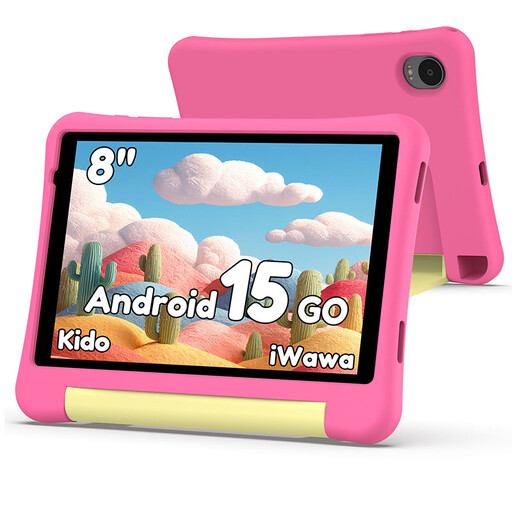
ALLDOCUBE Kido Children’s Tablet, 8-inch, Android 15, 3GB+32GB, Pink Case
The child-focused Android tablet may suit portable play when the intended games are compatible.
Android 15; 8-inch display; Child Lock; Unisoc T310; 3GB+32GB; pink protective case. The listing specifies no adapter.
View on Joybuy
 No image available
Xbox Series S 512GB Console, White
This console may suit a household whose intended games and friends use Xbox, alongside Xbox family-management settings.
All-digital 512GB console with no disc drive; physical game discs are not compatible.
View on Joybuy
 No image available
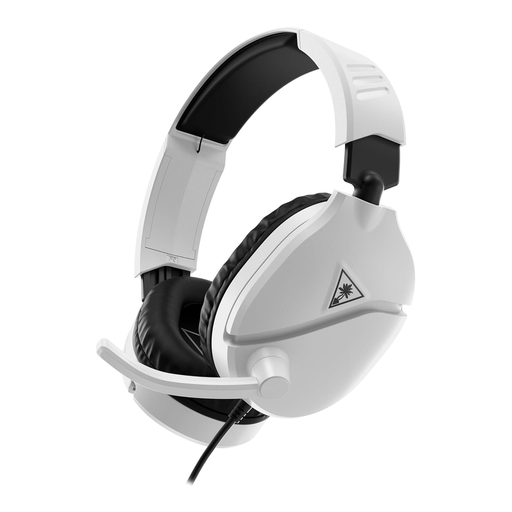
Turtle Beach Recon 70X Gaming Headset, White
A headset may suit a shared-room setup when private game audio or an accessible microphone control matters.
Check the connector and chat compatibility for the exact device and game. A headset does not replace account-level or game-level communication settings.
View on Joybuy
 No image available
Sony PlayStation 5 Digital Edition, Slim
This digital console may suit a household whose intended games and friends use PlayStation and whose child-account setup fits PlayStation family tools.
No disc drive. PlayStation states that paid PlayStation Plus is required for online multiplayer where applicable.
View on Joybuy
 No image available
Nintendo Switch 2 Console, UK Version
This console may suit a household looking for handheld-to-TV play and Nintendo's supervised GameChat settings.
Nintendo's parental restrictions apply to everyone using the console. GameChat requires Nintendo Switch Online; supervised users under 16 require parental-controls app setup.
View on Joybuy
Frequently asked questions
Do console parental controls manage chat inside every game?
No; do not assume console settings control every game's chat. Set up the child's platform account and check whether the chosen game uses its own account or communication controls. Nintendo documents separate GameChat controls, and some game services have their own age-related account features.
What does a parent need to set up for a child under 16 to use Switch 2 GameChat?
Nintendo says a parent must use the Nintendo Switch Parental Controls app to set GameChat controls for supervised users under 16. GameChat also requires a persistent internet connection and a Nintendo Switch Online membership.
Can a child under 13 create a Steam account?
No. Steam's Subscriber Agreement says a person under 13 may not become a subscriber. This is a Steam service rule, not a rule against a child using a computer for all games.
Will a tablet's purchase approval cover all in-game spending?
Not necessarily. Google says its Google Play purchase approvals apply only to transactions through Google Play billing. For an iPad, review Apple's Ask to Buy and Screen Time settings alongside the intended game's payment route.
Does a UK PEGI age rating automatically ban a younger child from playing a game?
The cited rule is not a universal ban on a child playing every version of a game. The UK Games Rating Authority says PEGI 12, 16 and 18 ratings on games supplied in physical form are legally enforceable for sale or rental to people below those ages. That rule concerns physical sales or rentals, not every digital transaction or play situation.


