Families coordinating games with friends
Check that the specific games, devices and accounts support playing together. Cross-network play depends on the game, as explained by Xbox Support and Epic Games.


Start with the games your child wants to play and the platforms their friends use, then check cross-play, child-account settings and the intended voice-chat route. Choose a console, tablet or computer to suit those games and your home; add a headset only after confirming that its microphone works with the device and chat service. Online-play subscriptions and purchase approvals vary by platform, game and payment route.
Check that the specific games, devices and accounts support playing together. Cross-network play depends on the game, as explained by Xbox Support and Epic Games.
Consider the child's account controls as well as the game's own chat settings. Ofcom's UK guidance highlights communication with strangers as a concern for parents of children who game online; no single device setting guarantees control across every service.
Choose a setup that fits the available display and whether play needs to be portable, then set up a distinct child account and spending controls. The right arrangement depends on your household and the games you intend to use.
Begin with game and friend compatibility, then consider communication and purchase controls before settling on a device or accessory.
These priorities apply to families choosing a device or accessory for a child who plays games online with friends.
| Concern | What to check when buying | Who this matters to |
|---|---|---|
| Games and friends | Check each game's supported devices and cross-network play for the friends' platform combination. | If I am choosing a setup so my child can join friends in specific games, I want to confirm that exact combination first. Around 25% of consumers put game-and-friend compatibility first. |
| Multiplayer contact | Review child-account communication permissions and the intended game's chat settings separately. | If I want to manage who can contact my child, I need to check the game as well as the device account. Around 25% of consumers prioritise communication controls. |
| Purchases and access | Check game access restrictions, spending approvals, payment routes and any online-play subscription for the chosen title. | If I want to approve game and in-game spending and understand ongoing access requirements, I need to check the relevant accounts and billing route. Around 20% of consumers put purchase controls first. |
| Shared household space | Consider whether play will use a shared TV or monitor, a portable screen, and a separate child account. | If I am fitting play around a shared display or room, I want an arrangement that suits the space without relying on shared access to manage a child's account. Around 15% of consumers prioritise the shared-space setup. |
| Connection and microphone | Consider other household internet use and check both audio output and microphone input on the exact device and chat service. | If I need multiplayer access and voice chat to work in our setup, I want to confirm the connection and microphone compatibility rather than assume they go together. Around 15% of consumers put connection and chat hardware first. |
Nintendo says Switch 2 supports Bluetooth audio but not Bluetooth microphones, so a headset may play sound without providing microphone input.
Check microphone input on the exact device and in the intended chat service before choosing a headset.
Nintendo says many Switch games require Nintendo Switch Online for online play, while some free-to-play titles do not. Switch 2 GameChat has its own membership requirement.
Check the chosen game's online-play terms and the current requirements for any chat service separately.
Google Play purchase approvals apply to transactions using Google Play billing; they do not automatically cover a different billing route.
Check how the game processes payments and review its account settings as well as the device storefront controls.
Game support and cross-network play depend on the specific title and platform combination. An internet-connected device alone does not establish that friends can play together.
List the intended games, friends' devices and preferred chat method, then check the relevant game information before choosing hardware.
Relevant when handheld and TV play both matter and the child's games support Switch 2.
Relevant when the intended games are available on PlayStation and a TV-or-monitor console suits the household.
Relevant when considering Xbox console play or a Windows gaming computer with family controls.
An iPad may suit a family looking for portable, multipurpose play when the exact model supports the intended iPadOS games.
Family Link and Google Play controls are relevant when considering an Android gaming tablet.
These choices cover gaming-capable computers and Nintendo Switch 2 consoles. Check the intended games, account arrangements and chat requirements before deciding which setup suits your household.
 No image available
For a child whose chosen game supports Windows PC, this is a gaming-laptop option with wired and wireless connection choices listed.
Windows 11 Home; AMD Ryzen 7 170; 16GB RAM; 1TB SSD; GeForce RTX 5050; 15.6-inch 144Hz FHD display; Wi-Fi 6; Gigabit Ethernet; combined headphone and microphone jack.
 No image available
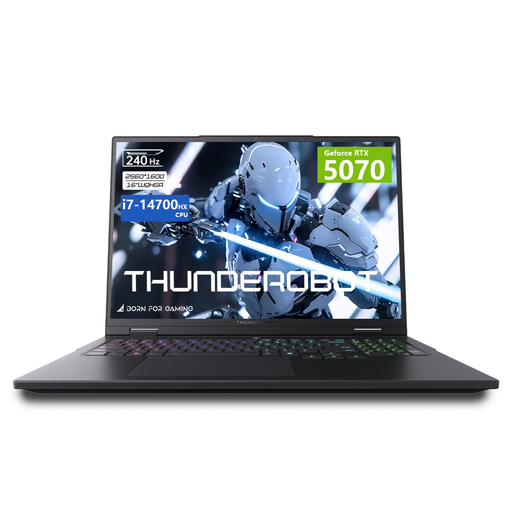
For a child whose intended game supports PC, this laptop is one computer-based option; check the game's requirements against the exact model.
Intel Core i7-14700HX; RTX 5070; 32GB RAM; 1TB storage; 16-inch 2560×1600 IPS display; 240Hz refresh rate; Wi-Fi 6.
 No image available
For families considering both portable and TV play, this listing identifies a Nintendo Switch 2 console bundle.
The listing describes a 7.9-inch screen and TV output. It states that online services require internet access and a Nintendo Account, and that GameChat has additional requirements for children.
 No image available
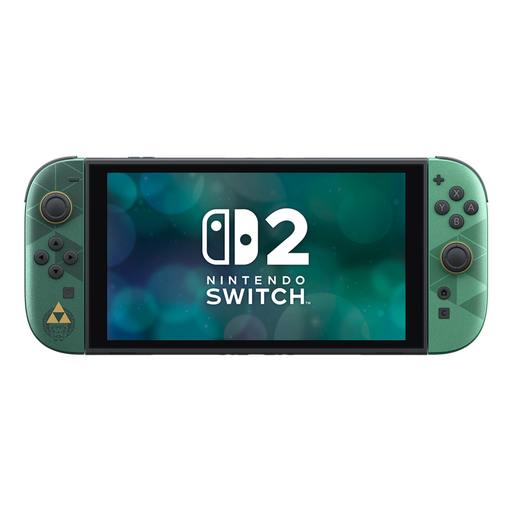
For families considering Switch 2, this listing identifies a console edition with a The Legend of Zelda 40th Anniversary designation.
The listing describes screen and TV-play options. It states that online features, including GameChat, require internet access, a Nintendo Account and Nintendo Switch Online membership.
 No image available
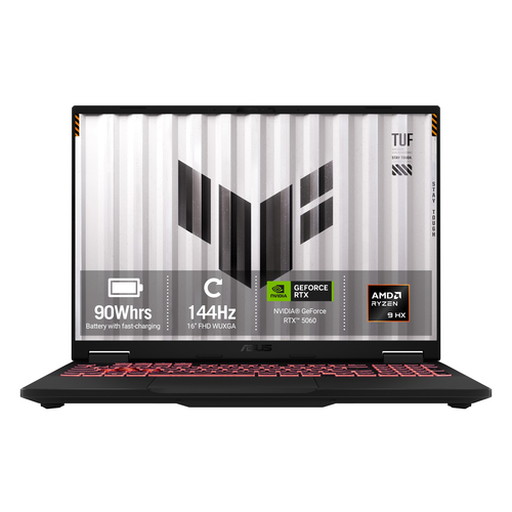
For a child whose chosen game supports Windows PC, this is another gaming-laptop option to compare against the game's requirements.
Windows 11 Home; AMD Ryzen 9 8940HX; NVIDIA GeForce RTX 5060 Laptop GPU; 16GB DDR5 memory; 1TB NVMe SSD; 16-inch WUXGA 144Hz display; UK English keyboard.
Only if the specific game supports the platforms and cross-network arrangement they use. Check the game's current device support, account requirements and communication settings before choosing hardware.
No. Chat still depends on the platform and game's account settings. Epic says a cabined Fortnite account cannot use voice or text chat until parental consent is completed; Switch 2 GameChat has separate parental approval settings for under-16s.
Configure the child's own account, check its recorded age, game access, friends and communication permissions, and review purchase settings. Then check the intended game's separate account or chat controls. Ofcom and UK government guidance, alongside platform instructions, inform these checks; no single setting covers every service.
It depends on the game and service. Nintendo says many Switch and Switch 2 games require Nintendo Switch Online for online play, while some free-to-play games, including Fortnite, do not. Switch 2 GameChat requires Nintendo Switch Online; check the chosen game's information and the service's current terms before subscribing.
The cited age-rating rule applies to the sale or hire of games, not generally to buying a console or headset. UK government guidance says games rated PEGI 12, 16 or 18 cannot be sold or hired to someone below the corresponding age, and recommends using ratings when choosing games for children.