What matters when buying
For a child who plays online at home, establish which games and friends the device must accommodate, then check the child-account controls and any accessories needed for that setup.
| Concern |
What to check |
Who this matters to |
| Online contact and privacy |
Check who can message, invite or speak to the child through the intended game and platform. A headset microphone does not set contact permissions. |
If my child wants to play with friends, I need to decide whether wider voice or text contact is appropriate. Around 36% of consumers put manageable online contact first. |
| Family-account controls |
Check child-account setup, age and content limits, playtime controls and purchase permissions on the intended device. Nintendo's Switch restrictions apply at console level. |
When several people use a device, I need limits I can maintain without assuming each user has separate restrictions. Around 29% of consumers make workable family controls their primary concern. |
| Device and play location |
Confirm the child's games, friends and services, then decide whether play will be at a television or desk or needs to be portable. |
If the same device must also serve general computing or move around the home, its format matters before I choose accessories. Roughly 21% of consumers prioritise device fit. |
| Accessory compatibility |
Match controllers, charging equipment and headsets to the exact console and connection method; do not assume a Bluetooth headset connects directly. |
If we already have the main device, I want an add-on that works with it rather than another platform decision. About 14% of consumers put accessory compatibility first. |
Joybuy product choices
These choices include Xbox home consoles and accessories for compatible gaming setups. Decide which platform suits the child’s games and account settings first, then check each add-on against the device the family will use.
 No image available
Xbox Series X 1TB Console, Black
For a family choosing an Xbox home console for the child’s games. This is the 1TB Series X variant; set up the child’s Xbox family account and communication permissions separately.
View on Joybuy
 No image available
Xbox Series S 512GB Console, White
For a family choosing an Xbox home console and digital games. This 512GB Series S is all-digital, with no disc drive; its product information states that setup and digital purchases require an Xbox account and internet access. Configure the child’s family settings separately.
View on Joybuy
 No image available
Logitech ASTRO A10 Gen 2 Wired Headset, White
For a child who needs a headset for voice chat on a compatible device. Check the exact headset connection against the console or computer; a microphone does not change the child account’s chat permissions.
View on Joybuy
 No image available
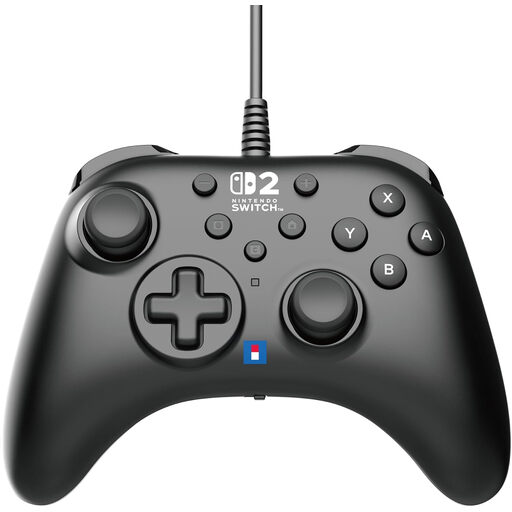
HORI HORIPAD Turbo Wired Controller, Black, Nintendo Switch
For a family adding a wired controller to a compatible Nintendo setup. Check the exact controller variant and intended console before relying on GameChat access; the product information says this controller lacks HD Rumble and motion controls. Nintendo requires a linked parental-controls app for supervised users under 16 to use GameChat on Switch 2.
View on Joybuy
 No image available
Sony PlayStation 5 DualSense V3 Wireless Controller, Starlight Blue
For a household adding a controller to a compatible PS5 setup, rather than buying a console. The controller’s microphone does not set who may contact the child; manage communication through PlayStation family settings. Check the charging-cable details for the supplied variant.
View on Joybuy
Questions parents ask
What should I set up before my child plays online on a new device?
Set up a child account within the platform’s family system before regular online play. Check content limits, privacy, communication, multiplayer, playtime and purchase permissions on the device itself; some settings are managed through a parent app or web account.
Does a PEGI rating cover a game’s online interactions?
No. A PEGI rating helps with age and content selection, but it does not replace checking who can contact the child in an online game. Review voice and text chat, reporting, privacy and purchase options separately.
Is a parental-control app enough to manage online multiplayer?
No. Platform settings can limit particular content and interactions, but they do not replace conversations about unwanted contact, personal information, blocking and reporting. Check the settings in each game or service the child uses as well as the platform account.
Will any Bluetooth headset connect to an Xbox console?
No. Xbox Support says Xbox One does not connect to headsets through Bluetooth. For any Xbox setup, check the exact console and headset model and whether the intended connection uses a compatible controller jack, an adapter or platform-specific wireless pairing.
How do parental controls work on a shared Nintendo Switch or Switch 2?
Nintendo says parental restrictions are set for the console, not individually for each user. If children of different ages share it, choose settings with the youngest player in mind and review whether any game exceptions are appropriate.


