A bright room is a screen-visibility issue, not a reason on its own to choose a particular headset. Start with the connection your gaming device supports, then consider fit for long sessions and the audio features available in your games. A PS5-focused wireless headset, a multi-device wireless model and a wired controller headset suit different setups; check the exact model and platform version before buying.
Who is this for?
PS5 cinematic-game players
If PS5 is your main platform, you may want a wireless connection designed for its audio setup and a headset you can wear through a long story session. PlayStation describes PlayStation Link on PULSE Elite and provides a personalised PS5 3D-audio setup.
Multi-device evening players
If you move between a console, computer, Switch or mobile device, the exact platform version and connection method matter more than a broad wireless label. SteelSeries and HyperX describe different device and Bluetooth arrangements for their respective models.
Players in a distracting shared room
If nearby noise interrupts dialogue or quieter scenes, consider how the earcups fit and seal. Razer describes the closed earcups and cushions of its BlackShark V2 X USB as providing sound isolation; brightness alone is a separate viewing concern.
What matters when choosing a headset?
Choose the connection route for your main gaming device before weighing audio features, battery claims or appearance. If you regularly use several systems, check each one against the exact headset variant.
PS5-focused wireless
Choose it when: PS5 is your main system and you want a headset built around its wireless audio setup; PlayStation identifies PlayStation Link as a connection for PULSE Elite.
Trade-off: Its PS5-led setup should not be taken as a promise of support for every console or controller connection.
Multi-platform wireless
Choose it when: You switch between supported gaming devices or want Bluetooth available alongside a gaming connection, as described for particular SteelSeries and HyperX models.
Trade-off: Supported consoles and connection options vary by model and platform version.
Wired 3.5 mm controller connection
Choose it when: You want to connect a compatible wired headset directly to an Xbox Wireless Controller with a 3.5 mm jack, as Xbox Support describes.
Trade-off: The cable keeps the headset connected to the controller rather than offering wireless device switching.
Multi-system HDMI desk setup
Choose it when: Xbox Series X|S, PS5 and PC share a fixed gaming desk; Logitech G describes connections to all three for ASTRO A50 X.
Trade-off: Its HDMI 2.1 passthrough and base-station arrangement require a closer check of your display connections and desk space.
| Concern |
What to check |
Who this matters to |
| Platform and connection |
Confirm the exact model’s supported devices and whether your intended connection uses a dongle, Bluetooth or a controller’s 3.5 mm jack. |
If I switch between gaming devices, I need the headset to connect in the way each one allows. Around 31% of consumers would put compatibility first. |
| Audio detail and positioning |
Check game and platform support for the spatial-audio feature you want, and set up an available audio profile before judging it. |
In a story-led game, I want to follow dialogue and positional sounds without assuming a feature works in every title. For roughly 25% of consumers, audio presentation would be the primary concern. |
| Long-session comfort |
Assess earcup fit and headband adjustment; for wireless models, read the conditions attached to the stated battery life. |
When I play for hours, an uncomfortable fit or an inconvenient charging routine matters more than an impressive battery figure alone. Around 25% of consumers would prioritise long-session practicality. |
| Nearby noise |
If the room is noisy as well as bright, consider earcup seal and whether you need to hear people around you. |
In a shared room, I want fewer household sounds competing with quieter scenes, while still considering how much awareness I need. Roughly 19% of consumers would make isolation their main concern. |
Buying pitfalls
-
Treating room brightness as an audio specification
Headset lighting or colour will not address screen glare. If the room is distracting because other people are making noise, earcup fit and isolation are the headset questions.
Deal with display glare separately. For a noisy room, consider an over-ear design and check whether its seal remains comfortable for you.
-
Assuming Bluetooth means every console will connect
Bluetooth, USB wireless, PlayStation Link and a controller’s 3.5 mm jack are different connection routes. Support can also change between versions of a headset.
Check the exact model, platform version, intended connection and any adapter you would need before ordering.
-
Using battery hours as a comfort score
A manufacturer’s battery figure cannot tell you how the headband, cushions or earcups will feel during a long session.
Check compatibility and fit as separate decisions, and read the retailer’s terms before relying on a return to assess personal fit.
-
Overlooking the display chain for an HDMI headset base
Logitech G describes HDMI 2.1 passthrough for ASTRO A50 X. That makes the console-to-display arrangement relevant in a way it is not for a simple controller-connected headset.
Confirm your available HDMI connections, display requirements and space for the base station before choosing that setup.
Relevant headset brands
PlayStation
Its PULSE range is relevant to players building a PS5-focused wireless setup.
- PlayStation lists planar magnetic drivers, PlayStation Link, Bluetooth connectivity and up to 30 hours of battery life for PULSE Elite.
- Check the precise connection and supported device before using a PS5-led model with another console.
SteelSeries
The Arctis Nova range includes wireless options for gaming alongside Bluetooth use.
- SteelSeries describes simultaneous Bluetooth and more than 50 hours of battery life for Arctis Nova 7 Gen 2.
- Check the primary-platform version; one Nova model’s features do not establish those of every variant.
HyperX
Cloud III S Wireless is a reference point for players considering several supported devices and a wireless charging routine.
- HyperX lists PC, Mac, PS5, mobile and Switch compatibility, several connection modes and up to 120 hours of battery life for this model.
- Its listed platforms do not include Xbox; do not infer Xbox support from the multi-device description.
Logitech G ASTRO
ASTRO A50 X addresses a fixed setup that switches among Xbox Series X|S, PS5 and PC.
- Logitech G describes connections to those three systems and HDMI 2.1 passthrough for A50 X.
- Check the required display connections and base-station space before choosing this setup.
Razer
BlackShark V2 X USB is relevant when nearby noise makes earcup isolation a consideration.
- Razer describes its closed earcups and cushion seal as providing sound isolation.
- Fit, isolation and platform support must be checked for the specific model rather than assumed across the brand.
Joybuy headset choices
These models cover PS5-focused wireless, wireless play across their stated devices and straightforward wired connections. Choose by your actual platform and connection method, then consider fit and the conditions on any battery claim.
 No image available
Logitech ASTRO A10 Gen 2 Wired Headset – White
Consider this wired model if you want a controller-connected gaming setup. Check that your device has a suitable headset connection, and assess the fit for longer sessions; the cable keeps you connected to the device.
View on Joybuy
 No image available
ASUS ROG Pelta Wireless Headset – Black
Consider this wireless model if you play on PC, PS5 or Nintendo Switch. Confirm the connection method for each device; if you plan to use an Xbox, check support for that exact setup before buying.
View on Joybuy
 No image available
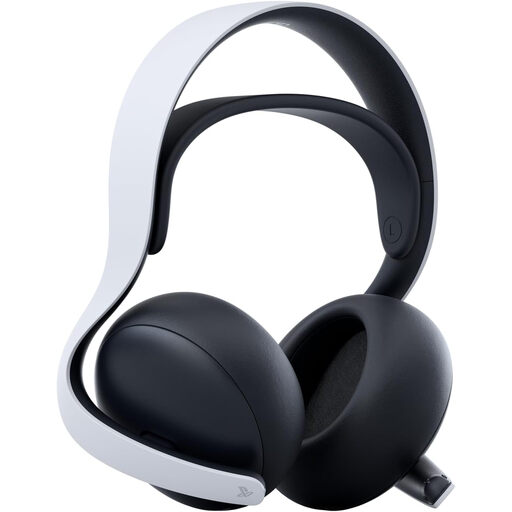
Sony PULSE Elite Wireless Headset – White
This is a PS5-focused wireless option if PlayStation Link suits your setup. PlayStation lists planar magnetic drivers and up to 30 hours of battery life for PULSE Elite; check fit for long sessions and do not assume support for an unlisted console.
View on Joybuy
 No image available
Turtle Beach Stealth 600 Gen3 Wireless Headset for PS5, PS4 and PC – Black
Consider this model if your gaming devices are PS5, PS4 or PC and you prefer a wireless headset. Verify how it connects to each device, particularly before relying on Bluetooth for console audio, and check the fit for long sessions.
View on Joybuy
 No image available
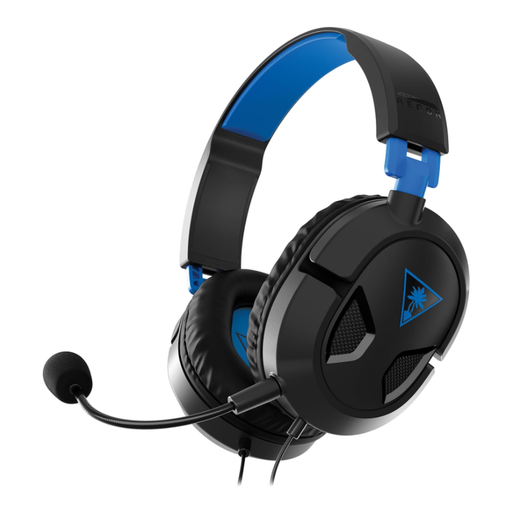
Turtle Beach Recon 50P Wired Headset – PS5, PS4
Consider this wired model for a PS5 or PS4 setup when you prefer a direct connection to wireless pairing. Check the intended controller connection and fit; for PS5 3D audio, confirm your game and console settings rather than treating headset compatibility as a guarantee of the effect.
View on Joybuy
Common questions
Do I need a different gaming headset because the room is bright?
No: brightness is a display-viewing concern, not by itself a headset audio requirement. Choose for your platform, connection and fit; consider earcup isolation separately if people or other sounds in the room are distracting.
How can I set up PS5 3D audio for a cinematic game?
With a compatible headset, use the PS5 audio settings to create a personalised 3D-audio profile or select a preset. PlayStation notes that enabling the effect may change the volume, so check the level again after switching it on.
Can I connect a wired headset to an Xbox controller?
Yes, if it is a compatible wired headset and your Xbox Wireless Controller or Xbox Elite Wireless Controller has a standard 3.5 mm audio jack. Xbox Support describes this controller connection; check your own controller’s port before buying.
What product marking should I check for a headset in Great Britain?
Check the marking requirements applicable to the particular headset rather than assuming a logo alone confirms compliance. GOV.UK says legislation effective 1 October 2024 continued recognition of CE marking under relevant Great Britain product rules; that general rule does not establish whether an individual headset meets its applicable requirements.


