What matters when choosing
For a fixed spare-room setup, the practical choice is between a controller cable and a wireless connection that explicitly supports your device. After that, assess how you will speak, mute and stay comfortable through a lobby.
3.5 mm controller connection
Choose it when: Your controller has a compatible 3.5 mm socket and you want to play without charging a headset.
Accept: The cable tethers you to the controller; check the headset and controller connection before buying.
USB-dongle wireless
Choose it when: You want to move without a headset cable and the exact model lists your PC, PlayStation or other intended device.
Accept: You need the appropriate adapter or USB connection and a charging routine. PlayStation advises checking the manufacturer's instructions for third-party headsets.
Xbox-compatible wireless
Choose it when: Direct wireless use with your Xbox is important and the exact headset variant specifies a compatible Xbox connection.
Accept: Ordinary Bluetooth is not a direct headset connection for Xbox One, according to Xbox Support; confirm the model's stated connection method.
| Concern |
What to check |
Who this matters to |
| Voice chat and muting |
Check the microphone arrangement and whether you can reach and recognise the mute control while playing. |
When teammates rely on my callouts, I want to speak clearly and mute quickly if the spare room gets noisy; around 45% of consumers put voice chat and muting first. |
| Device connection |
Match the exact headset variant to your device and confirm whether it needs a controller socket, USB adapter or another specified connection. |
If I switch gaming devices, I need the headset to connect to the one I am using rather than merely to another model in the same range; around 33% of consumers put connection certainty first. |
| Fit and session length |
Consider the ear cushions and headband, and compare wireless battery claims in the mode you will use. |
For a long lobby, I want a fit I can tolerate and a charging routine that will not interrupt play; around 22% of consumers make session continuity their main concern. |
Joybuy headset choices for this setup
These choices include wired headsets for a fixed gaming position and a wireless model listed for PlayStation and PC. Pick by your device and connection first, then check the chat controls and fit that matter to you.
 No image available
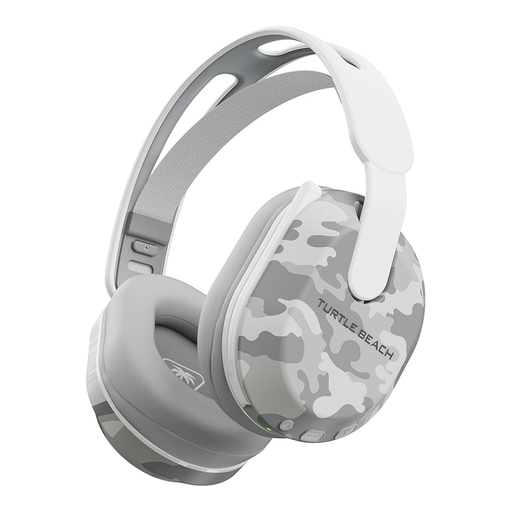
Turtle Beach Stealth 500 Wireless, Arctic Camo
Consider this model for a wireless PS5, PS4 or PC setup where a reachable chat mute matters; the listing describes a flip-to-mute microphone. Its title lists Bluetooth and up to 40 hours of battery life, which is a maximum claim rather than a promised runtime. Check the exact connection and platform support if you intend to use an Xbox.
View on Joybuy
 No image available
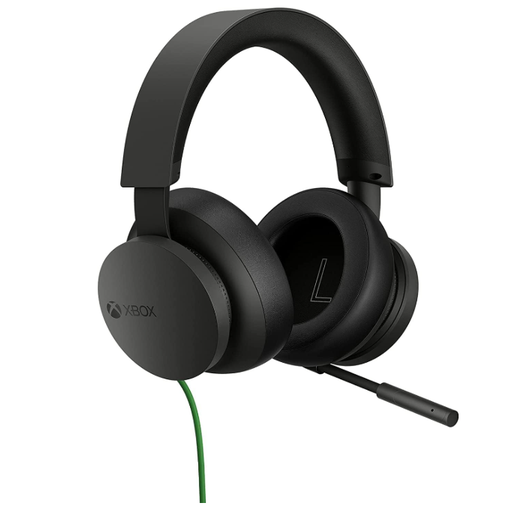
Official Xbox Stereo Wired Gaming Headset, Black
For an Xbox lobby at a fixed position, the listing describes an adjustable boom microphone, mute control and wired connection through an Xbox controller. Check that your intended controller has a compatible 3.5 mm socket; the cable will keep you tethered to it.
View on Joybuy
 No image available
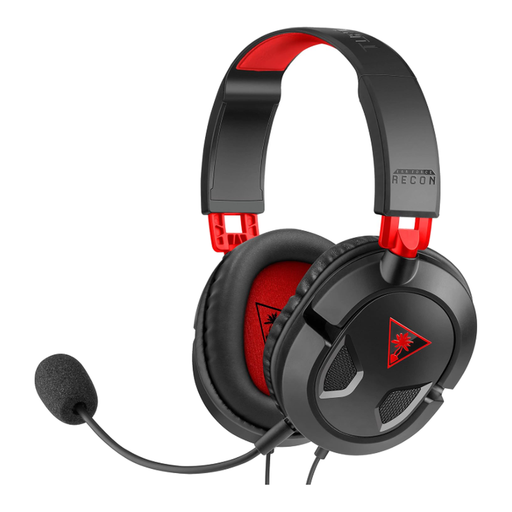
Turtle Beach Recon 50 Wired Headset
Consider the Recon 50 if you want wired multiplayer chat on a listed PC, Xbox or PlayStation device. Its listing describes a removable boom microphone and in-line mute control; confirm that your controller or device has the required 3.5 mm connection before choosing it.
View on Joybuy
 No image available
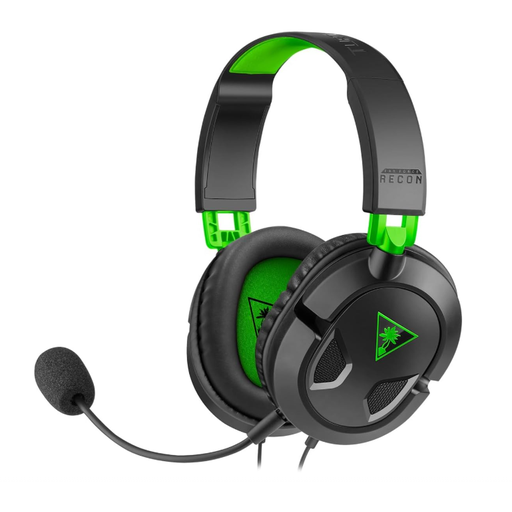
Turtle Beach Recon 50X Wired Headset
For Xbox play through a compatible controller, the Recon 50X offers a wired route without headset charging. The listing describes a removable boom microphone and in-line mute; verify your controller's 3.5 mm socket and remember that the cable limits movement.
View on Joybuy
 No image available
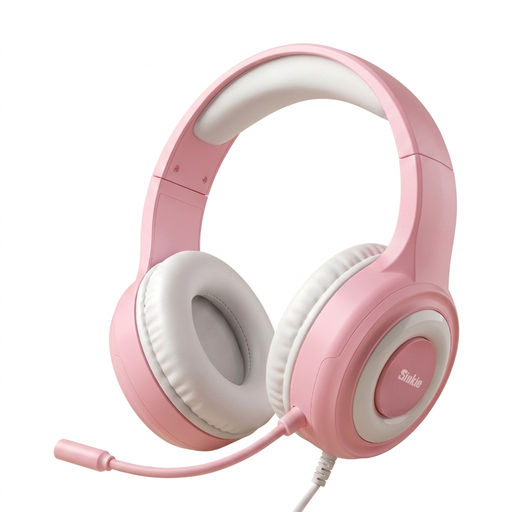
Siukie CH25 Wired Headset, Blue LED
For chat at a fixed gaming position, the listing describes a flexible microphone and mute control. The product title specifies 50 mm drivers, but you should confirm the exact connector arrangement and compatibility with your gaming device before buying; do not rely on the noise-cancelling wording as a measure of microphone performance.
View on Joybuy
Frequently asked questions
Can any Bluetooth gaming headset connect directly to Xbox?
No: Xbox Support states that Xbox One does not have Bluetooth functionality for connecting a headset that way. Choose a headset with a connection explicitly supported by your exact Xbox console, or check whether a wired 3.5 mm headset will work through your controller.
How should I connect a wireless headset to PS5?
Follow the instructions for the exact compatible headset rather than assuming ordinary Bluetooth pairing. PlayStation describes using a USB adapter for its wireless headsets and advises checking the manufacturer's instructions for compatible third-party models.
What marking should I check on a wireless headset sold in Great Britain?
Check the product information for its applicable conformity marking rather than assuming one mark applies to every headset. GOV.UK guidance says Great Britain continues to recognise CE marking alongside UKCA for many products; the Office for Product Safety and Standards also identifies safety, electromagnetic-compatibility and radio-spectrum requirements for radio equipment. Northern Ireland follows a distinct route.
How can I manage listening volume during long gaming sessions?
Keep the volume at a comfortable level and take breaks. Royal Free London NHS guidance advises against listening above 60% of maximum volume or using headphones continuously for more than an hour at a time; deal with avoidable room noise rather than turning the headset up to overcome it.
What should I do with an old wireless headset?
Take it to an appropriate electrical recycling collection point rather than putting it in household rubbish. GOV.UK guidance identifies the crossed-out wheelie-bin symbol on electrical products and batteries; check how to handle any battery in the headset when arranging disposal.


