Remote gameplay coaches
If you explain controls and correct mistakes over game chat, prioritise an intelligible boom microphone, an accessible mute control and a connection that works with your teaching device.


Choose a headset with a microphone you can mute quickly and a connection that works with the device you use to teach. A wired headset avoids charging, while a compatible USB-receiver headset lets you move away from the desk without a cable; Bluetooth can be useful for a second device, but does not establish that game chat will work on your chosen platform. Check the exact model’s fit and connection options before buying.
If you explain controls and correct mistakes over game chat, prioritise an intelligible boom microphone, an accessible mute control and a connection that works with your teaching device.
If teaching continues into a longer play session, consider headband fit, ear-cup materials and whether a wireless headset might need charging during use. A listed weight alone cannot tell you how it will feel.
If you move between gaming and phone audio, check which devices support the headset’s USB receiver and how its Bluetooth mode switches. Those details vary by model.
Start with the device used for teaching and its available port, then choose the microphone controls and fit you need. Decide whether freedom from a cable is worth managing a battery and checking receiver compatibility.
| Concern | What to check | Who this matters to |
|---|---|---|
| Voice and mute control | Check the exact variant’s boom microphone and how you mute it. Treat noise-reduction descriptions as product claims, not a promise about your room. | If my instructions are interrupted by household noise, I need to mute promptly and speak clearly to the learner; around 36% of consumers put voice and mute control first. |
| Long-session comfort | Consider headband construction and ear-pad material alongside listed weight; judge fit for yourself where possible. | When coaching runs into a longer play session, I need a headset I can keep wearing without distracting pressure. Comfort is the primary concern for around 29% of consumers. |
| Connection and setup | Match the connector or supplied receiver to the teaching device’s ports and supported platforms; check any operating-system conditions. | If I teach on one device and play on another, I need to avoid a connection that interrupts the session. Around 21% of consumers place compatibility first. |
| Cable freedom and charging | Check the wireless mode used for gaming, the conditions attached to battery-life claims and whether charging would interrupt use. | I want to move around my desk or switch to phone audio without managing a cable, but I can plan for charging; for around 14% of consumers, that flexibility is the main concern. |
A headset’s USB receiver, Bluetooth mode and any special pairing feature can have different device requirements. For example, HyperX limits Cloud III S Wireless Instant Pair to select OMEN laptops.
Write down the devices and ports used for teaching and play, then check support for the exact headset variant and intended connection mode.
A directional microphone does not guarantee clear speech in every home office; its position, room noise and software settings still matter.
Look for a boom microphone and convenient mute action, then try its placement and settings in the room where you teach.
Razer says the BlackShark V2 X USB’s 7.1 surround feature is available only on Windows 10 64-bit. Do not assume that condition applies equally to the analogue variant or that the feature works on a console.
Confirm the exact variant and operating-system requirements before treating software audio features as a reason to choose it.
Its G321 and G535 illustrate two different wireless connection approaches for desk use.
The Arctis Nova 5 Wireless is relevant if switching between game audio and Bluetooth audio matters.
The Cloud III S Wireless offers connection choices for users who alternate between devices.
The BlackShark V2 X line offers wired options for a desk setup without wireless charging.
These wired and wireless gaming headsets are relevant to teaching from a home-office desk. Choose between them by checking your device’s connection first, then weighing cable freedom against charging and your preferred microphone controls.
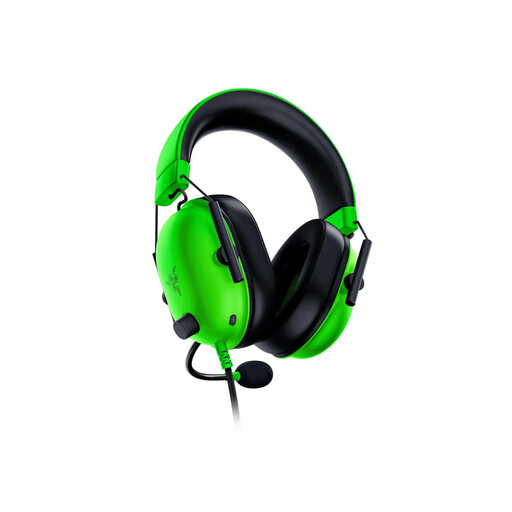 No image available
Consider this wired desk option if your teaching device has a compatible 3.5 mm headset port. Its analogue connection avoids charging; check the port before choosing it.
 No image available
A wired option to consider if you prefer teaching without charging a headset. Confirm that its connection suits the device you will use.
 No image available
Consider this wireless model if moving around your desk without a headset cable matters. Check which connection mode works with your gaming and teaching devices.
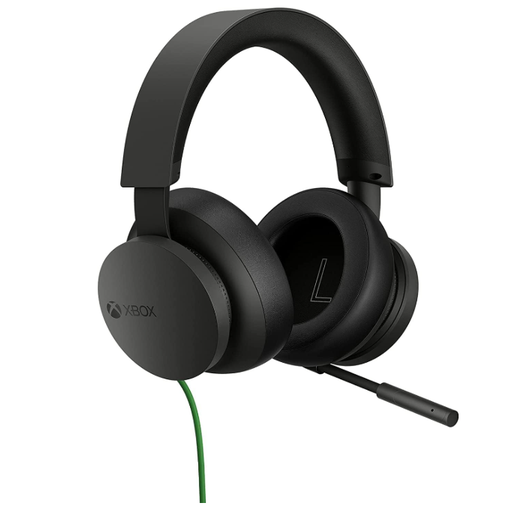 No image available
A wired headset to consider for an Xbox-centred teaching setup. Check the connection on the controller or device you intend to use, particularly if you also teach from a PC.
 No image available
Consider this wireless option if your teaching setup uses one of the named platforms and you want freedom from a headset cable. Confirm how it connects to your exact device before buying.
Choose wired if your device has the right connection and you want to avoid charging; choose a USB-receiver wireless headset if moving without a cable matters and your device supports its receiver. Bluetooth can help with a second device, but check game-chat compatibility separately.
Not necessarily: an adjustable boom microphone and an easy mute action are useful starting points for coaching. Position the microphone near your mouth and assess it in your room; neither a directional microphone nor closed earcups guarantee that household noise will disappear.
For a headset placed on the market in Great Britain, check the product information for the applicable marking and documentation. GOV.UK guidance says Great Britain continues to recognise CE marking alongside UKCA where applicable; that guidance covers England, Scotland and Wales, while Northern Ireland has different processes.
Use an electrical-waste collection route rather than putting an old electronic headset in general rubbish. If you are replacing it, ask the retailer about its applicable take-back arrangements, or check a local electrical-waste service.