What matters when choosing?
Start with the fit you will need throughout a long session, then decide whether a cable, a USB receiver or phone connectivity suits the devices you actually use.
| Concern |
What to check |
Who this matters to |
| Pressure, heat and fit |
Compare headband adjustment, cup material and stated weight; try the fit promptly, especially if you wear glasses. |
When I am reading and listening for hours, pressure or warm cups could end the session early. Around 36% of consumers put long-session fit first. |
| Connection and charging |
Match the supplied plug or receiver to your device, and check battery claims under their stated conditions. |
I want my headset to work with my usual device without an inconvenient cable or a charging interruption. For around 29% of consumers, that connection-and-charging fit is the primary concern. |
| Dialogue and narration |
Listen to familiar spoken content at a moderate volume; check whether any EQ controls work on your platform. |
Clear voices matter more to me than competitive positional cues, and I do not want to turn up the volume to follow a story. Dialogue-led listening comes first for around 21% of consumers. |
| Microphone flexibility |
Check the microphone's mute or removal controls and whether calls work through your intended connection. |
I mostly play alone but want an uncomplicated way to join a call or voice chat. Around 14% of consumers make that flexibility their main priority. |
Joybuy headsets for these setups
These headsets include wired and wireless choices for long interactive-fiction sessions. Compare their connections with your devices, then check fit and any model-specific limits before deciding.
 No image available
ASUS ROG Pelta Wireless Gaming Headset, Black
Consider this wireless model if you want to compare connection options for game-device and phone use during a long session. Check the exact device compatibility and how the headband and cushions fit you; confirm battery duration for your intended settings.
View on Joybuy
 No image available
Logitech ASTRO A10 Gen 2 Wired Gaming Headset, White
A wired choice if you usually play in one place and prefer not to charge a headset. Check that its supplied cable and any adapter suit your device, and try the ear-cup fit before committing to long sessions.
View on Joybuy
 No image available
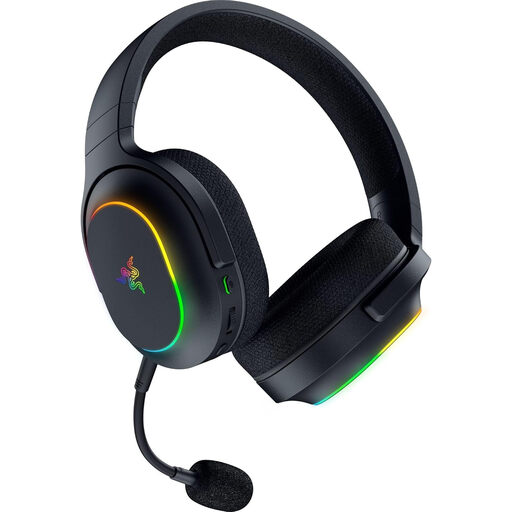
Razer Barracuda X Chroma Wireless Gaming Headset, Black
Consider this model if changing between game-device and phone audio would be useful. Its title lists 2.4 GHz HyperSpeed, Bluetooth 5.2, 6-zone RGB and a 70-hour battery claim; do not treat that duration as guaranteed for your settings. Check your device compatibility, particularly because Xbox wireless support is excluded, and do not assume simultaneous audio mixing.
View on Joybuy
 No image available
Edifier G2II USB Wired Gaming Headset, Black
A wired USB option to consider for a PC or PS4 setup without battery management; the title also names Mac compatibility and a 50 mm driver. Check USB and microphone operation on your intended device. Cushion descriptions differ, so confirm the material and fit if heat or pressure is a concern.
View on Joybuy
 No image available
Turtle Beach Stealth 600 Gen3 Wireless Gaming Headset for PS5, PS4 and PC, Black
Consider this wireless model for a PS5, PS4 or PC setup if you also want to assess phone-audio switching. Confirm which connections and controls work on your device, and check headband fit and cushion warmth for long wear rather than relying on battery claims alone.
View on Joybuy
Frequently asked questions
Is wired or wireless better for a long interactive-fiction session?
Choose wired if you usually stay in one place and want to avoid charging, provided the supplied connection fits your device. Choose wireless if freedom from a cable matters enough to manage charging; check receiver support and the conditions behind any battery claim. Add Bluetooth to your shortlist when phone audio is genuinely part of your routine.
How can I check whether a headset will stay comfortable?
Compare headband design, adjustment, cushion material and stated weight, then try the fit promptly under the seller's return conditions. A suspension headband may be designed to spread pressure, but specifications cannot tell you how cups will feel around your ears or glasses.
What volume is sensible during a long listening session?
Keep the volume moderate and take breaks rather than raising it to overcome room noise. The World Health Organization says that hearing risk increases as sound level and listening duration rise; a comfortable seal may help you hear spoken content without continually turning the volume up.
What should I check about returns before buying a headset online?
Check the seller's change-of-mind terms before trying the headset, while keeping fault remedies separate. Citizens Advice says qualifying online purchases from a company normally have a 14-day cooling-off period, subject to exceptions; goods that are faulty or not as described raise different rights. Keep your order record and contact the seller promptly if there is a problem.


