Long-session footage analysts
If you review matches and clips for extended blocks, assess pad material, headband pressure and personal fit before giving extra gaming features priority.


For long tournament-footage reviews, prioritise fit and ear-pad material over driver size alone: published features cannot tell you whether a headset will feel comfortable for hours. Choose a 2.4 GHz or wired option for PC playback, add Bluetooth if you need another device, and check whether audio processing can be switched off when you need to assess the original mix.
If you review matches and clips for extended blocks, assess pad material, headband pressure and personal fit before giving extra gaming features priority.
If you repeatedly rewind to examine footsteps, voices or changes in the mix, look for playback controls that let you compare adjusted sound with the original audio.
If footage plays on a PC while calls or reference audio come from a phone, check whether the headset mixes those sources or merely switches between them.
For a long footage-review session, decide which need takes priority, then check the features that serve it. A connection mode, pad material or battery figure alone cannot settle the question of personal fit.
| Concern | What to check | Who this matters to |
|---|---|---|
| Comfort over hours | Check weight, pad material and alternative pads; assess pressure around your ears and glasses. | If ear heat or headband pressure distracts me before a review is finished, fit comes before extra controls. Around 36% of consumers put sustained comfort first. |
| Audio-cue control | Confirm that EQ works on your playback device and that spatial processing can be disabled. | When I replay a clip to distinguish a footstep from a voice cue, I need to hear what any sound setting changes. For around 29% of consumers, cue control is the primary concern. |
| PC and phone workflow | Check device compatibility and whether 2.4 GHz and Bluetooth play simultaneously or only switch. | If a call or reference track must remain audible beside PC footage, changing sources interrupts my work. Around 21% of consumers prioritise the multi-device workflow. |
| Discussion and continuity | Check microphone operation in your chosen mode, the conditions behind battery claims and any wired fallback. | When I discuss clips during a long block, I need the microphone and playback to remain available. Keeping that conversation going is the main concern for around 14% of consumers. |
A headset can offer both Bluetooth and 2.4 GHz yet switch between them rather than play both. That distinction matters if you monitor a phone during PC footage playback.
Look for an explicit simultaneous-playback feature. SteelSeries states that the Arctis Nova 7 Wireless Gen 2 plays 2.4 GHz and Bluetooth audio together; Razer describes switching between those modes on the BlackShark V2 HyperSpeed.
Published maximums depend on the model and connection mode. HyperX, for example, gives different maximums for 2.4 GHz and Bluetooth use on the Cloud III S Wireless.
Check the figure for the mode you will use, along with charging arrangements and whether the headset supports listening by cable.
EQ and spatial processing change the audio you hear, which can complicate a judgement about the source mix.
Check that the controls work on your review device and compare processed playback with a neutral setting when the original sound matters.
Long periods of loud listening carry a hearing risk. Royal Free London NHS Foundation Trust advises listening only as loudly as needed for comfort and taking breaks.
Reduce background noise where possible, keep volume moderate and pause during extended reviews.
The PRO X 2 line is relevant if you want 2.4 GHz wireless, Bluetooth and a 3.5 mm connection option for different review devices.
The Arctis Nova 7 Wireless Gen 2 line is relevant when PC footage and phone audio need to play together.
The BlackShark V2 HyperSpeed line offers a stated 280 g weight and wireless modes alongside USB wired use.
The Cloud III S Wireless line is relevant if the time between charges is an important part of your review workflow.
These gaming headsets offer different starting points for PC footage review, from audio adjustment to device switching and wired options. Check fit and the exact connection behaviour against the way you review clips.
 No image available
Consider this for PC review if changing connection modes and adjusting playback sound matter to you. Confirm that its EQ controls work with your device, assess the fit over a long session and check simultaneous-audio support before relying on it for phone monitoring.
 No image available
For PC reviews where sound adjustment and fewer charging interruptions matter, check the app controls and battery conditions against your intended setup. QuickSwitch changes between wireless sources rather than establishing simultaneous playback, and this model is not described as offering wired listening.
 No image available
If you review on PC and occasionally move to a mobile device, check whether its source-switching controls suit your workflow. Assess the fit yourself before a long session; switching between sources should not be mistaken for hearing both at once.
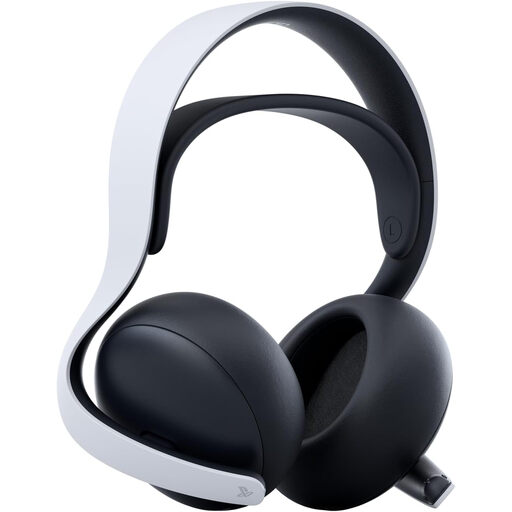 No image available
This is worth checking if you review on PC while monitoring a second device. Confirm that the stated simultaneous PlayStation Link and Bluetooth arrangement works with your PC, and assess fit before depending on it for extended wear.
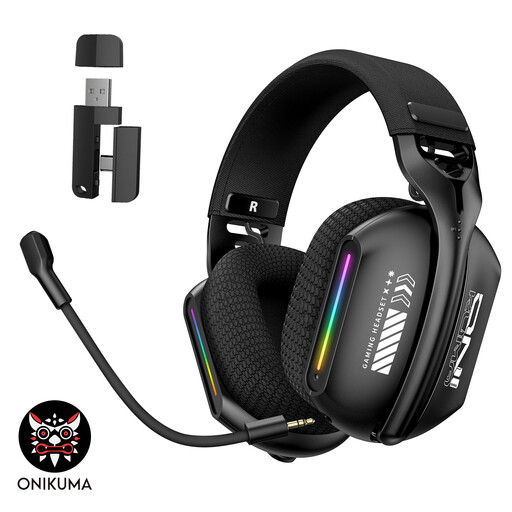 No image available
For PC or laptop review where a choice of connection modes matters, confirm how each mode works with your device. Check battery duration if you need uninterrupted wireless use, and assess the fit and available audio controls before choosing it for detailed cue analysis.
Choose a wired option or a dedicated 2.4 GHz receiver when PC playback is your priority, then check compatibility with your computer. Add Bluetooth if you also need phone audio; SteelSeries states that the Arctis Nova 7 Wireless Gen 2 plays its 2.4 GHz and Bluetooth sources simultaneously, while other headsets may only switch between modes.
Assess headset fit and keep the volume only as high as you need to listen comfortably. Royal Free London NHS Foundation Trust advises taking at least a five-minute break each hour of headphone use; stop listening if the sound is painful or leaves your hearing muffled.
Seek medical advice rather than trying to diagnose the cause yourself. The NHS advises seeing a GP for gradually worsening hearing and seeking urgent help for sudden hearing loss or hearing that worsens over days or weeks.