What matters when choosing?
For shared-bedroom play, establish which device you will use and how the headset connects, then assess how it fits and how you will control game audio and chat.
| Concern |
What to check |
Who this matters to |
| Private listening |
Check for closed-back earcups, a comfortable seal and accessible volume and mute controls. |
If someone beside me needs quiet, I want to follow the game without compensating for room noise by raising the volume. Around 33% of consumers put private listening and room disturbance first. |
| Voice chat |
Check boom-mic positioning, stated directional pickup or background-noise reduction, and available mic monitoring. |
When people are talking nearby, I want teammates to hear my voice without having to speak loudly. Voice-chat clarity comes first for around 27% of consumers. |
| Long-session comfort |
Assess fit and stated weight; for wireless headsets, check battery conditions and whether your intended charging routine suits play. |
During a long RPG session, pressure around my ears or a charging interruption would matter more to me than another sound setting. Comfort and continuity are the main concern for around 20% of consumers. |
| Device and audio fit |
Match the exact variant, connector, adaptor and any spatial-audio requirements to your main device and game. |
If I move between devices, I need the headset to connect to the ones I actually own; an audio mode is useful only where it works. Around 20% of consumers prioritise platform and feature fit. |
Joybuy headsets for this setup
These wired and wireless gaming headsets offer different ways to connect for shared-bedroom RPG play. Choose by your device and connection preference, then check fit, chat behaviour and volume control for your room.
 No image available
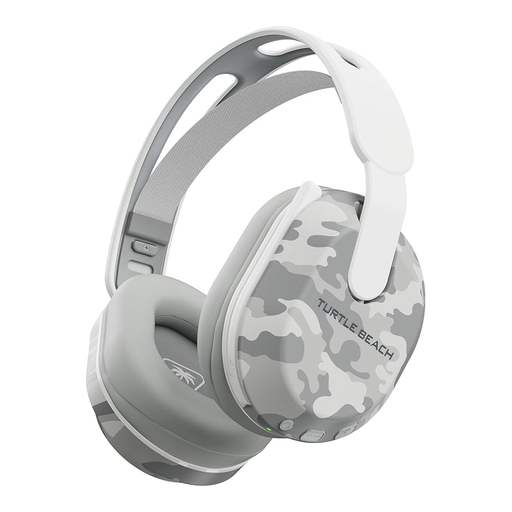
Turtle Beach Stealth 500 Wireless for PS5, PS4 and PC, Arctic Camo
Consider this model if you want wireless play on one of its named platforms, but check how its earcups fit before relying on it for private listening in a shared room.
The product title lists Bluetooth and up to 40 hours of battery life. That maximum is not a guarantee for every connection and volume setting.
View on Joybuy
 No image available
LOGITECH ASTRO A10 Gen 2 Wired, White
This wired option is relevant if you prefer not to manage charging. For shared-room chat, check the boom-mic position and whether the earcups seal comfortably around your ears.
Confirm that its 3.5 mm connection suits the device or controller you intend to use. A directional microphone does not guarantee that nearby voices will disappear from chat.
View on Joybuy
 No image available
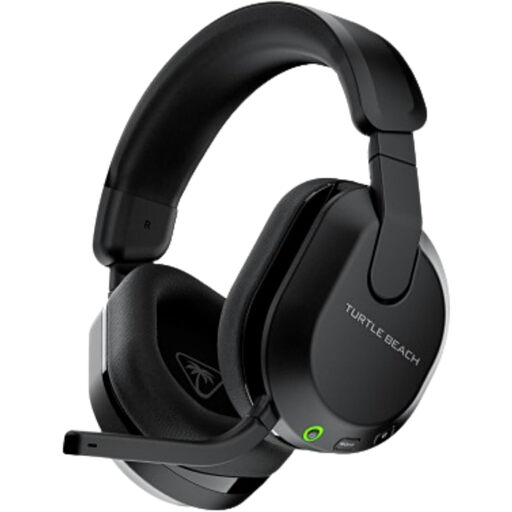
Turtle Beach Stealth 600 Gen3 Wireless for PS5, PS4 and PC, Black
Consider it for wireless use on a named platform, particularly if your charging routine affects longer sessions. Check the connection required by your device.
Assess earcup fit and microphone behaviour separately before choosing it for a shared bedroom; wireless connectivity alone does not establish either kind of noise control.
View on Joybuy
 No image available
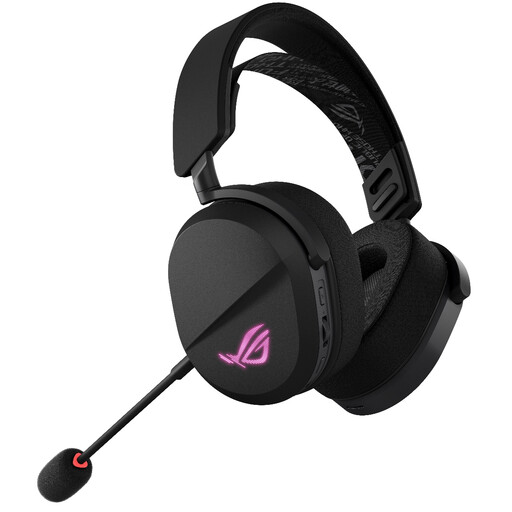
ASUS ROG Pelta Wireless, Black
If you switch between gaming devices, check which connection mode works with each one you own before choosing this model.
For bedroom play, assess earcup fit and mic positioning rather than assuming a wireless headset will keep game audio or nearby voices out of the room.
View on Joybuy
 No image available
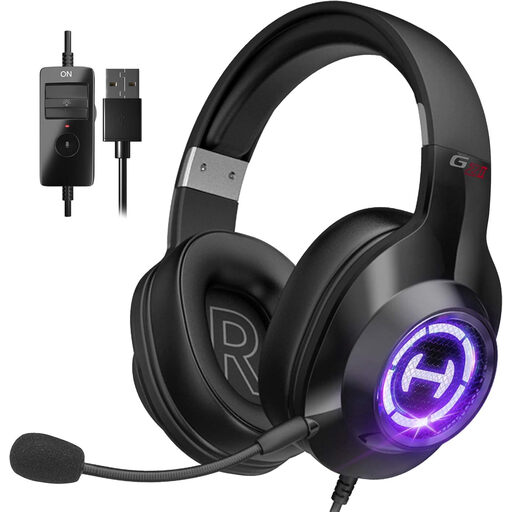
Edifier G2II USB Wired for PC, PS4 and Mac, Black
Consider this wired headset if its USB connection suits your PC, PS4 or Mac. Check whether the advertised 7.1 surround mode works on your intended device.
The product title specifies a 50 mm driver and describes a noise-cancelling microphone; neither establishes how much nearby speech the mic will remove in your room.
View on Joybuy
Frequently asked questions
Will a closed-back headset keep my shared bedroom silent?
No. Closed-back earcups can reduce distractions for the wearer when they fit well, but they cannot stop you speaking aloud or guarantee that another person hears no game audio. Keep the volume moderate and use mute when you are not chatting.
What if nearby noise is getting into my voice chat?
Look for an adjustable boom mic with stated directional pickup or background-noise reduction, and position it near your mouth. Razer lists a cardioid mic for the BlackShark V2 X, while Sony lists AI-based microphone noise reduction for the INZONE H5; neither feature guarantees the same result in every room.
Do I need a PS5-specific headset for a sci-fi RPG?
Not necessarily. A PS5-focused headset makes sense if you value its console-oriented controls and supported 3D Audio features; a cross-platform model may suit you better if you also use other devices. Check the exact variant, connection and required adaptor before ordering.
How should I manage volume during a long session?
Use a comfortable volume rather than turning it up to overcome room noise, and take listening breaks. Royal Free London NHS Foundation Trust advises keeping headphone volume at no more than 60% of maximum; lower it if listening becomes uncomfortable.


