For shooter aim practice, choose a headset with a suitable low-latency connection for your platform, clear directional cues and a fit you can tolerate through repeated sessions. RTINGS identifies connection latency, cue placement and comfort as relevant gaming-headset criteria. Deal with screen glare separately: a bright room is not a reason to put headset lighting or colour ahead of those checks.
Who is this for?
Competitive shooter practisers
If you repeat drills or matches, focus on hearing and locating game cues promptly rather than choosing by bass emphasis or visual styling. RTINGS identifies low-latency platform connectivity, cue placement and comfort as gaming-headset considerations.
Console-first shooter players
If you mainly play on PS5 or another console, check the exact headset version and connection method. PlayStation says its PULSE 3D headset is tuned for PS5 3D Audio, but the relevant feature depends on game support.
Long-session practice players
If practice runs for several hours, weigh cushion material, fit, microphone controls and charging alongside sound. HyperX and Logitech G list different cushion and battery features on their respective headset pages; neither listing establishes how a headset will fit you.
What matters when choosing?
Start with the connection your main gaming device can use, then consider directional cues and whether the headset remains comfortable during practice. Each concern below describes consumers who put that need first.
| Concern |
What to check |
Who this matters to |
| Directional cues and latency |
Check whether your device supports the headset’s wired or dedicated USB wireless connection, and assess how clearly you can place cues in your games. |
When I repeat shooter drills, I need footsteps and other cues to arrive in time and be easy to locate. Around 50% of consumers put cue clarity and connection timing first. |
| Platform compatibility |
Match the exact variant and adaptor to your console or PC; check game support before relying on a spatial-audio feature. |
If I play across devices, I need the right version for my main platform without assuming its other connections work the same way. Roughly 30% of consumers make compatibility their primary concern. |
| Comfort and communication |
Consider pad material, fit and microphone controls; read battery figures with their stated connection-mode conditions. |
For lengthy practice, I want a tolerable fit, accessible chat controls and fewer charging interruptions. About 20% of consumers put these long-session needs first. |
Buying pitfalls
-
Choosing an FPS preset before checking the connection
A footstep-focused setting cannot fix an incompatible connection. SteelSeries describes game-audio presets for the Arctis Nova 5 Wireless, but that feature is not evidence that a particular variant will work with your console or improve aim.
Check the exact model suffix, the supplied adaptor and the connection modes supported by your PC or console before choosing an audio preset.
-
Assuming every console version works everywhere
Platform support varies by model and variant. HyperX lists PC, Mac, PS5, mobile and Switch for the Cloud III S Wireless; that list should not be extended to Xbox without checking the intended version.
Match the product’s platform list to your main device, then check any second device separately.
-
Treating a battery maximum as everyday runtime
HyperX states up to 120 hours in 2.4GHz mode for the Cloud III S Wireless, SteelSeries states 60 hours for the Arctis Nova 5 Wireless, and PlayStation states up to 12 hours of wireless play for PULSE 3D. These maker-stated figures are not measurements under one shared test method.
Use each figure to plan charging, while checking its conditions and weighing connection and fit as well.
Your charging routine may need to be more frequent than a stated maximum suggests.
-
Letting room brightness decide the headset
Headset choices for shooter practice turn on connection, cue placement and fit; lighting in the room calls for a separate look at screen visibility.
Address glare at the display and judge the headset by the audio and platform requirements of your practice sessions.
Brands to consider for these headset needs
SteelSeries
Worth considering if you want a wireless headset line with game-audio settings and more than one wireless connection mode.
- SteelSeries says the Arctis Nova 5 Wireless offers more than 100 game-audio presets, 2.4GHz and Bluetooth switching, and a stated 60-hour battery life.
- Presets do not establish improved aim. Check whether the exact Nova 5 variant supports your PC or console.
HyperX
Relevant if long wireless sessions and a detachable boom microphone are priorities.
- HyperX lists 2.4GHz wireless, Bluetooth, angled 53 mm drivers and up to 120 hours of battery life in 2.4GHz mode for the Cloud III S Wireless.
- HyperX’s listed platforms are PC, Mac, PS5, mobile and Switch; check separately if you need Xbox use. Claims about positioning are not proof of improved aim.
PlayStation
Relevant if PS5 is your main device and supported 3D-audio games are part of your practice.
- PlayStation says PULSE 3D is tuned for PS5 3D Audio and includes onboard chat and audio controls, a wireless adaptor and a 3.5 mm cable.
- Game support determines the relevant 3D-audio experience; PlayStation states up to 12 hours of wireless play.
Logitech G
Relevant if you want several connection options and a choice of ear-pad materials.
- Logitech G lists LIGHTSPEED wireless, Bluetooth and 3.5 mm connections, 50 mm graphene drivers, optional breathable velour pads and up to 50 hours of battery life for the PRO X 2 LIGHTSPEED.
- Check the exact regional variant and platform requirements before relying on features shown on Logitech G’s US product page.
Razer
Relevant if you are looking at an FPS-profile headset with a microphone for team communication.
- Razer describes FPS audio profiles, a super-wideband microphone and a stated 70-hour battery life for the BlackShark V2 Pro.
- Treat the profiles as settings rather than evidence of better aim, and check the exact version and platform support before buying.
Joybuy headset choices
These headsets offer wireless and wired choices for shooter practice across the platforms named for each model. Start with your own device and connection requirements; a product’s styling or audio-setting claims do not establish how accurately you will locate cues.
 No image available
Turtle Beach Stealth 600 Gen3 Wireless for PS5, PS4 and PC — Black
Consider this wireless variant if you practise on PS5, PS4 or PC. Check the connection supplied for your device and assess directional cues in the games you play; confirm the exact variant if you also need Xbox use.
View on Joybuy
 No image available
ASUS ROG Pelta Wireless Gaming Headset — Black
For PC or PS5 practice, check that this model’s wireless connection works with your setup. Compare its fit for longer sessions and test cue placement in your usual games rather than treating the wireless design as proof of positional accuracy.
View on Joybuy
 No image available
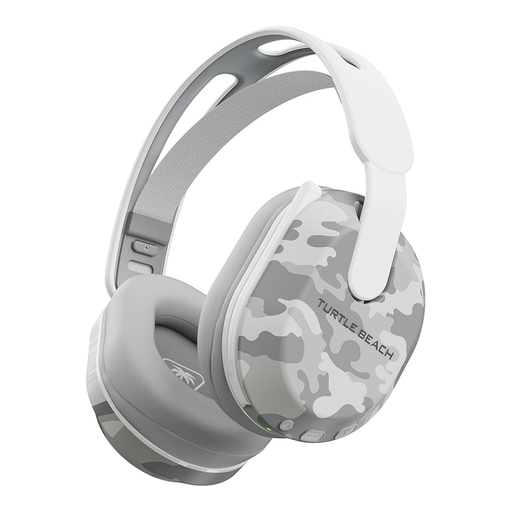
Turtle Beach Stealth 500 Wireless for PS5, PS4 and PC — Arctic Camo
This variant names PS5, PS4 and PC for practice and includes Bluetooth in its product name. Its stated battery life is up to 40 hours, not a guaranteed session length; check which connection mode you need for game audio and whether the headset fits comfortably.
View on Joybuy
 No image available
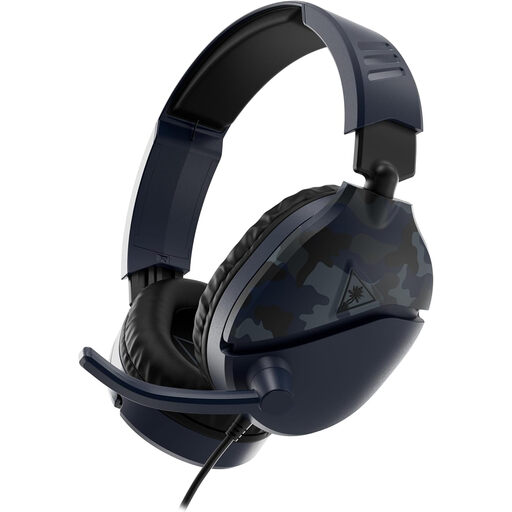
Turtle Beach Recon 70 for Xbox, PlayStation, Switch and PC — Blue Camo
Consider this model if practice moves between the named platforms. Check the connection available on each device and whether any spatial-audio feature you want works with its particular setup.
View on Joybuy
 No image available
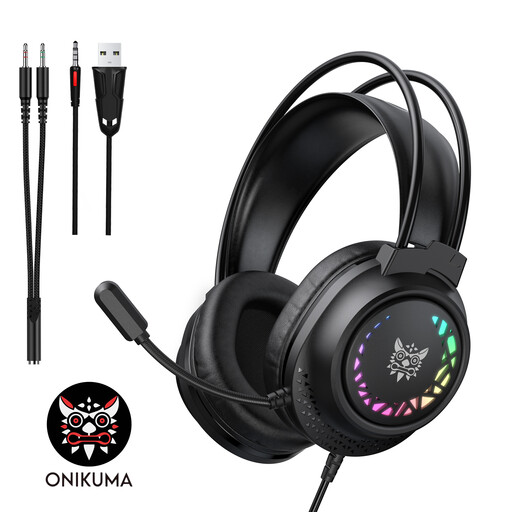
ONIKUMA X92 Wired Gaming Headset with RGB
A wired option to consider for PC or laptop practice if its connector matches your device. Check the connector and console compatibility before buying; RGB lighting and surround-sound wording are not evidence of directional cue accuracy.
View on Joybuy
Frequently asked questions
Does practising in a bright room call for a special headset?
Choose the headset by connection, cue placement, platform fit and comfort, and deal with screen glare separately. RTINGS identifies those headset factors for gaming; room brightness is not a reason to prioritise headset colour or RGB lighting.
Should I use Bluetooth alone for competitive shooter practice?
Do not assume a Bluetooth connection meets your latency needs. RTINGS identifies low-latency connectivity as a gaming-headset factor, so check whether a wired or dedicated USB wireless connection works with your platform before choosing how to play.
Will a PS5 3D-audio headset help in every shooter?
No headset feature should be assumed to work the same way in every game. PlayStation says PULSE 3D is tuned for PS5 3D Audio, while the relevant experience depends on game support; check your game and console audio settings.
What should I do if a headset develops a fault?
Keep your order details and evidence of the fault, then contact the seller about a remedy. GOV.UK states that consumer protection covers faulty goods; do not treat a seller’s change-of-mind returns process as the whole answer to a fault.


