What matters when choosing
For a small desk, settle platform compatibility and the physical connection first. Then weigh game-audio features, fit and communication controls against the way you actually play.
| Concern |
What to check |
Who this matters to |
| Desk clutter and connection |
Check the connector and cable route, or the available USB port and receiver position. |
If a cable would cross my limited desk space, I want to know whether a receiver is easier to accommodate. Around 30% of consumers put connection and clutter first. |
| Game audio |
Check the game and platform’s spatial-audio support, then the exact headset’s compatible modes. |
While exploring, I want to follow environmental and directional cues without assuming an audio mode improves every game. Game audio is the primary concern for around 30% of consumers. |
| Long-session comfort |
Consider headband adjustment and ear-pad materials; if you wear glasses, assess pressure around the frames. |
When a quest keeps me playing for hours, I need a fit I can tolerate throughout the session. Around 20% of consumers prioritise comfort. |
| Chat and device switching |
Check microphone controls and whether the exact model switches between gaming wireless and Bluetooth as you need. |
If I chat during a game or use my phone alongside it, convenient controls matter more to me than unused audio extras. Chat and device flexibility come first for around 20% of consumers. |
Joybuy product choices
These models cover wireless options for different stated platforms and a wired alternative. Match the exact platform variant and the space needed for its cable or receiver to your own setup.
 No image available
ASUS ROG Pelta Wireless Gaming Headset – Black
Consider this for a compact desk if removing the headset cable matters more than avoiding a receiver and charging. Check that its connection works with your gaming platform; do not assume Xbox support.
View on Joybuy
 No image available
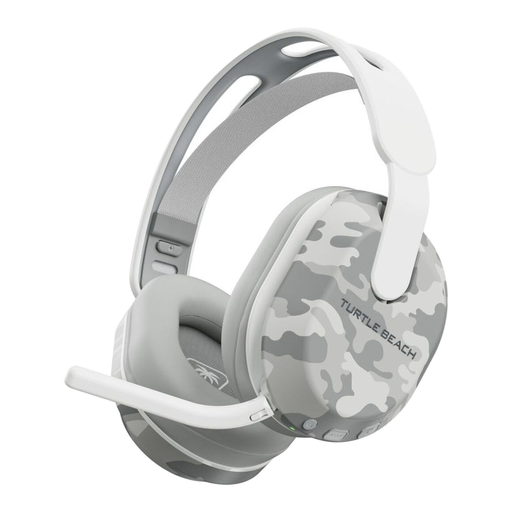
Turtle Beach Stealth 500 Wireless for Xbox & PC – Arctic Camo
For Xbox or PC play without a headset cable, check the connection against your exact device and leave room for a USB receiver. If headset weight affects your comfort, confirm it before buying.
View on Joybuy
 No image available
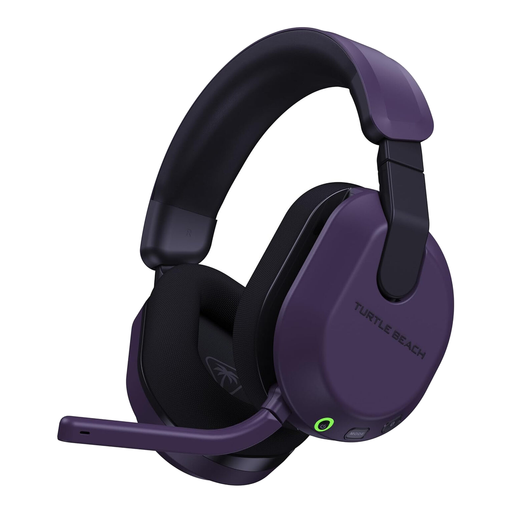
Turtle Beach Stealth 600 Gen 3 Wireless for Xbox & PC – Purple
Consider this variant for Xbox or PC gaming if phone-audio switching is useful alongside play. Plan for transmitter placement and charging, and assess fit rather than assuming a comfort feature will suit your head or glasses.
View on Joybuy
 No image available
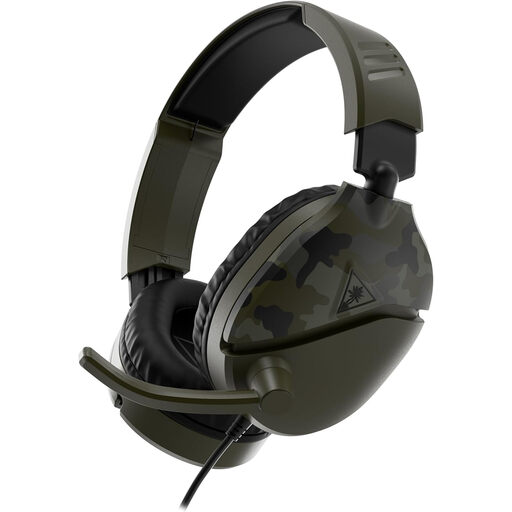
Turtle Beach Recon 70 for Xbox, PlayStation, Switch & PC – Camo Green
Consider this wired route if you can keep a cable clear of your playing space and want to avoid receiver placement and charging. Check the 3.5 mm connection on your device; any spatial-audio feature depends on the platform and may have separate requirements.
View on Joybuy
 No image available
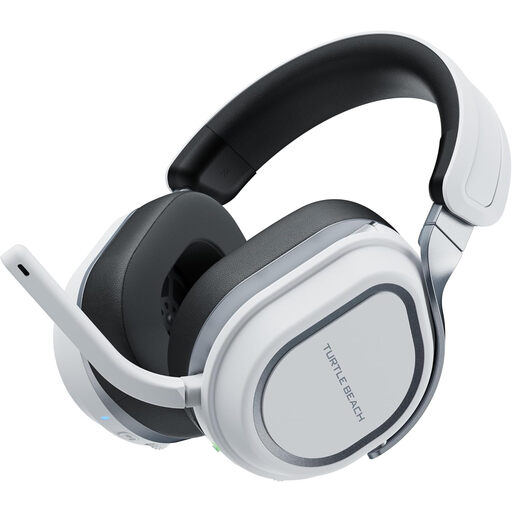
Turtle Beach Stealth 700 Gen 3 Wireless for PlayStation & PC – White
For PlayStation or PC gaming with phone audio alongside it, check how its connections work with your devices. Plan USB space for the transmitters and a charging routine; verify exact platform support before considering it for Xbox.
View on Joybuy
Common questions
Is Bluetooth enough for wireless Xbox gaming?
No: a Bluetooth label alone does not establish Xbox wireless compatibility. Xbox Support says Xbox One does not have Bluetooth functionality for connecting a headset. Check your console generation and the headset’s exact variant for wireless support; a compatible controller-connected 3.5 mm headset is a different, wired route.
What should I check before putting a wireless headset on a small desk?
Check the receiver’s port and position before choosing the headset. Scan Computers notes that wireless gaming headsets commonly use a 2.4 GHz USB dongle, so a wireless model can still occupy scarce port space. If that arrangement is awkward, consider whether one routed cable would be simpler.
Will a wireless headset make PS5 quest audio more immersive?
A supported audio mode may help with directional cues, but the result depends on the game, PS5 settings and headset. PlayStation describes its PULSE 3D headset as fine-tuned for 3D Audio, and SteelSeries lists Tempest 3D Audio compatibility for Nova 5X; neither claim applies to every headset or game.
How should I manage headset volume during long sessions?
Avoid prolonged listening at high volume. PlayStation’s headset instructions advise limiting time at high volume and lowering it if you cannot hear people speaking nearby. Take breaks and address an uncomfortable fit rather than turning up the sound to compensate.


