What matters when choosing
For coaching in a shared student room, decide what would interrupt the session most: unclear speech, disturbance to others, a connection that does not work or an uncomfortable fit.
| Concern |
What to check |
Who this matters to |
| Clear coaching voice |
Check the boom mic’s placement and whether muting requires a physical control or software. |
If I am explaining unfamiliar controls, I need my instructions to be heard and a quick way to mute when someone enters the room. Around 31% of consumers put clear coaching speech and mic control first. |
| Considerate room use |
Consider closed-back earcups and headphone listening; check your accommodation’s noise rules. |
When someone nearby is studying or sleeping, I want game audio off the speakers without assuming headphones make my own voice inaudible. Roughly 25% of consumers prioritise limiting disturbance. |
| Device connection |
Match the headset connector to the device’s port and check whether a splitter or adapter is included. |
If I switch between a laptop, controller and handheld, I need both chat and game audio to work on the device in use. Around 25% of consumers make straightforward connection their primary concern. |
| Long-session comfort |
Compare weight, adjustment and earcup materials, then check the applicable return terms. |
When teaching takes several practice rounds, I need a fit I can tolerate rather than judging by an audio specification alone. Comfort comes first for roughly 19% of consumers. |
Joybuy headset options
These wired and wireless gaming headsets offer different starting points for coaching a new player. Choose by the connection your device can use, how you intend to manage voice chat and whether a cable or charging suits your sessions.
 No image available
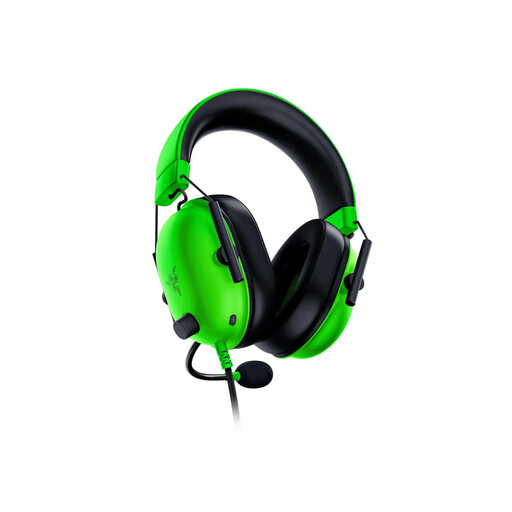
Razer BlackShark V2 X – Green
Consider this wired option if you want headphone listening and a boom mic while coaching in a shared room.
The Joybuy listing identifies a 3.5 mm connection. Its stated 7.1 surround feature has Windows 10 64-bit registration or activation conditions; check your device’s port and the precise variant before relying on it.
View on Joybuy
 No image available
Logitech ASTRO A10 Gen 2 Wired Headset – White
Consider this wired headset if you prefer a cable for coaching and can confirm that your device supports its audio and microphone connection.
Check the port layout and included connectors for the exact device you will use.
View on Joybuy
 No image available
ASUS ROG Pelta Wireless Headset – Black
Consider wireless if avoiding a cable matters during demonstrations, provided your gaming device supports the connection and voice-chat functions you need.
Confirm the required connection and plan for charging between sessions.
View on Joybuy
 No image available
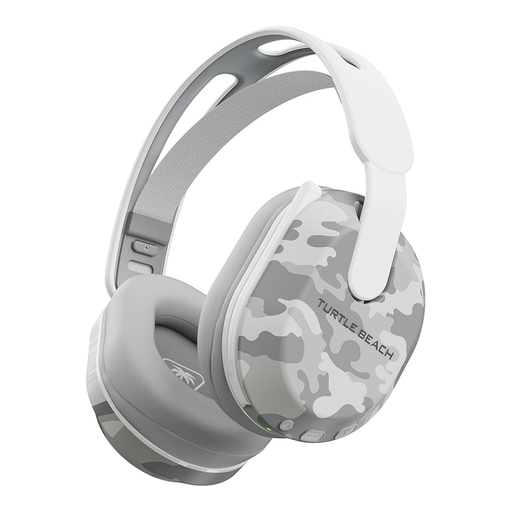
Turtle Beach Stealth 500 Wireless – Arctic Camo, PlayStation and PC
Consider this wireless headset for coaching on a listed PS5, PS4 or PC setup, after checking that your device supports the connection needed for game chat.
The product name states Bluetooth and up to 40 hours of battery life. Do not assume that a connection or chat function available on one listed platform works on a handheld or another console.
View on Joybuy
 No image available
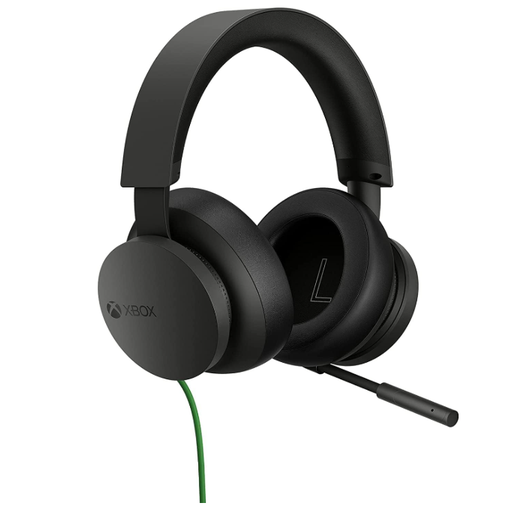
Official Xbox Stereo Wired Headset – Black
Consider this wired option if you coach on an Xbox setup and want to avoid managing a wireless connection.
Check the connection and microphone support for your exact controller or computer before buying; the Xbox name alone does not establish support for other devices.
View on Joybuy
Common questions
Should I use speakers or a headset for late-night coaching?
Use a headset rather than speakers if you need to play or talk late, while keeping your volume and voice considerate. Queen’s University Belfast Accommodation’s 2025–26 noise policy asks residents not to play computer games loudly and to use headphones to reduce sound travelling; check the rules for your own accommodation.
Will any 3.5 mm gaming headset work with my laptop and console?
No: check the ports on each device and the connectors included with the exact headset. A laptop may need a combined headset jack or a splitter, and you should confirm that the microphone works through the connection you plan to use.
Will a noise-reducing microphone make coaching clear in a busy room?
Not in every room. Razer describes the BlackShark V2 X as having a cardioid microphone, while HyperX describes the Cloud III microphone as noise-cancelling; these are manufacturer descriptions, not guarantees for your setup. Check mic placement, speaking level and the platform features you will actually use.
What return information matters when buying a headset online?
Check the seller’s cancellation information and return conditions before ordering, particularly if you need to assess fit and compatibility. GOV.UK says online sellers must tell customers about cancellation up to 14 days after delivery for applicable orders; exceptions can apply. Change-of-mind cancellation is distinct from remedies if goods are faulty, damaged or misdescribed.


