Communication-first support-role players
If you make frequent callouts and coordinate timing with teammates, check microphone controls and voice-chat compatibility before focusing on audio effects or appearance.


For communication-heavy support-role practice, choose a headset that works with your gaming device and chat setup, then weigh microphone controls, connection and comfort. A wired headset avoids charging if you have a compatible connection; wireless gives you more freedom of movement but requires you to check the receiver, platform version and charging routine. In a bright room, treat colour and lighting as preferences rather than substitutes for those checks.
If you make frequent callouts and coordinate timing with teammates, check microphone controls and voice-chat compatibility before focusing on audio effects or appearance.
If you are practising responses to footsteps, ability sounds and teammate positions, look for game-audio controls that work on your device without making team chat hard to follow.
If you practise repeatedly or switch between a gaming device and a phone, consider fit, charging and the exact connection options of the model you choose.
For support-role practice, establish your device and chat requirements before comparing audio settings or appearance. The priorities below distinguish consumers by the need they would put first.
| Concern | What to check | Who this matters to |
|---|---|---|
| Clear team chat | Check microphone controls and whether voice chat works through the intended device and connection. | If I make frequent callouts, teammates need to hear them without repeated explanations. Around 40% of consumers put clear team chat first. |
| Game-detail audio | Check which EQ or spatial-audio settings work on your platform, including any software or activation conditions. | When I practise reacting to footsteps and ability sounds, I need to distinguish those cues while following team chat. For around 30% of consumers, game-detail audio is the primary concern. |
| Comfort and isolation | Consider fit, weight and ear-cushion design; decide whether room noise calls for isolation. | During repeated sessions, I want a fit I can tolerate, especially if sound from the room distracts me. Comfort or isolation comes first for around 20% of consumers. |
| Connection and platform fit | Confirm the exact console or PC version, required port or receiver, and whether charging suits your routine. | If I switch devices or want to avoid charging, the connection has to fit how I play. Around 10% of consumers make connection and platform fit their first priority. |
A headset can offer Bluetooth for a phone without using it as its main game-audio connection. SCAN UK recommends a 2.4 GHz receiver for PC gaming rather than relying on Bluetooth alone.
Check how the exact headset connects to your gaming device and whether its receiver is included and compatible.
Joybuy states that the Razer BlackShark V2 X’s listed 7.1 surround feature is for Windows 10 64-bit and requires registration and activation.
Check the operating-system and software conditions for the exact feature you intend to use.
Colour and visible lighting do not tell you whether a headset will fit comfortably or support chat on your device.
Set your connection and microphone requirements first, then choose the appearance you prefer.
Listening loudly for long periods carries a hearing risk. A headset that reduces distracting room sound may also make lower-volume listening more practical, though isolation can make nearby people harder to hear.
Use a comfortable volume, take listening breaks and consider fit or room noise before turning the sound up.
The PRO X3 LIGHTSPEED line is relevant to players considering wireless PC gaming and adjustable voice settings.
The Arctis Nova 5 Wireless family is relevant if you want game-audio presets and switching between a gaming connection and Bluetooth.
The BlackShark range includes both a wireless closed-back option and the wired BlackShark V2 X.
These wired and wireless gaming headsets offer different starting points for support-role practice. Match the stated model and platform to your device, then check chat operation and fit before choosing.
 No image available
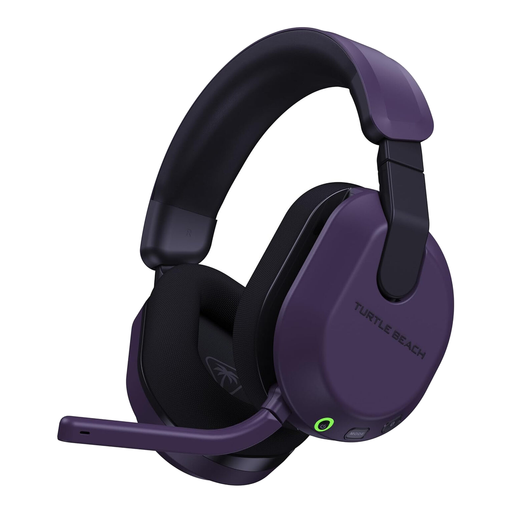
A wireless option to consider if you want to move around during practice. Confirm that its connection and voice chat work with your gaming device, particularly if you use Xbox.
 No image available
Consider this Xbox and PC variant if either is your practice device. Check voice-chat operation on your exact setup rather than assuming that support for one platform extends to another.
 No image available
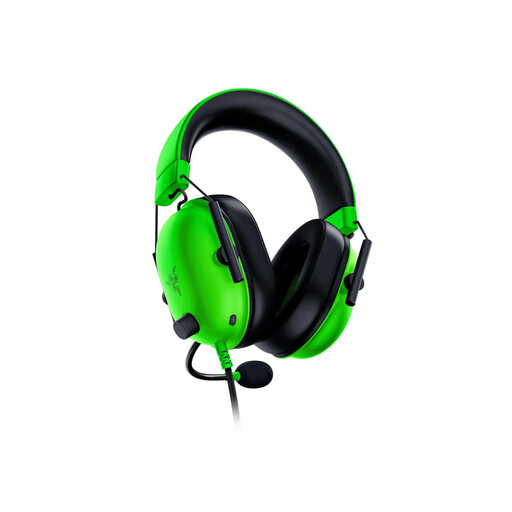
A wired choice if you would rather avoid charging during practice. Check the connector arrangement and voice-chat support for your device before choosing it.
 No image available
A no-charging option for a device with a compatible 3.5 mm headset connection. Joybuy lists a cardioid microphone and an approximate weight of 240 g; its stated 7.1 surround feature requires Windows 10 64-bit, registration and activation.
 No image available
Consider this variant for practice on a named PlayStation or PC platform. If quick callout control matters to you, confirm its microphone and mute controls as well as chat support on your device.
Choose wired if avoiding charging matters and your device has a compatible connection; consider 2.4 GHz if you want wireless game audio and your device supports the headset’s receiver. SCAN UK recommends 2.4 GHz for PC gaming, while Bluetooth can be useful for a separate phone connection. Check the exact model rather than relying on the word “wireless”.
Match the exact model variant and connection to your device’s headset-audio and voice-chat requirements. SteelSeries identifies Nova 5X as its Xbox-specific Nova 5 variant; for the wired Razer BlackShark V2 X, check for a compatible 3.5 mm headset connection and do not assume its Windows-specific 7.1 feature works on a console.
Choose a fit you find comfortable, keep the volume moderate and take listening breaks. Royal Free London NHS Foundation Trust advises against listening above 60% of maximum volume. Closed-back isolation may reduce distractions, but it can also make people nearby harder to hear.
For an online UK purchase, GOV.UK says customers generally have 14 days from receiving an item to notify the seller of cancellation and another 14 days to return it; conditions and exceptions can apply. Faulty or misdescribed goods are a separate matter from changing your mind, so check the seller’s return instructions without assuming its voluntary policy replaces your statutory rights.