PC players focused on team calls
You practise call-outs or coordination from a desk and want a boom microphone you can position and mute without interrupting play.


For team communication practice at a home-office desk, look for a boom microphone you can position consistently and a mute control you can reach quickly; closed-back earcups alone do not tell you what teammates will hear. A wired headset avoids charging if your device has the right connection, while wireless is worth considering when movement or switching between supported devices matters enough to justify charging and compatibility checks.
You practise call-outs or coordination from a desk and want a boom microphone you can position and mute without interrupting play.
Household or equipment noise makes it important to assess what you hear through the earcups separately from what your microphone sends to teammates.
You use gaming chat on a PC but also want to take phone audio or move between supported devices without changing headsets.
For home-office practice, settle the microphone controls and device connection first, then consider room distractions and how the headset will fit into longer sessions.
| Concern | What to check | Who this matters to |
|---|---|---|
| Speech clarity and mute control | Check boom-microphone placement and whether you can mute quickly. Test your voice in the chat app you use. | When I practise short call-outs, I need teammates to understand me and a way to mute during interruptions. Around 36% of consumers would put speech clarity and mic control first. |
| Home-office noise | Assess earcup isolation and outgoing microphone pickup separately; try a recording in your room. | In a shared room, I want to follow game audio without assuming the microphone hides background sounds. Home-noise management would be the main concern for around 29% of consumers. |
| Long-session convenience | Consider fit and pad comfort; for wireless models, check the stated battery life and charging routine. | If I move away from my desk or practise for hours, I need the headset to remain practical to wear and use. Around 21% of consumers would prioritise comfort and freedom from a cable. |
| Connection and compatibility | Match the exact headset version, plug or receiver to your PC, controller and any other device you intend to use. | For a single desk setup, I would rather confirm a straightforward connection than pay for switching I will not use. Compatibility and simplicity would come first for around 14% of consumers. |
Closed-back earcups may reduce the room sound you hear, but they do not establish whether teammates will hear your keyboard, fan or household noise.
Place the boom microphone consistently near your mouth, then make a short recording or voice-chat test in your home office.
A headset family can include different connections or platform-specific versions. Support for one PC, console or phone does not establish support for another.
Match the exact model and connection method to each device you plan to use before buying.
Wireless removes a cable but introduces charging. For a compatible single-desk setup, a wired headset may already provide the microphone and mute control you need.
Choose wireless for movement or device switching you will actually use; otherwise, compare a wired headset with the right connection.
Charging adds a routine, while a wireless dongle may occupy a USB port or be misplaced.
Change-of-mind returns, a retailer’s voluntary offer and remedies for faulty or misdescribed goods are different matters. Citizens Advice notes that online change-of-mind returns can have exceptions.
Check the seller’s terms, any conditions affecting an opened headset and the steps for reporting a fault before you need to return it.
Its Astro A10 Gen 2 and PRO X3 LIGHTSPEED illustrate different approaches to desk-based communication: simple wired controls and configurable wireless features.
The Arctis Nova 5 Wireless is relevant if PC practice needs to share a headset with phone audio or other supported devices.
The wired BlackShark V2 X and wireless BlackShark V2 Pro offer different connection choices for voice-led gaming.
These Joybuy choices include wired and wireless gaming headsets relevant to practising team communication at a desk. Compare their stated connections with your devices, then assess microphone controls and fit for your own room.
 No image available
A wireless option to consider for PC team practice if its connection works with your setup. Check its microphone and mute controls against the way you make call-outs, and test voice pickup in your room.
 No image available
For desk practice without charging, this wired model has a flip-to-mute unidirectional boom microphone, according to its Joybuy listing. Check that your PC or controller accepts its 3.5 mm connection; closed-back earcups do not establish what the microphone will pick up from the room.
 No image available
Consider this wireless model if you practise on PC and also want to assess options for phone audio. Its name lists PC, PS5 and PS4; confirm the connection method for each device and test microphone pickup in your room.
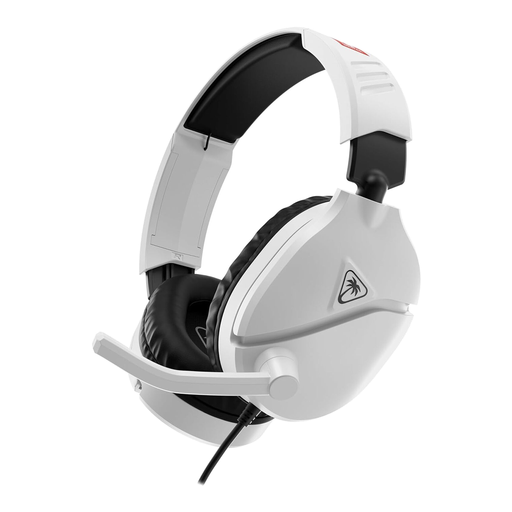 No image available
If you want a headset for practice across more than one device, check this Nintendo Licensed variant’s connector, PC compatibility and mute arrangement before choosing it. Test how its microphone handles your room rather than relying on earcup isolation.
 No image available
For USB-connected desk practice, the named variant lists PC, PS4 and Mac compatibility, 50 mm drivers and 7.1 surround sound. Confirm its microphone controls and the USB connection your device requires; do not treat a noise-cancelling label as a test of voice quality in your room.
Choose wired if your device has the right connection and you want to avoid charging; consider wireless if movement or switching between supported devices matters more. A boom microphone and accessible mute control remain important either way, and wireless connections need device-specific checks.
No conclusion about outgoing noise follows from closed-back earcups alone: they concern what you hear, while microphone placement, pickup and your voice-chat app affect what teammates hear. Make a short test recording in the room where you practise.
An online purchase from a business may qualify for a change-of-mind return, but check the applicable exceptions and the seller’s terms before opening the headset. Citizens Advice describes a normal 14-day cooling-off period for qualifying purchases; that is distinct from remedies if a headset is faulty or misdescribed, and from any voluntary retailer offer.
Use an available electrical recycling route rather than putting an old headset in ordinary residual waste. GOV.UK’s waste electrical and electronic equipment guidance, dated 12 August 2025, explains that the rules aim to reduce electrical equipment sent for incineration or landfill.