Choose a wired 3.5 mm gaming headset if your device has a compatible headset connection and you want to avoid charging. If moving freely at your desk matters more, look for a dedicated 2.4 GHz gaming connection and check that its receiver works with your platform. In a shared student room, microphone design, fit and the conditions attached to audio features matter more than assuming any headset will perform the same way on every device.
Who these choices suit
Players focused on team callouts
If other people or a keyboard can be heard nearby, look closely at microphone placement and pickup design. Closed earcups may help with incoming room noise, but they do not establish how clearly team-mates will hear your voice.
PC players weighing up audio features
If game cues and voice chat both matter, check whether the exact headset’s advertised surround or EQ feature works on your operating system. A feature listed for Windows should not be assumed to work on a console or another computer.
Students switching between devices
If you also use a phone or another compatible device, a headset with a stated 2.4 GHz gaming mode and Bluetooth or a wired option may suit your routine. Check which connection carries game audio and microphone input on each device.
What to check before buying
Start with the platform and its available ports, then decide whether a cable or charging routine is easier to live with. The concerns below separate consumers by the need they would put first for arena matches in a student room.
| Concern |
What to check |
Who this matters to |
| Team communication |
Check the microphone design and whether it works through your chosen connection. |
If nearby activity could interrupt callouts, I want my team to understand me without repeated messages. Around 33% of consumers put clear team communication first. |
| Platform compatibility |
Match the exact headset variant, connector and microphone support to your device; check software-feature requirements separately. |
When I move between a PC and a console, I need the headset’s connection and voice chat to work on the device I will actually use. Platform certainty comes first for roughly 27% of consumers. |
| Fit and room noise |
Consider earcup construction, cushions and stated weight, then assess whether the fit suits a full session. |
For longer matches in a busy room, I need a tolerable fit without relying on higher volume to mask noise. About 20% of consumers prioritise comfort and isolation. |
| Cable freedom |
Look for a stated 2.4 GHz gaming connection, a compatible receiver and any phone-switching option you need. |
If I move around my desk or also use my phone, I want to know how the headset switches between those tasks. Wireless flexibility is the first concern for around 20% of consumers. |
Buying pitfalls
-
Assuming virtual surround works everywhere
The cited Razer BlackShark V2 X pages attach Windows-specific conditions to virtual surround, so the advertised feature should not be assumed to work on a console or another operating system.
Check the exact variant, operating-system requirement and any activation steps before making surround processing a deciding factor.
-
Treating every wireless connection alike
A Bluetooth option for mobile audio does not, by itself, establish the headset’s intended gaming connection. Razer, SteelSeries and Logitech G describe separate connection modes on the models cited here.
For cable-free matches, confirm a dedicated gaming mode and that its receiver and microphone work on your platform.
-
Choosing by driver size alone
A stated driver diameter does not tell you whether team-mates can hear your callouts or whether the headset fits comfortably through a session.
Check platform support, microphone design and fit before comparing driver and EQ specifications.
-
Increasing volume to cover room noise
The World Health Organization says hearing risk rises with sound level and listening duration. A louder setting is not a substitute for a comfortable fit.
Keep the volume comfortable and take listening breaks, particularly during extended sessions.
Relevant brands to consider
Razer
The cited BlackShark models illustrate the choice between a wired 3.5 mm connection and a wireless headset with several connection modes.
- Razer specifies a cardioid microphone and closed earcups for the BlackShark V2 X; it lists 2.4 GHz, Bluetooth and wired USB Type-A modes for the V2 HyperSpeed.
- Check the exact model’s port and virtual-surround conditions. These specifications do not establish microphone performance in your room.
SteelSeries
The cited Arctis Nova 5 is relevant if you want to switch between gaming audio and Bluetooth audio on supported devices.
- SteelSeries specifies 2.4 GHz and Bluetooth switching with a USB-C dongle for the Arctis Nova 5.
- Confirm the precise model suffix and compatibility with your console or other intended device.
Logitech G
The cited PRO X models are relevant when comparing connection options or a particular microphone specification.
- Logitech G lists LIGHTSPEED, Bluetooth and 3.5 mm options for PRO X 2, and a 48 kHz/16-bit microphone specification for PRO X3.
- Check software requirements and platform support before choosing a model for its audio settings.
Joybuy headset choices
These choices include wired headsets and wireless models for the student-room gaming scenario. Choose a connection your device accepts before comparing the models’ other features.
 No image available
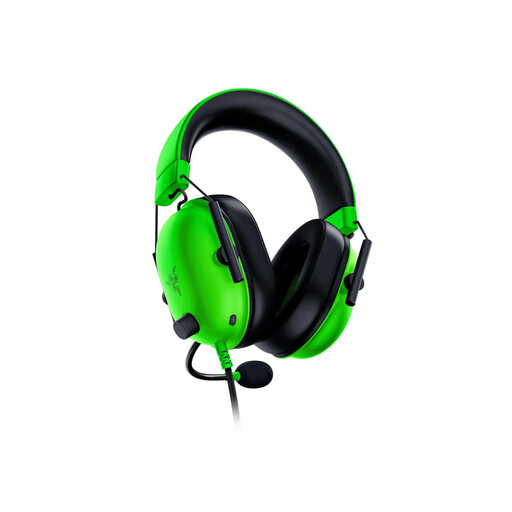
Razer BlackShark V2 X – Green
A wired choice for team chat if your device has a compatible 3.5 mm headset connection. The green variant is listed as wired, not wireless; check its Windows-specific virtual-surround requirements if that feature matters to you.
View on Joybuy
 No image available
Logitech ASTRO A10 Gen 2 Wired – White
Consider this wired model if you want a headset for match voice chat without a charging routine. Confirm that your device accepts its headset connection and microphone, and check the fit for longer sessions.
View on Joybuy
 No image available
ASUS ROG Pelta Wireless – Black
A wireless option to consider if you want to move without a desk cable. Confirm the gaming receiver or USB-C connection your device needs, microphone operation in your chosen mode and the charging routine.
View on Joybuy
 No image available
Turtle Beach Stealth 600 Gen3 Wireless – Black
Consider this model for wireless gaming on a listed PS5, PS4 or PC setup. Check that its transmitter and microphone work with your intended device; do not assume the same gaming support on another console.
View on Joybuy
 No image available
Edifier G2II USB Wired – Black
A USB-wired option to consider for a compatible PC or PS4 setup; the product name lists 50 mm drivers and virtual 7.1 surround. Check USB microphone and software-feature support on your device. The listing excludes Xbox compatibility.
View on Joybuy
Frequently asked questions
Should I choose a wired or wireless headset for arena matches?
Choose wired if your device has the right connection and you would rather not charge a headset. For cable freedom, choose a model with a stated gaming connection such as 2.4 GHz, then check receiver and microphone compatibility with your platform; Bluetooth may serve a separate phone-audio need.
Will a 3.5 mm gaming headset work with every console and laptop?
No: a 3.5 mm headset needs a compatible connection for both audio and microphone use. Check the exact device and model, and verify software features separately; the cited Razer BlackShark V2 X virtual-surround feature has Windows-specific conditions.
Do I need virtual surround sound for arena matches?
No, it is an optional feature rather than a requirement for voice chat or a compatible connection. If it influences your choice, check that the exact headset’s feature works with your operating system and meets any activation requirements.
How should I manage volume during long gaming sessions?
Keep the volume comfortable and take breaks instead of turning it up to cover room noise. The World Health Organization notes that hearing risk increases as sound level and listening duration rise.


