Choose a headset by checking the child’s exact gaming platform, connection and microphone support first. A wired 3.5 mm model is a straightforward option where the controller or device supports it; wireless compatibility needs checking for the specific model. A physical mute control helps with everyday use, but parents must manage communication permissions separately through platform or account settings. Fit, cable routing and listening volume matter in a shared home, too.
Who this is for
Families matching a headset to a gaming platform
If a child switches between a console, PC or mobile device, check the exact model’s connections and microphone support on each device they intend to use. A broad platform label alone does not settle whether chat will work.
Parents setting voice-chat boundaries
For children playing online with friends or relatives, an accessible microphone control is useful during play. PlayStation, Xbox and Nintendo support information distinguishes that local control from the family or account settings that govern communication permissions.
Children playing in a shared home
In a living room, bedroom or other shared space, the child needs a headset they can adjust and mute easily. Families also need to consider where a cable runs, how a wireless headset will be charged and whether nearby speech can still be heard when appropriate.
What to check before buying
For a child who plays online with people they know, settle the need that could prevent the headset and household setup from working as intended, then check fit and day-to-day use.
| Concern |
What to check |
Who this matters to |
| Platform and microphone compatibility |
Match the exact headset model, connector or receiver, and microphone support to the child’s controller or device. |
If the headset cannot carry chat on my child’s usual platform, its other features will not solve the problem. About 36% of consumers would put that platform match first. |
| Voice-chat boundaries |
Check for a usable local mute control and review the child’s platform, family and game communication settings separately. |
When my child talks to friends online, I want to know who is allowed to contact them, not just whether the microphone is muted. For about 29% of consumers, those boundaries would be the primary concern. |
| Fit and repeated use |
Check adjustment, cushion fit and whether the child can reach the controls; assess the fit on the child where possible. |
A headset that feels awkward during a longer game will be difficult for my child to keep using. Fit and repeated handling would come first for about 21% of consumers. |
| Shared-home setup |
Plan cable placement or a charging spot, and set a listening level suited to the room. |
In a shared room, I need the headset to work around other people without a troublesome cable or a habit of turning up the volume. About 14% of consumers would prioritise that household arrangement. |
Common buying mistakes
-
Assuming “multiplatform” means the same chat support everywhere
Wired and wireless versions of a headset can have different compatibility lists. HyperX lists Xbox for Cloud III Wired, while its Cloud III S Wireless list names PC, Mac, PS5, mobile and Switch rather than Xbox.
Check the exact variant, its connection method and microphone support on the child’s intended device before ordering.
-
Relying on a headset mute control for communication permissions
Muting a headset microphone does not decide who may contact the child or invite them to chat.
Practise using mute together, then configure the child’s PlayStation, Xbox or Nintendo family and account settings separately. Review any game-specific chat options as well.
-
Overlooking other users of a shared Nintendo Switch 2
Nintendo UK Support says console parental controls apply to everyone using that console, so a restriction set for one child can also affect older siblings or adults.
Set console restrictions with the youngest player in mind and review separate Nintendo Account settings where individual restrictions are needed.
-
Turning up the volume to cover household noise
Hinckley & Bosworth Borough Council advises against raising headphone volume to block noisy surroundings and recommends limiting time spent listening at high volume.
Choose a quieter place to play where possible, start at a comfortable volume and take breaks rather than compensating for room noise with louder playback.
Brands to consider for these setups
Turtle Beach
Turtle Beach lists its wired Recon 70 with a 3.5 mm connection for named Xbox and PlayStation consoles, PC and mobile devices.
- For the Recon 70, Turtle Beach describes a flip-to-mute microphone, padded headband and ear cushions.
- Check the connection, microphone support and fit of the exact variant; those Recon 70 details do not establish the features of every Turtle Beach headset.
HyperX
HyperX lists Cloud III Wired across PC, PlayStation, Xbox, Nintendo Switch, Mac and mobile. Its Cloud III S Wireless has a different stated platform list.
- HyperX lists 3.5 mm, USB-A and USB-C connectors with Cloud III Wired, alongside earcup volume and mute controls and a mute indicator.
- The Cloud III S Wireless compatibility list does not name Xbox. Check the precise model rather than transferring wired compatibility to wireless.
SteelSeries
SteelSeries lists the wired Arctis Nova 1 with a 3.5 mm connection for PC, PlayStation, Xbox, Switch, Chromebook and Mac.
- SteelSeries states a 253 g weight, four-point adjustment and a retractable microphone for the Arctis Nova 1.
- Its Sonar Software microphone processing should not be assumed to work on every console or without the relevant software environment. Stated adjustment also cannot establish an individual child’s fit.
Joybuy headset selections
These selections cover wired Xbox and PC/PlayStation options, plus wireless PC/PlayStation headsets. Choose within the child’s actual platform and connection requirements; any headset used for chat still needs separate account-level communication settings.
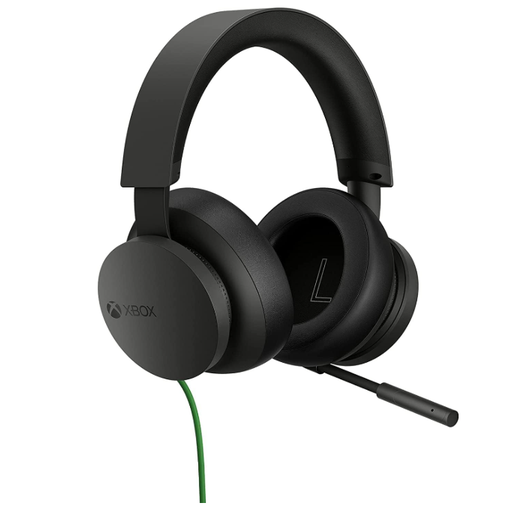 Image unavailable
Official Xbox Stereo Wired Gaming Headset – Black
For a child gaming on Xbox who needs a wired headset, check the connection on their particular controller and whether they can adjust and mute the headset comfortably. Manage who may communicate with them through Xbox family settings, not the headset alone.
View on Joybuy
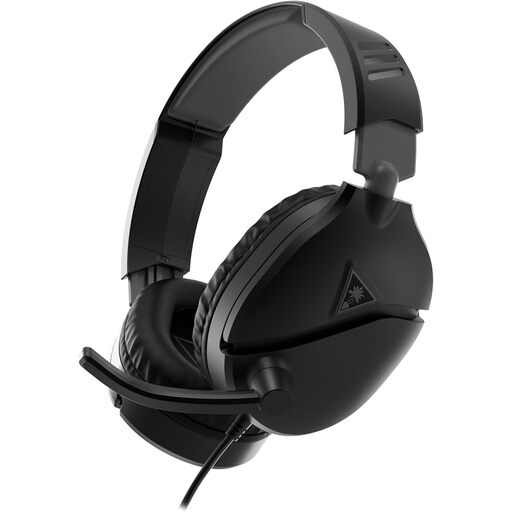 Image unavailable
Turtle Beach Recon 70 for PC and PS5 – Black
For a PC or PS5 setup, Turtle Beach describes the Recon 70 with a wired 3.5 mm connection and a flip-to-mute microphone. Check the connections on the child’s exact device, particularly if a desktop PC has separate headphone and microphone sockets, and assess the fit for the child.
View on Joybuy
 Image unavailable
Turtle Beach Stealth 500 Wireless for PC, PS5 and PS4 – Black
For households that prefer a wireless PC or PlayStation setup, check how the headset connects to the intended device and whether microphone chat works over that connection. Plan where it will be charged and check its fit; do not assume the named platform list includes Xbox.
View on Joybuy
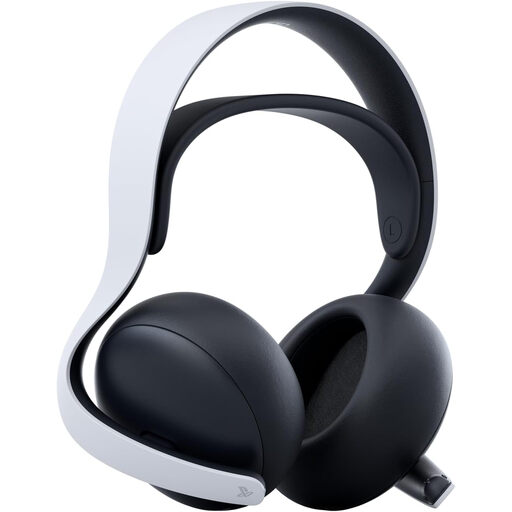 Image unavailable
Sony PULSE Elite Wireless Headset – White
For a PlayStation-focused wireless setup, confirm the intended device and chat connection before buying. If wired microphone chat is also needed, check that function specifically rather than assuming the wireless and cable connections work alike. Assess fit for the child and keep communication permissions in the platform settings.
View on Joybuy
 Image unavailable
Edifier G2II USB Wired Gaming Headset – Black
For a PC or PS4 wired USB setup, check microphone chat on the intended device before ordering. The product title also names Mac compatibility and a 50 mm driver; neither establishes how the headset will fit a child. If an easy-to-use mute control matters, confirm how this variant provides it.
View on Joybuy
Questions parents ask
Does a flip-to-mute microphone control who can talk to my child?
No. It controls the headset microphone, not contact permissions. PlayStation and Xbox provide account or family privacy settings for communication, while Nintendo Switch 2 GameChat has parental-control requirements. Check the child’s platform and any game-specific chat settings separately.
Can one headset work with PS5, Xbox, Switch and PC?
It can if the exact model and its connection support each device. HyperX lists Cloud III Wired for all four platform groups, but its Cloud III S Wireless compatibility list names PC, Mac, PS5, mobile and Switch rather than Xbox. Confirm microphone support as well as audio for every device the child will use.
What needs setting up before a child uses Nintendo Switch 2 GameChat?
For users under 16, Nintendo UK Support says parental controls must be set through the Nintendo Switch Parental Controls smart-device app before GameChat can be used. Review the communication options for the child and remember that console-level restrictions affect everyone using that console.
How should we manage headset volume in a shared home?
Start with a comfortable level in a quieter space rather than turning up the sound to cover household noise. Hinckley & Bosworth Borough Council recommends lowering headphone volume if nearby speech cannot be heard and limiting time spent listening at high volume.


