What should you check before choosing?
Check audio privacy, chat and platform support before deciding whether a cable or wireless movement matters more to you.
| Priority |
What to check |
Your needs |
| Sound leakage |
Look for a closed-back fit and comparable leakage results for the named model. RTINGS defines leakage as sound escaping the headphones; isolation from room noise is a different measure. Check the result at a relevant listening level. |
I play near someone else and want to know what they can hear at my normal volume, not just whether the earcups block noise coming in. |
| Team chat |
Check boom-mic placement and model-specific noise-handling recordings or tests. A directional or noise-cancelling label alone cannot establish how your voice will sound beside a television or conversation. |
My team-mates need to understand me when there is other activity in the room. |
| Platform support |
Match the exact headset variant, connector or wireless method to your device, then confirm microphone and chat support through that connection. Xbox Support says Xbox One consoles cannot connect headsets by Bluetooth. |
One headset may need to handle both game sound and chat across my PC, console or handheld; an audio-only connection would not meet that need. |
| Cables and charging |
For wired use, check the port and whether the cable reaches your seat. For wireless use, confirm the required adaptor or dongle, charging method and any supported wired fallback; quoted battery life is conditional. |
I would value freedom to move without a cable, but I may prefer wired play if charging or keeping track of an adaptor would get in the way. |
Relevant brand references
These examples illustrate connection and microphone choices for particular product lines, not a judgement about every headset from each brand.
SteelSeries
The Arctis Nova 5 Wireless is a reference for players considering a dongle-based wireless connection across several devices.
- SteelSeries lists USB-C-dongle support for PC, PlayStation, Switch, Chromebook, handhelds and compatible USB-C phones and tablets on the cited version.
- Check the precise platform variant before choosing it for Xbox; the cited PC-oriented version’s supported-device list does not establish Xbox compatibility.
HyperX
The wired Cloud III illustrates a headset line with several stated physical connection options.
- HyperX lists 3.5 mm, USB-C and USB-A connectivity, with PC, PlayStation, Xbox, Switch, Mac and mobile among the stated compatible platforms.
- Confirm which connection carries chat on each device, and assess sound leakage separately from the connection list.
Razer
The BlackShark V2 X is a reference for a boom-microphone approach to gaming in a room with background sound.
- Razer describes a microphone pickup pattern intended to favour the wearer’s voice over sound from its back and sides.
- That brand description does not establish how much household noise the microphone will pick up in your room; compare model-specific recordings.
Logitech G
The PRO X 2 LIGHTSPEED line is relevant when several connection methods matter to a PC-centred setup.
- Logitech G lists LIGHTSPEED wireless, Bluetooth and 3.5 mm wired connection options for this model.
- Confirm console audio and chat support for the particular connection you intend to use; multiple modes do not imply identical support on every platform.
PlayStation
PULSE 3D is a platform-focused wireless option for PS4 or PS5 households.
- PlayStation documents connection to PS5 and PS4, and to compatible Windows and macOS computers, using the included adaptor.
- Its documented connection path does not establish support for Xbox or every handheld; check the intended device and chat service.
Joybuy headset options
These wired and wireless gaming headsets offer starting points for the shared-home audio and team-chat decision. Check the exact connection, chat support and sound leakage for your setup before choosing.
 No image available
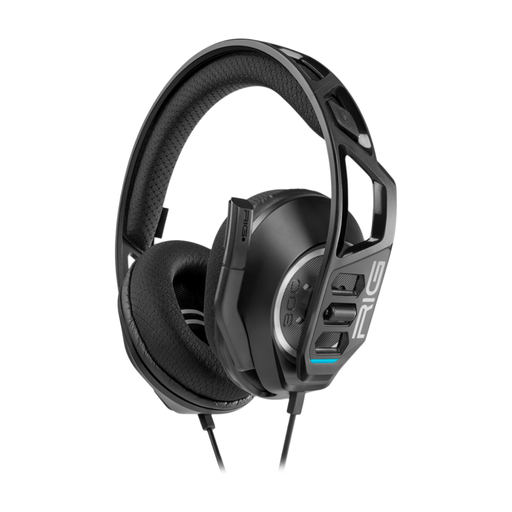
Nacon RIG 300 PRO HN wired headset, black
A wired option to consider when you play near others and do not want to manage charging. Check its connection and chat support for your device, whether the cable reaches your seat, and leakage at your usual volume.
View on Joybuy
 No image available
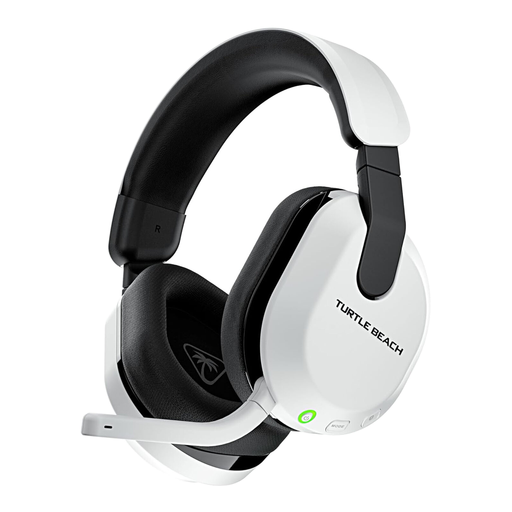
Turtle Beach Stealth 600 GEN3 XB wireless headset, white
Consider this wireless variant if moving without a cable matters. Confirm how the XB version carries game audio and chat on your device, what equipment its connection needs, and how you will keep it charged. Check leakage and microphone recordings for shared-room use.
View on Joybuy
 No image available
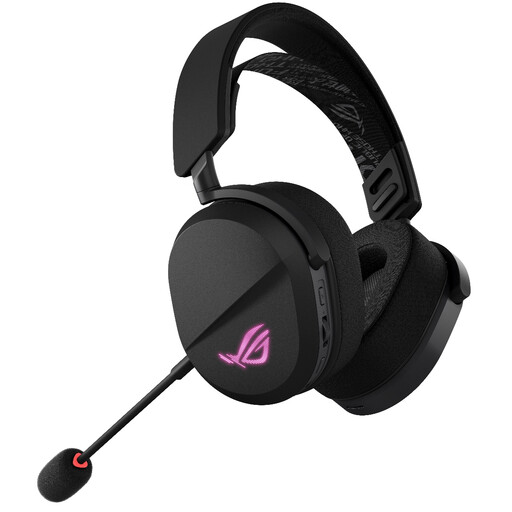
ASUS ROG Pelta wireless gaming headset, black
A wireless option for players considering use across gaming devices. Verify the connection and voice-chat path for each device, particularly if you use Xbox, and compare model-specific leakage and microphone results if others are nearby.
View on Joybuy
 No image available
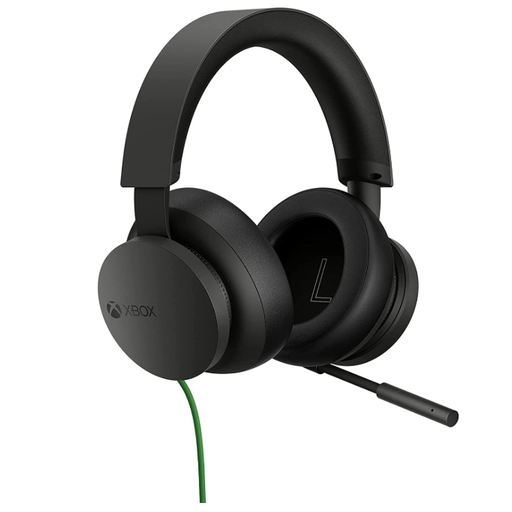
Official Xbox Stereo wired gaming headset, black
A wired Xbox-focused option for game audio and chat. Check the connection path for your controller and any other device you plan to use. Its name alone does not tell you how much sound others will hear, so assess leakage at your normal volume.
View on Joybuy
 No image available
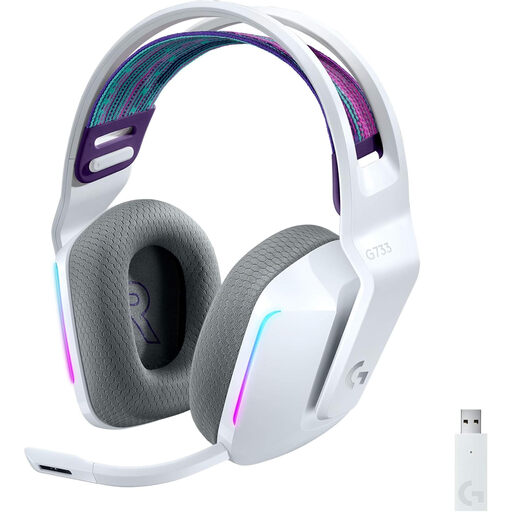
Logitech G G733 Lightspeed wireless headset, white
Consider this wireless headset if a cable would restrict your gaming position. Confirm audio and microphone support through its intended connection on your platform, especially for console chat; also check its charging routine and model-specific leakage.
View on Joybuy
Questions about shared-home gaming
How can I tell whether someone nearby will hear my game?
Look for a sound-leakage result for the exact headset rather than relying on a noise-isolation label. RTINGS defines leakage as sound escaping the headphones; if a comparable test is unavailable, ask someone to listen from their usual seat while you play at your normal volume.
Will a noise-cancelling microphone keep household sound out of chat?
Not necessarily. A boom mic close to your mouth can help your voice stand out, but a label does not establish the result beside a television or conversation. Compare noise-handling recordings for the exact model; RTINGS notes that boom microphones tend to do well in such tests.
Can I use a wired headset for Xbox voice chat?
A compatible 3.5 mm headset can connect directly to an Xbox Wireless Controller that has a suitable 3.5 mm port, according to Xbox Support. Check the headset, controller and chat settings for your setup; Bluetooth pairing to an Xbox One console is not an alternative, as Xbox says that console does not support it.
What should I check before choosing wireless?
Confirm the exact platform version, required dongle or adaptor, and whether its connection carries both game audio and chat. Plan for charging, and treat any battery-runtime figure as a manufacturer claim rather than a guaranteed session length.
Should I turn up the volume to overcome noise in a shared room?
Keep the level only as high as needed rather than using volume to compensate for the room. Royal Free London advises comfortable listening levels and regular breaks; a suitable earcup fit may also help you hear the game without raising the volume unnecessarily.


