Who needs which setup?
For shared-home multiplayer, the useful distinction is not simply wired versus wireless: it is whether your chosen connection supports the chat you intend to use.
Console players checking connections
If you play on PS5, Xbox, Nintendo Switch or Switch 2, check the exact headset, console and controller connection for both audio and voice. Xbox Support distinguishes controller-connected headsets from console wireless pairing, while Nintendo UK Support says Bluetooth microphones cannot be used through Switch or Switch 2 Bluetooth audio.
Players using a second device
If you want to hear phone audio or Discord while gaming, distinguish simultaneous listening from microphone transmission. SteelSeries says its Arctis Nova 7 can mix dongle and Bluetooth audio, but the microphone cannot send voice to both sources at once.
Players in longer evening sessions
If you wear a headset for several hours, consider pad and headband fit, an easy-to-reach mute control and how you will manage charging. Published weight or padding can help narrow a shortlist, but cannot establish how a headset will fit you.
What should you check before buying?
Start with the audio-and-chat connection, then check communication controls and the practicalities of wearing or charging the headset through an evening session.
| Concern |
What to check |
Who this matters to |
| Platform and connection |
Check the exact model and variant against your PC, console or controller, including whether its intended connection carries microphone chat as well as game audio. |
If my headset connects but I cannot speak to teammates, it does not meet the reason I bought it. About 42% of consumers put a working platform and chat connection first. |
| Voice chat and second-device audio |
Check mute and chat controls on your platform; for two-device use, confirm both simultaneous playback and microphone routing. |
When I game while listening for a phone call or Discord, I need to know which conversation will hear my microphone. For about 33% of consumers, communication and second-device behaviour are the primary concern. |
| Fit and power plan |
Consider pad and headband fit, charging arrangements and whether the exact wireless model supports wired game audio when its battery is flat. |
I play for long stretches in the evening, so an awkward fit or an uncharged headset could interrupt my session. Comfort and keeping the headset ready are the main concern for about 25% of consumers. |
Relevant brands and product lines
These examples illustrate different connection approaches; the stated features apply to the named headsets, not every product from each brand.
PlayStation
PULSE Elite is a PS5-focused wireless option using PlayStation Link.
- PlayStation lists PlayStation Link connections with PS5, PC, Mac and PlayStation Portal, plus a retractable microphone and simultaneous PlayStation Link and Bluetooth audio.
- Those stated connections do not establish Xbox or Switch compatibility; check your intended device and chat setup.
Xbox
The Xbox Wireless Headset is a console-focused route for Xbox Series X|S and Xbox One.
- Xbox Support describes wireless pairing with those consoles and Bluetooth use with Windows and mobile devices.
- Xbox One does not connect Bluetooth headsets directly to the console. Check the console pairing method rather than treating Bluetooth as the Xbox connection.
SteelSeries
Arctis Nova 7 Gen 2 is aimed at supported-device users who want dongle game audio alongside Bluetooth mobile audio.
- SteelSeries states that this model can play USB-C-dongle and Bluetooth audio simultaneously.
- SteelSeries Support says its microphone cannot transmit to both sources at once; check the exact Nova variant and platform before choosing it.
HyperX
Cloud III wired offers a headset route without battery charging.
- HyperX UK lists 3.5 mm, USB-C and USB-A connections and names PC, PlayStation, Xbox, Switch, Mac and mobile devices for this wired model.
- Check which of those connections carries chat on your particular device or controller.
Logitech G
G321 LIGHTSPEED is a wireless option to consider for its stated supported platforms and fit details.
- Logitech G lists PS5, PC and Nintendo Switch/Switch 2 compatibility, LIGHTSPEED and Bluetooth connections, a flip-to-mute microphone, 210 g weight and more than 20 hours of battery life for G321.
- Those G321 specifications do not establish Xbox support or guarantee a comfortable fit for every wearer.
Joybuy headsets for different setups
These wired and wireless headsets cover Xbox-focused, PlayStation-focused and broader PC or console buying scenarios. Choose from the list by checking the exact connection and chat path you need, rather than assuming every listed platform works in the same way.
 No image available
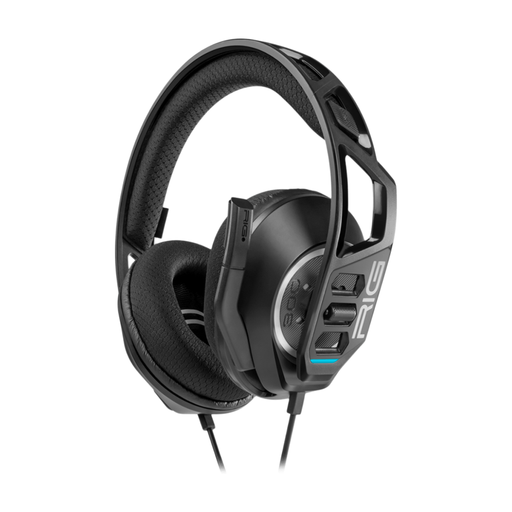
Nacon RIG 300 PRO HN Wired Headset – Black
Consider this wired option if you prefer not to charge a headset before an evening session. Check that your intended controller or device carries both audio and chat through the required connection, and that the cable reaches comfortably from where you sit.
View on Joybuy
 No image available
ASUS ROG Pelta Wireless Gaming Headset – Black
Consider this wireless model if you move between gaming devices, but check which connection supports chat on each one. If phone audio, Xbox use or a flat-battery fallback matters to you, confirm those functions for this exact variant before ordering.
View on Joybuy
 No image available
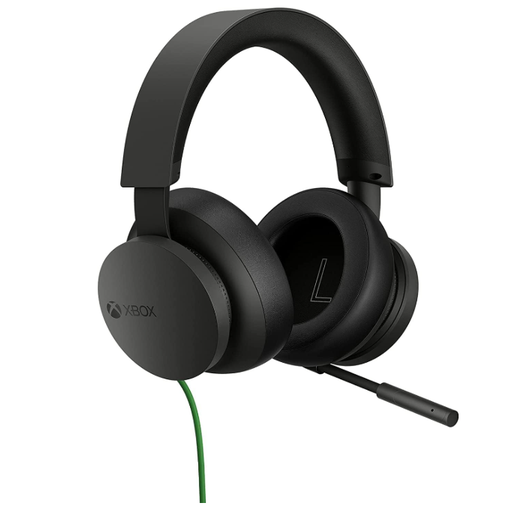
Official Xbox Stereo Wired Gaming Headset – Black
This is a wired choice for an Xbox-focused evening setup where avoiding headset charging matters. Check the headset connection on your controller or PC, and confirm compatibility separately if you intend to use another console.
View on Joybuy
 No image available
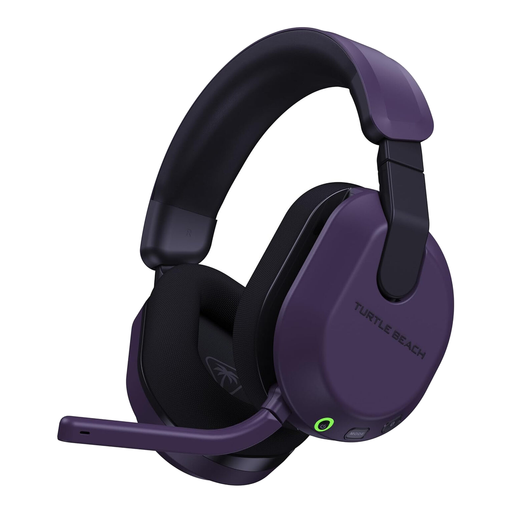
Turtle Beach Stealth 600 Gen3 Wireless for Xbox Series X|S, Xbox One and PC – Purple
Consider this Xbox-oriented wireless variant if you want to play without a cable to the controller. Confirm its console pairing method rather than assuming Bluetooth is the Xbox connection; also check how it handles phone audio and what happens if the battery runs flat.
View on Joybuy
 No image available
Turtle Beach Stealth 600 Gen3 Wireless for PS5, PS4 and PC – Black
This is the PlayStation-and-PC-labelled Stealth 600 Gen3 variant, distinct from the Xbox-labelled model above. Check voice-chat operation on your intended device; if you also use a phone, confirm whether audio can play together and which source receives your microphone.
View on Joybuy
Common questions
Can I use a Bluetooth headset microphone for chat on Nintendo Switch or Switch 2?
Not through the console’s Bluetooth audio connection: Nintendo UK Support says Bluetooth microphones cannot be used on either system. If microphone chat is essential, confirm a separate wired or USB headset-and-chat path for the game and console you use.
Does an Xbox headset use Bluetooth to connect to the console?
Do not assume so. Xbox Support says Xbox One does not connect Bluetooth headsets directly to the console; its Xbox Wireless Headset pairs wirelessly with Xbox Series X|S and Xbox One, while its documented Bluetooth connection is for Windows and mobile devices. Check the pairing method of the exact headset you are considering.
How can I check chat mix and mic monitoring before buying?
Identify which device supplies the controls and which connection you will use. Xbox Support documents headset volume, chat-mixer and mic-monitoring adjustments for compatible headsets connected through a controller’s 3.5 mm port. For another console or a wireless model, check that model’s instructions rather than assuming the same controls are available.
Will a wireless headset work as a wired headset when its battery is flat?
Only if the exact model supports wired game audio in that condition; a USB-C charging socket alone does not establish this. For example, HyperX specifies Cloud III Wireless as a wireless USB-audio model, whereas HyperX UK lists 3.5 mm, USB-C and USB-A connections for Cloud III wired. Check the audio-input and charging instructions for the variant you plan to buy.


