Players focused on movement cues
If footsteps and other directional sounds inform your decisions, start with a connection that works on your gaming device. Treat claims about enhanced cues as model-specific claims to assess in your own game.


Choose a headset whose gaming connection works with your device, then assess movement cues, microphone controls and comfort in your usual setup. A wired headset avoids charging but keeps you at the desk; a compatible 2.4 GHz wireless headset removes the cable but adds a receiver and battery routine. Bluetooth can be useful for another device, but it should not be assumed to work like the dedicated gaming connection.
If footsteps and other directional sounds inform your decisions, start with a connection that works on your gaming device. Treat claims about enhanced cues as model-specific claims to assess in your own game.
If the same desk is used for team chat and calls, microphone controls and the connection to your work device matter alongside game audio.
If practice sessions run long, consider how the earpads feel with glasses, where a cable would run and whether charging fits your routine.
Choose it when: You mainly use one desk setup and would rather avoid charging.
Trade-off: The cable limits movement, and its connectors still need to suit each device you plan to use.
Choose it when: You want a cable-free desk and your gaming device supports the model’s receiver.
Trade-off: It needs a compatible port and charging; check separately whether Bluetooth switches sources or can play alongside game audio.
| Concern | What to check | Who this matters to |
|---|---|---|
| Movement cues and connection | Confirm the gaming connection for your exact device and whether audio presets require an app or PC software. | If footsteps guide my decisions, I need to judge cues in my usual game rather than rely on a driver-size figure. Roughly 42% of consumers place this need first. |
| Microphone and calls | Check microphone operation in your chosen connection mode and how mute is controlled. | When I switch between team chat and calls at a busy desk, I need to know whether my voice stays understandable. Around 33% of consumers put communication first. |
| Comfort and desk routine | Consider earpad material and glasses fit; for wireless models, check battery claims by mode and charging access. | During a long session, pressure, a trailing cable or a charging break can interrupt practice. About 25% of consumers prioritise comfort and convenience. |
Bluetooth, a USB receiver and a platform label do not establish identical game-audio, chat and control support.
Check the exact headset variant and the connection mode you intend to use on each device.
Audio presets and positional-audio descriptions are manufacturer claims; game settings and personal hearing also affect what you notice.
Assess the headset with your usual game, settings and chat setup, and check the seller’s return terms before purchase.
Manufacturers publish up-to figures, sometimes for different connection modes. A Bluetooth figure may not describe your 2.4 GHz gaming use.
Compare the stated figure for the mode you will use and plan where you would charge the headset.
Charging can interrupt a session if the battery runs low and no suitable fallback is available.
Alternative pads and glasses-friendly cushions cannot guarantee that a particular headset will feel comfortable on your head.
Check pressure, warmth and glasses fit over a session of your usual length.
Logitech G positions the PRO X 2 LIGHTSPEED as a wireless gaming headset with LIGHTSPEED, Bluetooth and 3.5 mm connection options.
The HyperX Cloud III range includes a wired model with USB-A, USB-C and 3.5 mm connections and a Cloud III S Wireless model with 2.4 GHz and Bluetooth options.
Turtle Beach describes the Stealth 600 Gen 3 with 2.4 GHz wireless, Bluetooth switching and app EQ controls.
SteelSeries positions the Arctis Nova 5 Wireless around game presets and switching between 2.4 GHz and Bluetooth.
These headsets offer wired and wireless options for a gaming desk. Match the stated platform variant to your device before weighing call controls, cable placement and long-session fit.
 No image available
Consider this wireless model for cable-free practice, but confirm its gaming connection and software support on your platform. Assess movement cues in your usual game and check fit over a full desk session.
 No image available
For a compatible desk setup where you prefer not to charge a headset, this wired model is listed for PC and PS4. Its title specifies 50 mm drivers, virtual 7.1 surround and a noise-cancelling microphone; those descriptions do not establish how cues or calls will sound in your setup. The listing says it is not for Xbox.
 No image available
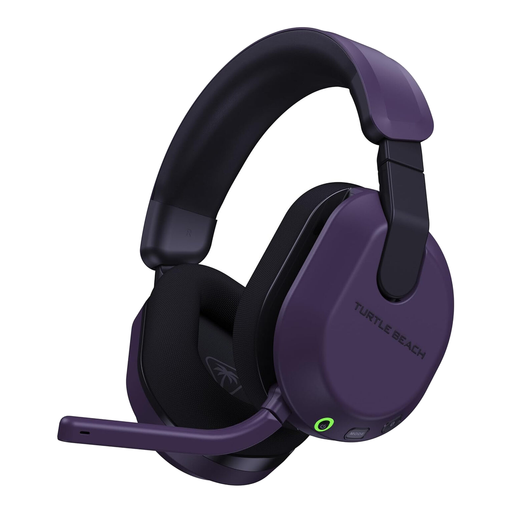
Consider this wireless variant for an Xbox or PC desk; its title lists Xbox Series X|S, Xbox One and PC. If switching to another device matters, confirm how its Bluetooth mode works with your calls. Do not assume it provides the same gaming connection on PlayStation.
 No image available
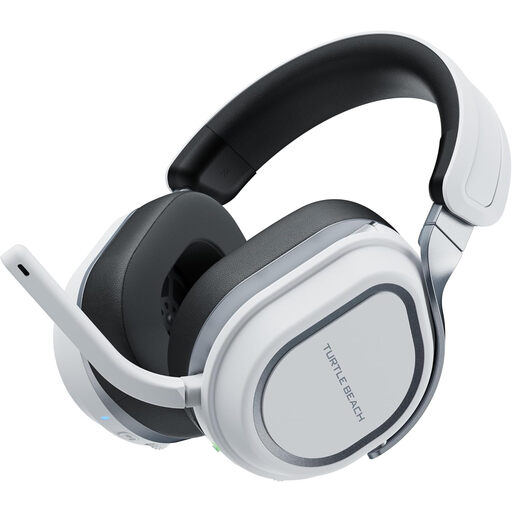
For PlayStation or PC desk use without a cable, check this variant’s connection and microphone controls against your setup. Its title lists PS5, PS4 and PC; assess audio settings and call performance with the devices you actually use.
 No image available
If you move between PlayStation and PC at your desk, check whether this variant’s transmitter arrangement fits both devices. Its title lists PS5, PS4 and PC; consider the stated 408 g weight when judging long-session fit, and confirm the connection mode needed for any other device.
Use a headset’s dedicated 2.4 GHz gaming mode when your device supports its receiver and that is the connection you intend to practise with. Treat Bluetooth as a separate option for calls or another device unless the exact model documentation confirms the behaviour you need.
Test it in your intended connection mode with your usual keyboard and room noise. Make a recording or call, try the mute control and ask whether your voice remains understandable; a manufacturer’s noise-reduction claim cannot guarantee your result.
GOV.UK says online-order customers have a limited-time cancellation right even when an item is not faulty. Check the applicable time limits and return process before buying; a fault or misdescription is a separate matter from changing your mind.
No: GOV.UK guidance says Great Britain continues to recognise CE marking alongside or in place of UKCA marking where the relevant product requirements apply. A marking alone does not establish that a particular headset meets those requirements, and the Great Britain guidance should not be assumed to cover Northern Ireland.