Choose a gaming headset for large-screen arena matches by checking its connection to your console or PC and whether voice chat works through that connection. A PS5 wireless headset may rely on a supplied USB adapter, while Xbox players should confirm Xbox Wireless or a compatible controller connection rather than assume Bluetooth will pair directly. After that, weigh microphone controls, fit and charging against how long you play; phone audio and multi-system switching matter only if they suit your setup.
Who this is for
Console arena players
If you play on a large-screen PS5 or Xbox, start with a headset connection that supports both game audio and squad chat on your console. PlayStation Support describes an adapter-based wireless setup, while Xbox Support documents compatible console connections; a Bluetooth label alone does not settle compatibility.
Chat-focused players
If coordinated matches put frequent demands on your microphone, look for controls you can reach during play and check that the mic works in your chosen connection mode. Microphone features described by brands are model-specific, not independent comparisons of call clarity.
Multi-device setup owners
If you use phone audio alongside a match or move between gaming systems, check whether a headset mixes sources or merely switches between them. SteelSeries describes simultaneous audio on Arctis Nova 7 with a microphone-routing limit; Logitech G describes a multi-system base-station route for A50 X.
What to check before buying
Settle the console or PC connection and voice-chat route first. Fit, charging and extra audio sources then become easier to judge against the way you actually play.
| Concern | What to check | Who this matters to |
|---|
| Platform connection |
Match the exact variant and its adapter, Xbox Wireless or controller connection to your console or PC. Confirm voice-chat support on that route. |
I need game sound and squad chat on my own console, so an incompatible connection would defeat the purchase. Around 29% of consumers put platform connection first. |
| Voice chat and controls |
Check mic operation in the selected mode and whether mute and audio controls are easy to reach. |
During coordinated matches, I need to speak and mute without losing track of play; roughly 29% of consumers make chat operation their primary concern. |
| Fit and charging |
Assess headband and cushion fit, then compare battery claims for the wireless mode you intend to use. |
If I play for long stretches, pressure and charging interruptions matter more than extra connections. About 24% of consumers prioritise fit and charging. |
| Extra audio sources |
Check whether game and phone audio can play together, where the mic sends voice, and whether multi-system switching requires a base station. |
I want to handle phone audio or change gaming systems without repeatedly rebuilding my setup; around 18% of consumers put that flexibility first. |
Buying pitfalls
-
Assuming every wireless headset connects to every console
Wireless can mean Bluetooth, a USB adapter or a console-specific system. Xbox Support says Xbox One cannot connect a headset through Bluetooth, while PlayStation Support describes a USB-adapter pairing route for supported wireless headsets.
Check the exact model and console connection before ordering. For an adapter-based PS5 headset, confirm that the required adapter is included.
-
Confusing two audio sources with two-way microphone use
SteelSeries says Arctis Nova 7 can play 2.4 GHz and Bluetooth audio simultaneously, but its microphone cannot transmit to both sources at once.
If you take calls during matches, check which device receives your microphone and what happens to in-game chat.
-
Comparing battery figures across different modes
A wireless runtime claim may apply to a particular connection mode. HyperX states up to 120 hours in 2.4 GHz mode for Cloud III S Wireless, so that figure should not be treated as an unconditional result.
Compare the stated runtime for the mode you will use, then decide whether its charging arrangement suits your screen setup.
-
Choosing a multi-system base station for one console
Logitech G positions Astro A50 X for connections to Xbox, PS5 and PC or Mac, with HDMI integration. That arrangement also brings a base station and additional cabling into the setup.
Choose this type of connection only if you regularly switch among the supported systems and have room for the hardware.
Relevant brands and product lines
PlayStation
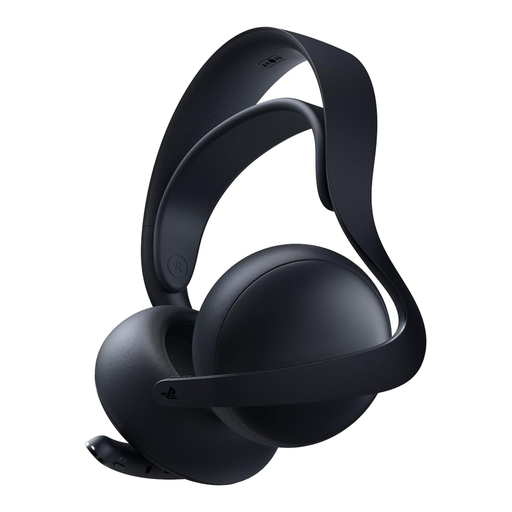
PULSE Elite represents a PS5-focused wireless route using PlayStation Link.
- PlayStation describes a supplied USB adapter and retractable microphone for PULSE Elite.
- Check the supported-device list if you also play on Xbox; PS5 compatibility does not establish Xbox compatibility.
SteelSeries
Arctis Nova 7 is relevant when game audio and a Bluetooth phone source both matter.
- SteelSeries states that Arctis Nova 7 can receive 2.4 GHz and Bluetooth audio simultaneously.
- Its microphone cannot send voice to both sources at once.
HyperX
Cloud III S Wireless offers a route for players considering 2.4 GHz gaming and Bluetooth use.
- HyperX lists up to 120 hours of battery life in 2.4 GHz mode for this model.
- Check compatibility for your exact platform; the stated device list does not establish Xbox support.
Razer
BlackShark V3 variants are aimed at players considering a match-focused headset with a detachable microphone.
- Razer specifies a detachable 12 mm microphone for its UK BlackShark V3 Pro listing.
- Confirm the exact PC, PlayStation or Xbox variant rather than relying on the family name.
Logitech G
Astro A50 X is a base-station route for a fixed setup shared by several gaming systems.
- Logitech G states that A50 X connects to Xbox, PS5 and PC or Mac, with HDMI 2.1 pass-through.
- The base station and HDMI wiring add setup demands that a single-console player may not need.
Joybuy product choices
These headsets cover Xbox-oriented, PlayStation-oriented and wired connection choices for arena play. Use the model and variant details to narrow the list to your console or PC before considering extras.
 No image available
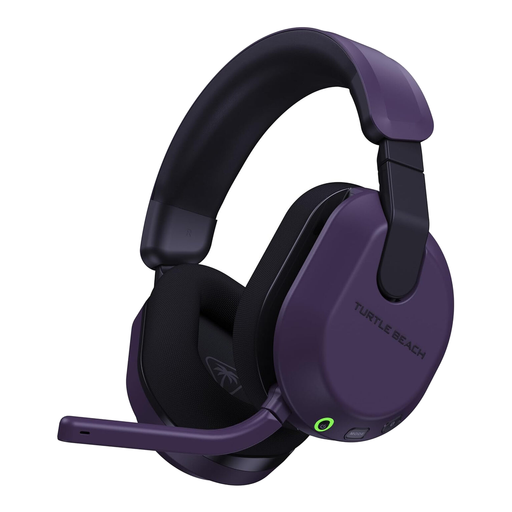
Turtle Beach Stealth 600 Gen3 Wireless – Xbox and PC, Purple
Consider this variant for Xbox Series X|S, Xbox One or PC arena play where wireless chat is the priority.
If you also need phone audio during a match, check whether its connection modes play together or switch between sources.
View on Joybuy
 No image available
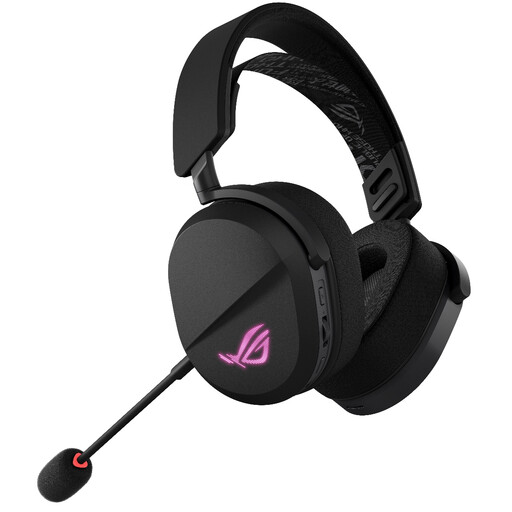
ASUS ROG Pelta Wireless – Black
For PC or PS5 play with a phone nearby, check which connection mode carries game chat and how you change audio sources.
If battery life drives your choice, compare the stated runtime in the mode and lighting setting you intend to use. Confirm the connection route separately for Xbox.
View on Joybuy
 No image available
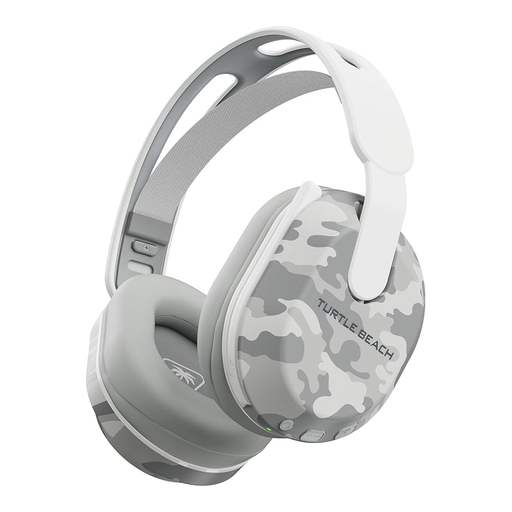
Turtle Beach Stealth 500 Wireless – PlayStation and PC, Arctic Camo
For PS5, PS4 or PC matches, check that the wireless connection and microphone suit your chosen device.
The product name states up to 40 hours of battery life. If phone audio matters, check whether switching sources meets your needs; switching does not establish simultaneous playback.
View on Joybuy
 No image available
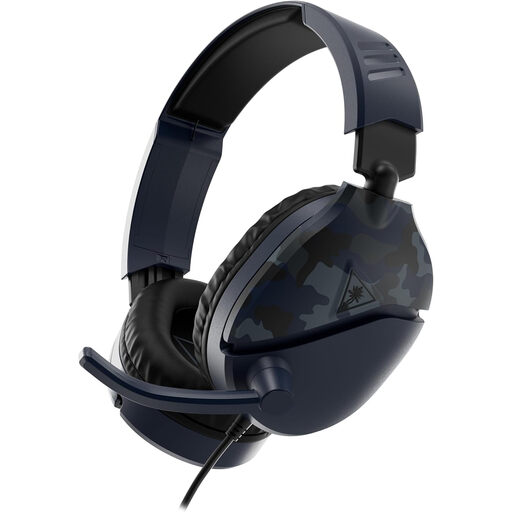
Turtle Beach Recon 70 – Xbox, PlayStation, Switch and PC, Blue Camo
Consider the wired route if you would rather avoid wireless pairing and charging during matches, while accepting a cable to your controller or device.
For console chat, confirm that the connection on your particular controller carries both audio and microphone input.
View on Joybuy
 No image available
Sony PULSE Elite Wireless – Midnight Black
For a PS5-first setup, make sure the PlayStation Link USB adapter is part of the connection you plan to use for game audio and chat.
If you also play on Xbox or need a particular charging interval, confirm compatibility and battery runtime for this exact variant before choosing it.
View on Joybuy
Common questions
Can a Bluetooth gaming headset connect directly to an Xbox?
Do not assume it can: Xbox Support says Xbox One does not support Bluetooth headset connection. For Xbox play, confirm an Xbox-compatible wireless model or a compatible headset and controller connection for your particular console.
Does a PS5 wireless headset need a USB adapter?
Some PS5 wireless headsets use one: PlayStation Support instructs users of supported models to plug the USB adapter into the console when pairing. Check the exact headset’s connection method and whether its required adapter is included.
Can I hear my phone and my game while keeping squad chat active?
Some headsets play both audio sources, but microphone routing needs a separate check. SteelSeries says Arctis Nova 7 receives 2.4 GHz and Bluetooth audio simultaneously, while its microphone cannot transmit to both sources at once.
What should I check about returns and warranty?
Read the seller’s change-of-mind return terms and the manufacturer’s warranty for the exact headset before ordering. Keep those policies distinct from any remedies that may apply if the item is faulty, damaged or misdescribed.


