Choose a headset for your connection and chat needs, and a controller for the input layout you can use. A wired headset needs a compatible jack, while a wireless model needs support for your exact platform and connection method; conventional controllers suit familiar layouts, whereas configurable or adaptive controls are worth considering when button placement, profiles or external inputs matter.
Who is this for?
Online players balancing game sound and chat
If you need to follow game audio while talking to teammates, check whether the microphone and audio controls work on your intended platform and connection. Xbox documents feature differences between connection methods for its Wireless Headset.
Players switching between platforms
Moving between PC and consoles makes the exact headset variant and connection method important. SteelSeries, for example, identifies the Nova 5X specifically as the Xbox-compatible Nova 5 variant.
Players who need configurable controls
If fixed button positions or assignments do not suit your setup, compare the physical inputs, profiles and platform support you need. PlayStation and Xbox describe different configuration options for their Access and Adaptive controllers.
What matters when choosing?
Decide whether audio and chat or the control layout is your immediate priority, then check the exact platform and connection before comparing extra features.
| Concern | What to check | Who this matters to |
|---|
| Platform and connection |
Match the exact variant and its 3.5 mm, USB, Bluetooth or console-wireless connection to each intended device; check chat support separately. |
If I move between PC and console, I need to know which connection actually works on each device. Around 29% of consumers put that compatibility question first. |
| Voice chat and game audio |
Check microphone, mute and game/chat controls on your chosen connection. Xbox says its Wireless Headset's game/chat balance dial does not work over Bluetooth. |
When I play with teammates, I want to manage my voice and game sound without assuming advertised controls work everywhere. This is the primary need for around 29% of consumers. |
| Wireless use and charging |
Check the receiver or pairing method, charging arrangements and whether the exact headset offers a wired listening option. |
I would rather play without a headset cable, but I need a charging routine and a connection my device accepts. Around 21% of consumers place cable-free use first. |
| Control layout and inputs |
Check which buttons can be reassigned, whether profiles work on your platform and whether external controls or mounts are needed. |
If the usual button positions do not suit me, changing the physical setup matters more than audio features. Configurable inputs are the first concern for around 21% of consumers. |
Buying pitfalls
-
Assuming every wireless mode offers the same features
Xbox says its Wireless Headset's game/chat balance dial does not work over Bluetooth, while SteelSeries identifies a separate Xbox-compatible Nova 5X variant. A wireless label alone does not establish how a headset will connect to your console.
Match the exact model suffix and connection method to your device, then check microphone, chat and software controls on that connection.
Your intended setup may require a compatible receiver or adapter, or a different headset variant.
-
Planning button mapping but not the physical inputs
Reassigning buttons is different from positioning external switches or other controls. Xbox describes its Adaptive Controller as a hub for external devices; PlayStation describes expansion ports on its PS5 Access controller.
List the actions and control positions you need, then check compatible accessories, mounting and platform support for the complete setup.
External switches, buttons, joysticks or mounts may need to be obtained separately.
-
Treating audio claims as a guaranteed result
A claimed sound or microphone feature does not establish how clearly you will hear cues or be heard in every game and chat setup.
Use feature descriptions to narrow your options, but check device compatibility, available controls and fit information before choosing.
-
Expecting every Xbox app setting over Bluetooth on Windows
Xbox Support says most Xbox Accessories app features are not supported through a Bluetooth connection on Windows.
If configuration matters, check whether your accessory needs USB or an Xbox Wireless Adapter for the settings you intend to use.
That configuration route may require a USB cable or Xbox Wireless Adapter.
Brands to consider
Xbox
Relevant to players using Xbox consoles or Windows who are comparing headset connections, controller configuration and external-input options.
- Xbox describes its Adaptive Controller as supporting Xbox One, Xbox Series X|S and Windows 10/11 PCs, with ports for external inputs.
- Xbox Support says Accessories app features can depend on the connection; most are not supported over Bluetooth on Windows.
PlayStation
Relevant to PS5 players considering the configurable physical controls of the Access controller.
- PlayStation describes adjustable components, four 3.5 mm expansion ports and up to 30 control profiles configured through PS5 settings.
- Access is presented as a PS5 controller kit; its features should not be assumed to work on PC or Xbox.
SteelSeries
Relevant when comparing wireless headset variants for different console families.
- SteelSeries Support identifies the Nova 5X as the Xbox-compatible variant in the Nova 5 line.
- A platform listing alone does not establish microphone or game-audio results in a particular setup.
Logitech G
Relevant to shoppers comparing the connection options of a named headset rather than assuming one wireless mode covers every device.
- Logitech G lists LIGHTSPEED wireless, Bluetooth and 3.5 mm wired connections for PRO X 2 LIGHTSPEED.
- Those model-specific connections do not by themselves establish which chat or software features work on a particular console.
Joybuy product choices
These headsets cover wired and wireless online-play setups; the controllers offer configurable controls for the platforms named in their listings. Match each choice to your device and the particular feature you need.
 No image available
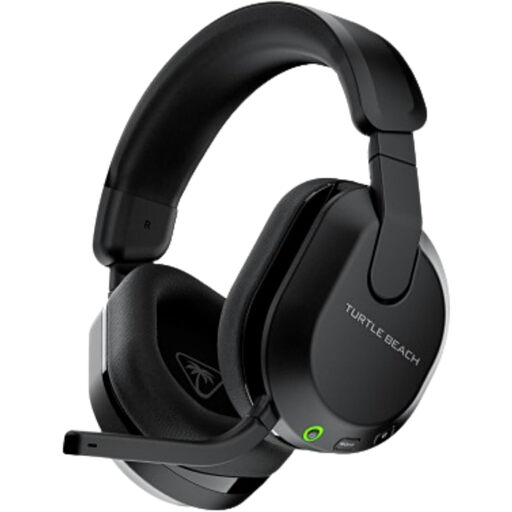
Turtle Beach Stealth 600 Gen3 Wireless Headset, PS5/PS4/PC, Black
Consider this for wireless play on a named platform. Check how it connects to your device and whether microphone, chat and app controls work through that connection; do not rely on it for wired listening.
Joybuy
 No image available
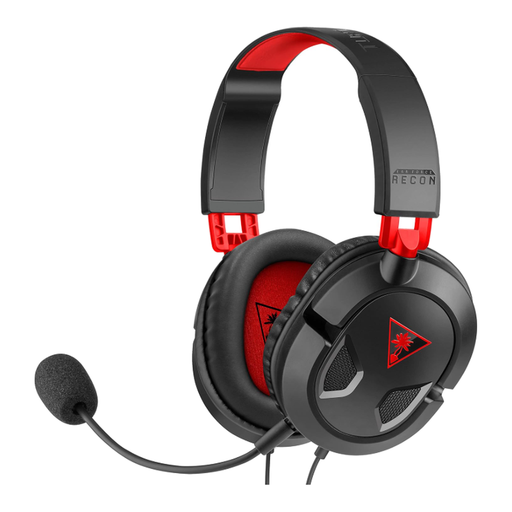
Turtle Beach Recon 50 Wired Headset, PC/Xbox/PS5/PS4
Consider this for a wired setup on one of its named platforms. Check that your intended device or controller has a compatible headset jack and that microphone operation is supported through it.
Joybuy
 No image available
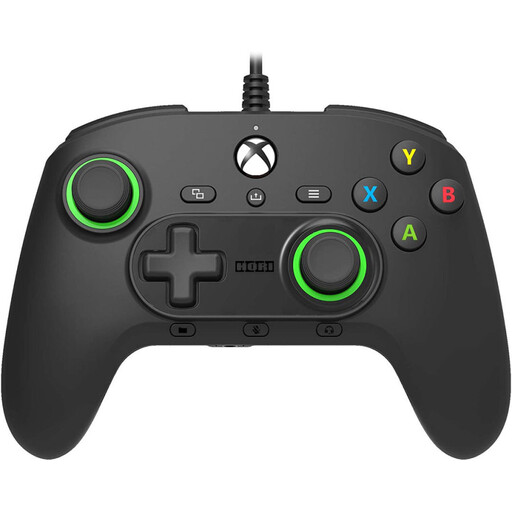
HORI Horipad Pro Designed Controller, Xbox Series X/Xbox One S
Consider this if changing assignments within a conventional controller layout is your priority. Check which controls can be reassigned and whether its configuration app works on your intended setup; do not assume it accepts external adaptive inputs.
Joybuy
 No image available
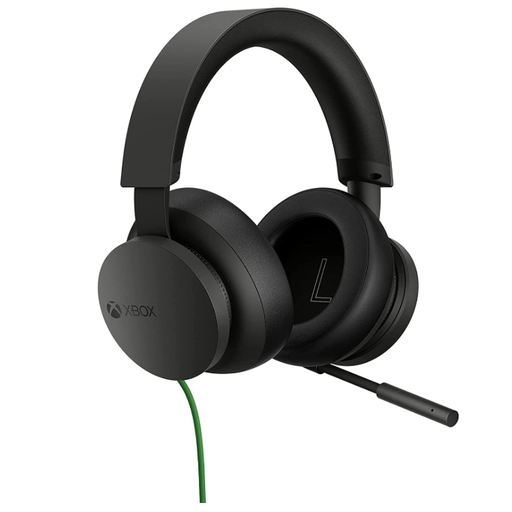
Official Xbox Stereo Wired Gaming Headset, Black
Consider this for wired Xbox play if your controller provides the required headset connection. For PC use or voice chat, check the jack and microphone support on your setup; check any spatial-audio feature against your device and software.
Joybuy
 No image available
Sony DualSense Edge PS5 Wireless Controller, White
Consider this when adjustable controls within a PS5 controller layout matter to you. Check the physical arrangement for your own use; if you also play on Windows, confirm which remapping and profile features work there.
Joybuy
Common questions
Can any Bluetooth headset connect to an Xbox console?
No. Xbox Support says Xbox One does not have Bluetooth functionality, so Bluetooth support on a headset does not establish an Xbox connection. Check the exact model's stated console connection method.
Will a wireless Xbox headset also work through a controller's 3.5 mm jack?
Not necessarily: Xbox says its Xbox Wireless Headset does not support a 3.5 mm connection. Xbox Support separately describes compatible wired headsets connecting through a controller's 3.5 mm jack, so check the individual headset's connection options.
Is button remapping enough if a standard controller layout does not suit me?
Button remapping may not address a need to change where or how physical inputs are operated. Xbox describes external-input ports on its Adaptive Controller, while PlayStation describes adjustable components and expansion ports on its PS5 Access controller; list the controls you need before choosing either ecosystem.
What should I check if a peripheral comes with a mains-powered charger?
Check that the seller can be identified, and keep the supplied charging equipment and product documentation. Office for Product Safety & Standards guidance dated 25 March 2025 describes Great Britain's Electrical Equipment (Safety) Regulations 2016 as requirements for suppliers before electrical equipment is placed on the market; it does not establish whether a particular charger meets them.


