Voice-chat-first co-op players
If teammates need to hear instructions over activity in your room, microphone position and a mute control you can reach quickly deserve attention before cosmetic features.


A wired headset suits a fixed desk if you would rather avoid charging; choose a 2.4 GHz wireless model if moving without a cable matters more. For co-op chat, check the microphone and mute control, then confirm that the exact connection and headset variant work with your PC or console. Comfort and advertised battery life need a closer look if sessions run long.
If teammates need to hear instructions over activity in your room, microphone position and a mute control you can reach quickly deserve attention before cosmetic features.
If you want to move away from your desk between matches, compare gaming wireless connections and check whether the model can also switch to a phone.
If you play for hours or alternate between a PC and console, consider fit and charging alongside the exact platform support of the variant you plan to buy.
Choose when: You want to play without a desk cable and the headset’s dongle supports your gaming device.
Bear in mind: It needs charging; on models with Bluetooth, switching to a phone does not necessarily mean mixing both connections at once.
Choose when: You play at a fixed PC desk and want a direct connection without a charging routine.
Bear in mind: Check the USB connection and software features on your platform; a PC-only feature may not carry over to a console.
Choose when: You prefer to avoid charging and need a headset for several systems that the exact model lists as supported.
Bear in mind: The cable limits movement, and a platform listing does not guarantee that every software feature works there.
| Concern | What to check | Who this matters to |
|---|---|---|
| Microphone and mute access | Look for a positionable microphone and a mute control you can find without opening an app. Treat microphone marketing terms as features to investigate, not a voice-quality test. | If teammates rely on my call-outs, I want to mute promptly and avoid my room noise getting in the way. Around 42% of consumers put voice capture and mute access first. |
| Connection and compatibility | Confirm the connector or 2.4 GHz dongle works with your main device, then check whether phone switching and any software features work on that platform. | Moving between a PC and console makes an exact platform match more important to me than an extra audio setting; roughly 33% of consumers make connection and platform fit their primary concern. |
| Comfort and session length | Consider fit and cushioning for extended wear. For wireless models, compare the stated battery conditions and how you would charge between sessions. | During a long co-op session, I do not want the headset’s fit or charging routine to interrupt play. About 25% of consumers prioritise comfort and uninterrupted use. |
A headset may support basic audio on a device while a surround mode or app setting works only on particular computers.
Check the exact variant, connector or dongle, microphone support and feature requirements for the device you will use most.
Published runtimes are model-specific manufacturer claims, not a promise that every setting or usage pattern will deliver the same result.
Check the conditions attached to the battery figure and whether the model can be used while charging. If avoiding charging matters more than movement, consider wired.
Terms such as cardioid and wideband describe microphone designs; they do not establish how two headsets will sound in your room.
Use those specifications to narrow your options, check the retailer’s return terms, and test chat with your usual microphone position and room noise after purchase.
Its Arctis Nova wireless range is relevant if you want a gaming connection with the option to switch to Bluetooth.
Its BlackShark models provide examples of both wired headsets for a fixed setup and wireless models with several connection modes.
Cloud III Wireless is relevant if you want a detachable microphone and an on-headset mute indication.
These wired and wireless headsets offer choices for co-op chat at a fixed desk or a cable-free setup. Check each model’s connection against your PC or console before choosing.
 No image available
Consider this wireless model if you want to play without a desk cable. Confirm that its connection works with your gaming device, and check the charging routine and microphone controls that matter to you.
 No image available
This wired model suits a fixed desk if you would rather avoid charging. Check its connector and any adapter your device may need, as well as how its fit feels over a longer session.
 No image available
This wireless model is worth considering for cable-free chat on one of its named gaming platforms. Confirm which connection mode works with your device and whether its mute action and charging routine suit your sessions.
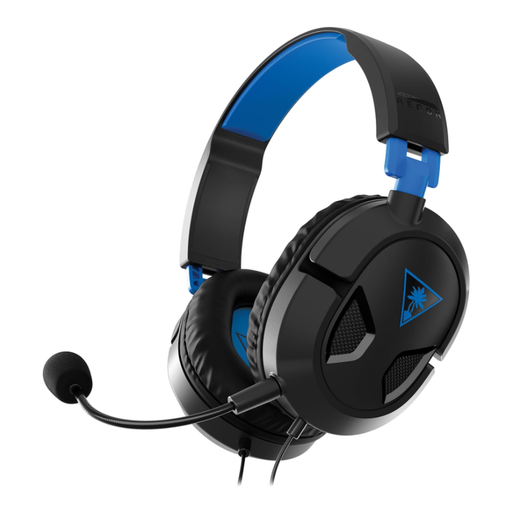 No image available
For a wired PlayStation setup, this model avoids a charging routine. Confirm that your controller or device provides the connection needed for chat, and consider fit if you play for extended periods.
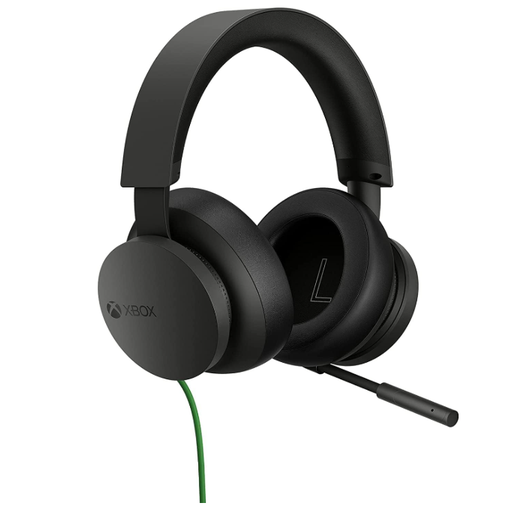 No image available
Consider this wired Xbox headset if your gaming setup stays close to the controller or desk. Check the connection on your exact device and whether the headset remains comfortable throughout your usual sessions.
Use the dedicated 2.4 GHz connection for gaming if your chosen headset and device support it. SteelSeries recommends 2.4 GHz over Bluetooth for gaming; Bluetooth may serve as a phone connection on models that explicitly support switching, but check how the particular model handles both modes.
No single platform list should be assumed to cover every variant or feature. Check the exact model and connection method: HyperX lists Cloud III Wireless for PC, PS5, PS4 and Nintendo Switch, while Razer lists a different set of supported systems for BlackShark V2 X. Check software features separately from basic headset compatibility.
Yes for some models, but check the one you intend to buy. Razer says BlackShark V2 HyperSpeed can be used through a USB Type-A connection while charging; that does not establish the same behaviour for other wireless headsets.
Check an appropriate electrical-waste reuse or recycling route rather than treating an electrical headset as ordinary waste. GOV.UK explains that UK WEEE regulations aim to reduce electrical waste sent to landfill; your local council or retailer can provide current collection or take-back options for the item.