Solo explorers
If ambience, music and directional cues matter to your enjoyment of exploration games, compare the audio features available on your actual platform rather than relying on a surround-sound label alone.


A bright room does not call for a particular headset feature: choose for your gaming platform, connection, long-session fit and preferred game audio. For exploration games, check whether positional-audio features work with your device and games; choose wireless only if its connection method and charging routine suit you.
If ambience, music and directional cues matter to your enjoyment of exploration games, compare the audio features available on your actual platform rather than relying on a surround-sound label alone.
If you wear a headset for extended stretches, adjustment, cushion material, weight and how warm the earcups feel may matter more to you than driver terminology.
If you move between PC, console and mobile, or use voice chat, check each device’s connection method and whether the microphone and enhanced audio features work through it.
Start with the device and connection you will use, then consider fit and game audio; room brightness is a display concern, not a reason to favour one headset audio feature.
| Concern | What to check | Who this matters to |
|---|---|---|
| Exploration audio | Check whether a spatial-audio mode works with your platform and game, and whether it requires an app. | If I play alone for the ambience and off-screen cues, I want audio that helps me follow the world around me. Around 27% of consumers put exploration audio first. |
| Long-session comfort | Consider headband adjustment and cushion material; try the fit where possible. | When a session runs long, pressure or heat can distract me even if I like the sound. Comfort is the primary concern for around 27% of consumers. |
| Platform and connection | Confirm the device-specific connection, microphone operation and any adapter or software needed. | I switch devices and do not want a headset whose chat or audio features work only on the other platform. Around 33% of consumers prioritise connection certainty. |
| Chat and household noise | Check microphone support for your setup and whether the earcups give you suitable passive isolation. | If I chat while others are nearby, I need my voice to come through without continually raising the game volume. For around 13% of consumers, chat and noise management come first. |
A surround or 3D-audio label does not establish support across platforms. Razer says the BlackShark V2 X’s advertised 7.1 feature is available only on Windows 11; Sony describes 3D Audio for supported PS5 games.
Check basic audio, microphone use and enhanced audio separately for the device and connection you intend to use.
Wireless removes a listening cable but introduces charging and connection-mode checks. Sony states up to 30 hours of battery life for PULSE Elite, while Logitech G states up to 50 hours for PRO X 2 LIGHTSPEED; neither figure promises that duration in every setup.
Choose wireless if its connection and charging routine suit you. If you prefer wired listening, confirm that your device accepts the headset’s cable connection.
Adjustment, cushion materials and weight can help narrow a shortlist, but pressure and warmth depend on the wearer.
Try the fit early where possible, and check the retailer’s applicable return policy before buying.
The World Health Organization notes that sound level and listening duration both affect hearing risk.
Keep volume at a comfortable level, take listening breaks and consider fit or suitable isolation rather than repeatedly turning the sound up.
The Arctis Nova 7 is a reference point for buyers considering multi-platform wireless gaming and simultaneous game and Bluetooth audio.
PRO X 2 LIGHTSPEED is relevant if you want wireless gaming, Bluetooth and a 3.5 mm wired option in one headset.
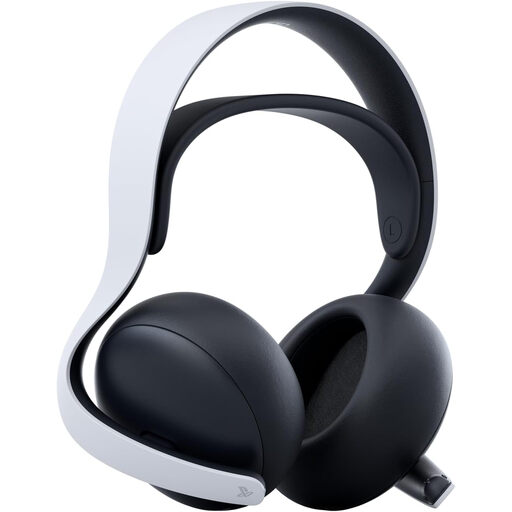
PULSE Elite is a PS5-centred option for buyers interested in PlayStation Link and 3D Audio in supported games.
BlackShark V2 X represents a wired 3.5 mm route for buyers who do not need wireless listening.
These headsets offer choices for PS5-focused play, switching between gaming devices and wired listening. Match the individual model’s connection to your setup before choosing; the products below are not a ranking of sound or comfort.
 No image available
Consider this wireless model if you move between gaming devices. Confirm the connection supported by each device and whether any software-based surround feature will be available in your setup.
 No image available
A PS5-centred choice if you want PlayStation Link and 3D Audio in supported games. Sony states up to 30 hours of battery life; check connection and feature support for any other device you use.
 No image available
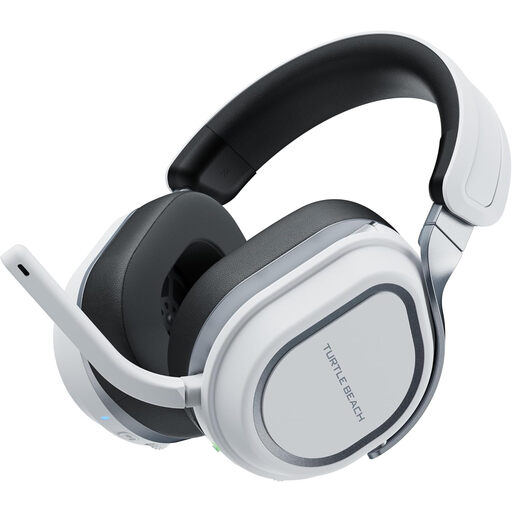
Consider this wireless headset if you alternate between the named PlayStation devices and PC. Check the required connection mode and voice-chat support for any additional device.
 No image available
A wired option if you would rather avoid charging. Confirm that your controller or device has a compatible 3.5 mm connection, and assess the fit for longer sessions.
 No image available
Consider this wireless model for the named PlayStation devices or PC. Check the connection mode and microphone support for your setup; choose another route if wired listening is essential.
No. Brightness affects viewing conditions, while your headset choice should rest on platform compatibility, fit, connection and the audio features you will use.
No. Razer specifies Windows 11 for the BlackShark V2 X’s advertised 7.1 feature, while Sony describes 3D Audio for supported PS5 games. Check the feature’s device, game and software conditions before buying.
Keep the volume down and take listening breaks rather than turning it up to cover distractions. The World Health Organization advises no more than 60% of maximum device volume where practical and staying below an 80 dB average when monitoring is available.
Use an applicable electrical-equipment recycling or take-back route rather than putting the headset in ordinary household waste. GOV.UK explains that UK waste electrical and electronic equipment rules aim to support recovery, reuse and recycling; check your local authority or retailer for an available route.