Choose a gaming headset for the PC or console connected to your large screen, not for the screen itself: confirm that both game audio and voice chat work through the connection you plan to use. For shooter practice, prioritise a supported low-latency connection, audible in-game cues and a fit you can tolerate through longer sessions; a wired controller connection, PC wireless dongle or console-specific system will suit different setups.
Who is this for?
Competitive shooter practisers
If you listen for footsteps and reloads while practising, check that the headset’s gaming connection works on your platform and that teammates can understand your callouts. RTINGS identifies low-latency connectivity, in-game cue placement and an intelligible microphone as gaming-headset selection factors.
Living-room console players
When you sit away from a TV or projector, the console or controller determines headset compatibility. Check the exact wireless system or audio port, as well as whether a cable will reach comfortably from your playing position.
Long-session squad players
Extended drills and frequent team chat make ear-pad fit, headband pressure and microphone operation worth checking alongside game sound. If you choose wireless, consider how charging fits into your practice sessions.
What to check before choosing
Start with the connected PC or console and its supported headset connection. Then weigh game-audio cues, fit and team chat against the freedom of wireless use or the simplicity of a cable.
| Concern |
What to check |
Who this matters to |
| Positional cues and responsive audio |
Confirm a supported wired or gaming-dongle mode, then check which spatial-audio features work with your game and platform. |
If footsteps and reloads guide my reactions, I want game sound that keeps pace with the action and lets me distinguish cues. Around 37% of consumers would put responsive, positional audio first. |
| Platform compatibility |
Match the exact headset variant and adapter or port to your PC or console; check game audio and microphone support separately. |
When I practise on a particular console or switch systems, I need the intended connection to work for both play and chat. Roughly 27% of consumers would make compatibility their primary concern. |
| Comfort and squad chat |
Consider fit and ear-pad materials, and check whether microphone controls or processing depend on desktop software. |
Long drills and repeated callouts make pressure on my ears and understandable speech difficult to overlook. Around 27% of consumers would prioritise comfort and communication. |
| Simple wired setup |
Check the connector, compatible device port and cable reach from your large-screen seating position. |
If I would rather plug in than manage charging or pairing, I can accept a cable provided it suits where I sit. About 9% of consumers would put that simplicity first. |
Mistakes to avoid
-
Assuming wireless means compatible with every console
A PC USB-dongle headset, a PlayStation Link headset and an Xbox-oriented headset need not provide the same audio and chat functions on another system.
Check the exact model and variant against your PC or console, including its adapter and microphone support, before choosing a wireless connection.
-
Using Bluetooth as the default PC gaming connection
SCAN UK’s gaming-headset guide favours supported 2.4 GHz dongle wireless over Bluetooth for PC gaming on latency and bandwidth grounds. That comparison does not establish how every individual headset performs.
For PC shooter practice, check whether the headset offers a supported wired or 2.4 GHz game-audio mode; treat Bluetooth phone connectivity as a separate feature where available.
-
Assuming a surround label works on your platform
Spatial-audio features can depend on the operating system, game settings or product activation. For example, the Joybuy listing for the Razer BlackShark V2 X states that its 7.1 feature applies to Windows 10 64-bit and requires registration and activation.
Read the conditions for your exact model and configure the game’s audio options; a surround label alone does not establish how well you will hear directional cues.
-
Turning up the volume to make cues easier to hear
UK Ministry of Defence guidance notes that playing video games through headphones at high volume can contribute to hearing damage.
Keep the volume comfortable and adjust available game-audio settings rather than relying on excessive volume to pick out details.
Relevant brands to consider
These brands illustrate different connection and platform approaches. Check the exact model and variant rather than assuming that a feature applies across a brand’s range.
SteelSeries
The Arctis Nova line is relevant if your large-screen setup switches between gaming systems.
- SteelSeries says the Arctis Nova Pro for Xbox GameDAC can connect two systems and switch between them.
- Check the precise wired or wireless variant and console support before relying on its stated spatial-audio features.
PlayStation
PULSE Elite is a PS5-focused option for players considering PlayStation Link wireless audio.
- PlayStation states that PULSE Elite supports 3D Audio in supported PS5 games and connection to PC, Mac and PlayStation Portal through its adapter.
- Check device and adapter compatibility if PS5 is not your only gaming platform.
Logitech G
PRO X Wireless is relevant to PC players considering a dedicated 2.4 GHz wireless connection.
- Logitech G states that this model offers more than 20 hours of battery life and a range of up to 15 m under its stated conditions.
- Check whether any microphone processing you want works on your gaming platform; desktop-software features should not be assumed on a console.
Razer
BlackShark models are relevant when comparing wired and wireless approaches to shooter practice.
- The Joybuy listing for BlackShark V2 X specifies a wired 3.5 mm connection.
- That listing states Windows-specific conditions for its 7.1 feature. Do not transfer those conditions, or features claimed for BlackShark V2 Pro, to another BlackShark model.
Joybuy headset choices
These choices cover wireless headsets and wired models for large-screen shooter setups. Choose by your connected platform and intended connection, then check the exact model’s features before relying on them for game audio or chat.
 No image available
ASUS ROG Pelta Wireless Gaming Headset – Black
Consider this wireless model if you want to practise without a cable between your seating position and gaming setup.
Confirm that its gaming connection and microphone work in the mode you intend to use on your exact PC or console.
Joybuy
 No image available
Turtle Beach Stealth 600 Gen3 Wireless for PS5, PS4 and PC – Black
This wireless variant is labelled for PS5, PS4 and PC, making those the platforms to check if you practise across more than one setup.
Confirm the connection, chat functions and any app-dependent controls you plan to use on each device.
Joybuy
 No image available
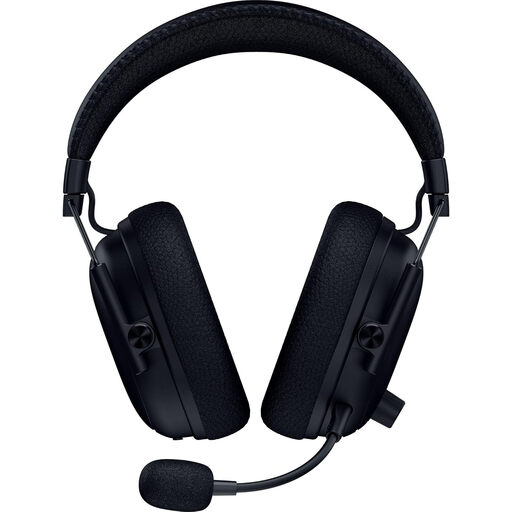
Razer BlackShark V3 Pro Wireless Esports Headset – Black
For wireless shooter practice, check that this exact V3 Pro variant supports your platform and preferred game-audio connection.
Confirm its supplied connection options and noise-control features before depending on either; features of other BlackShark models should not be assumed here.
Joybuy
 No image available
Logitech ASTRO A10 Gen 2 Wired Gaming Headset – White
A wired headset may suit you if you want to avoid charging and can connect from your usual playing position.
Check the connector, microphone compatibility and cable reach against your controller or PC before choosing this Gen 2 model.
Joybuy
 No image available
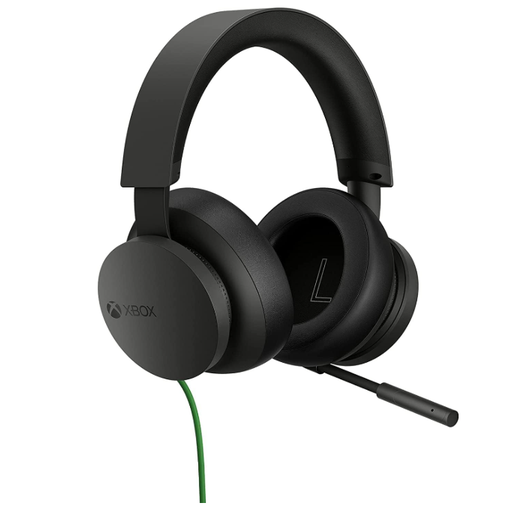
Official Xbox Stereo Wired Gaming Headset – Black
This wired Xbox model is a choice to consider when you practise using a compatible controller connection rather than a wireless headset.
Confirm the connector and microphone operation with your exact device, and check that the cable suits your seating position.
Joybuy
Frequently asked questions
Do I need a different headset for a large TV or projector?
Not because of screen size alone. Choose for the PC or console connected to the display, then check the headset’s connection and microphone support; cable reach also matters if you sit farther away.
Should I use Bluetooth for shooter practice on PC?
Use a supported wired or 2.4 GHz gaming connection for PC game audio when your chosen headset offers one. SCAN UK’s gaming-headset guide describes 2.4 GHz dongle wireless as lower latency than Bluetooth for PC gaming; Bluetooth may instead be useful for an additional device where the headset supports it.
Will a headset’s virtual surround feature work on my console?
Only if that feature supports your exact headset, console and required settings. For instance, the Joybuy BlackShark V2 X listing states that its 7.1 feature is for Windows 10 64-bit and requires registration and activation, so that claim should not be assumed to apply on a console or another BlackShark model.
How should I manage volume during long practice sessions?
Keep headphone volume at a comfortable level rather than turning it up to make cues more noticeable. UK Ministry of Defence guidance identifies high-volume headphone use during video games as a potential contributor to hearing damage; use available game-audio settings to adjust the mix.


