Late-night players sharing a home
If housemates or family members are nearby, you may want game sound and teammate chat through a headset rather than room speakers. Check that you can reach the microphone mute control during play.


Choose the connection that works with your gaming device before deciding between wired and wireless. For late sessions around other people, look for a microphone you can use and mute easily, then check voice-chat support for your particular console and game: a Bluetooth or multi-platform label alone does not settle that question.
PCMag UK describes gaming headsets as a way to hear game audio and use voice chat without disturbing people nearby; the right connection still depends on where you play.
If housemates or family members are nearby, you may want game sound and teammate chat through a headset rather than room speakers. Check that you can reach the microphone mute control during play.
On PlayStation, Xbox or Switch, private game audio does not by itself confirm how a microphone will work. Check the headset’s connection method and the voice-chat route for your console and game.
If one headset needs to serve several devices, compare the exact model and its connection method with each device you use. A broad multi-platform label is less useful than a documented platform list.
Start with your main gaming device and chat method. Then decide whether a cable or wireless connection better suits your sessions, and check the microphone controls and fit.
Consider it: If you mainly play at one setup and prefer a direct connection without managing a headset battery.
Trade-off: The cable limits movement, and the plug must suit your device’s audio and microphone ports.
Consider it: If you mainly use one console and want its documented wireless connection for game audio and chat.
Trade-off: Features may change with the connection. Microsoft says the Xbox Wireless Headset’s game/chat balance dial does not work over Bluetooth.
Consider it: If you regularly switch devices and the exact model documents a connection for each one. SteelSeries lists Xbox, PS5, Switch and PC support through the Arctis Nova 3X Wireless USB-C adapter.
Trade-off: A platform list does not answer every game-chat or microphone question; check those functions on each device you intend to use.
| Priority | What to check | Your needs |
|---|---|---|
| Private audio | Confirm that game sound goes through the headset on your device. Check where its volume control sits. | I want to hear the game and my teammates without using room speakers around other people. |
| Microphone and mute | Look at the microphone design, how to mute it and whether chat works through your intended connection. | When someone nearby speaks to me, I want to mute quickly without interrupting the game. |
| Platform connection | Match the exact model to your controller jack, USB port, wireless adapter or console-specific connection. For Switch chat, check the game’s instructions. | One headset may need to work with my PC and console, including voice chat rather than game sound alone. |
| Session use | Consider fit and cable reach; for wireless models, check the stated battery and charging details for that model. | I need a headset I can wear through a late session without a cable getting in the way or charging disrupting play. |
A headset can use different connections on different devices. Microsoft describes an Xbox-console wireless connection for the Xbox Wireless Headset and Bluetooth use with Windows and mobile devices; its game/chat balance dial is not supported over Bluetooth.
Check the exact model, platform variant and connection you will use—not just the word “wireless”.
Nintendo UK explains that voice chat for many Switch games uses the Nintendo Switch Online app. A headset microphone alone therefore does not establish the chat method for a particular title.
Read the game’s voice-chat instructions before choosing a headset primarily for team communication.
A single 3.5 mm headset plug may need an adapter when a PC has separate headphone and microphone sockets. The Nintendo Store UK listing for its Kirby wired headset specifies a splitter for PCs with separate pink and green jacks.
Inspect your PC’s ports and the headset plug, then check whether a compatible splitter is needed.
For that Nintendo-listed model, the required PC splitter is not included.
These examples illustrate different connection routes; the stated features belong to the named models, not every headset from each brand.
A reference point for players considering one wireless headset across several gaming devices.
A console-focused reference for PS5 players considering PlayStation Link.
A reference for players comparing Xbox-console wireless use with other connection methods.
An example of a wired headset route for a Switch-oriented setup.
These options span wired headsets, wireless headsets and compact gaming earbuds for shared-home play. Compare each one with your own device and voice-chat setup.
 No image available
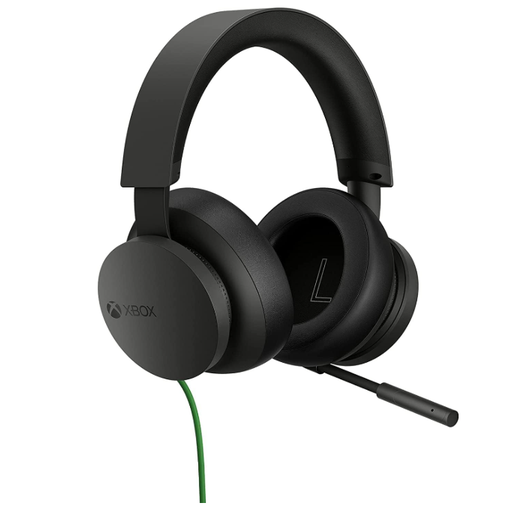
A wired option to consider for Xbox play when you do not need to move away from the controller. Check the connection and microphone controls against your particular setup, especially if you also plan to use another platform.
 No image available
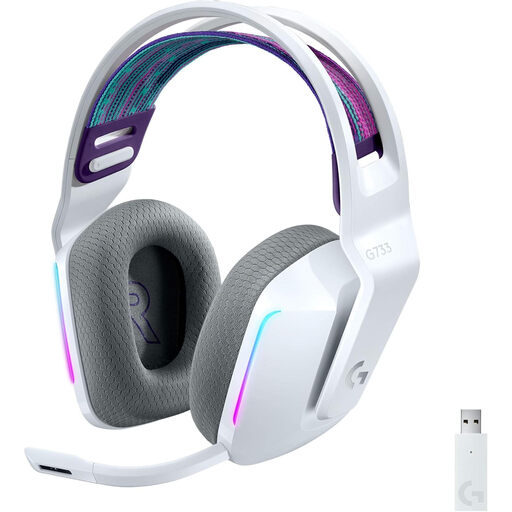
Consider this wireless model if you play on PC or PlayStation and want to avoid a headset cable. Confirm its connection and microphone support for your device; for Switch use, check the intended game-chat setup separately.
 No image available
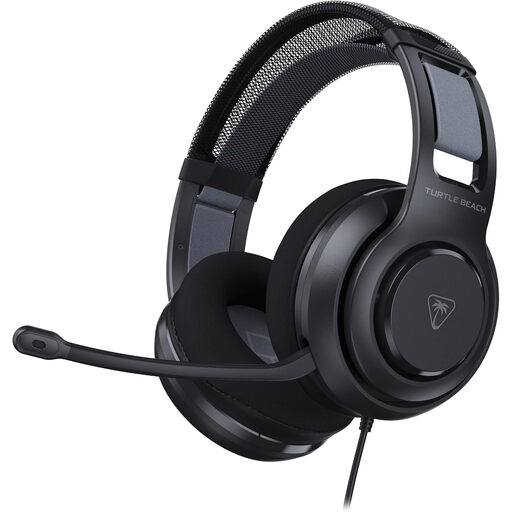
A wired option for players who move between gaming devices. Check the audio and microphone connection on each one; if your PC has separate headphone and microphone sockets, check whether your setup needs a splitter.
 No image available
This wireless model is worth comparing if PC or PlayStation is your main setup and cable freedom matters. Check its connection, chat controls and fit for your sessions; verify compatibility separately before planning to use it with Xbox or Switch.
 No image available
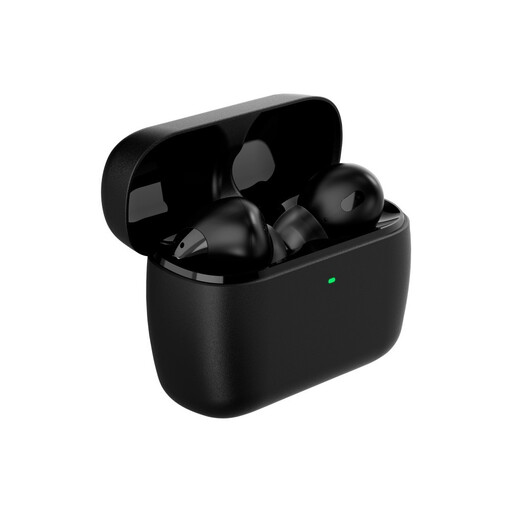
These earbuds offer a compact format instead of over-ear cups. If team chat is essential, check microphone operation, mute access and the game-chat connection on each platform you intend to use; consider whether earbuds suit a full session.
Do not assume it will. Microsoft describes an Xbox-console wireless connection for the Xbox Wireless Headset, while its Bluetooth connection is described for Windows and mobile devices. Check the exact headset’s Xbox connection method and supported chat controls.
Check the headset’s wireless system, any required USB adapter and its microphone controls. PlayStation UK says PULSE Elite includes a PlayStation Link USB adapter for PS5, PC and Mac; that does not make every wireless headset work the same way.
No. Nintendo UK explains that many Switch games use the Nintendo Switch Online app for voice chat. Check the particular game’s instructions as well as the headset connection before buying it for team chat.
It may if the headset has one 3.5 mm plug and your PC has separate headphone and microphone sockets. The Nintendo Store UK listing for its Kirby wired headset specifies a splitter for PCs with separate pink and green jacks; inspect your own ports and the headset plug.
Check the listing, packaging and supplied documentation for the applicable product-identification and conformity information. UK Government guidance distinguishes marking requirements by product sector and between Great Britain and Northern Ireland, so do not assume one marking rule covers every headset and charger configuration.