What matters when choosing?
Start with the platform’s game-audio and chat connection, then decide whether microphone controls, session comfort or wireless flexibility is your main concern. A feature listed for one connection mode may not work the same way in another.
| Concern |
What to check |
Who this matters to |
| Platform and chat compatibility |
Check the exact headset variant, device or controller port, required adapter and support for both game audio and microphone chat. |
If I switch consoles or use a controller, I need to know that teammates can hear me, not just that I can hear the game. Around 33% of consumers put platform and chat compatibility first. |
| Private audio and voice chat |
Check microphone placement and mute controls, including whether the mic works in your chosen connection mode. |
When others are nearby, I want game audio in my headset while keeping team communication practical. About 27% of consumers make private listening and voice chat their primary concern. |
| Comfort and charging |
Consider fit over your usual session length; for wireless models, check the stated battery conditions and charging arrangements. |
For a long evening of play, I need a headset I can keep wearing and, if it is wireless, remember to charge. Roughly 20% of consumers prioritise comfort and charging burden. |
| Wireless flexibility |
Identify the gaming connection and any separate Bluetooth connection; confirm adapter requirements and simultaneous-audio support for the exact model. |
If I move between devices, I want cable-free game audio without assuming my phone connection also carries console chat. Approximately 20% of consumers put wireless and multi-device flexibility first. |
Joybuy headset choices
These choices span wired headsets, wireless models and in-ear earbuds for the named gaming setups. Choose by your device’s audio-and-chat connection first; the products do not all use the same connection route.
 No image available
Logitech ASTRO A10 Gen 2 Wired Headset, White
Consider this wired option if you prefer not to manage charging and your device has a compatible headset connection. Confirm the controller or device port and its voice-chat support before buying.
View on Joybuy
 No image available
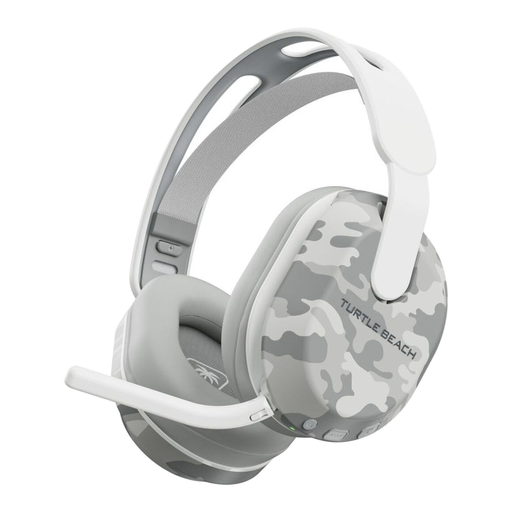
Turtle Beach Stealth 500 Wireless Headset for Xbox and PC, Arctic Camo
Consider this wireless model for an Xbox or PC setup if you want to play without a cable. Check which connection carries game audio and chat on your device, and allow for charging between sessions.
View on Joybuy
 No image available
Edifier G2II USB Wired Gaming Headset, Black
Consider this USB-wired headset for a PC or PS4 setup that supports its audio and chat connection. Its product title specifies 7.1 surround sound and 50 mm drivers; confirm USB microphone support on your intended device. The listing excludes Xbox use.
View on Joybuy
 No image available
ASUS ROG Pelta Wireless Gaming Headset, Black
Consider this model if you want a wireless headset for a PC, PlayStation or Switch setup. Confirm the connection and adapter needed for game audio and chat on your exact device; check Xbox compatibility separately if you also plan to use it there.
View on Joybuy
 No image available
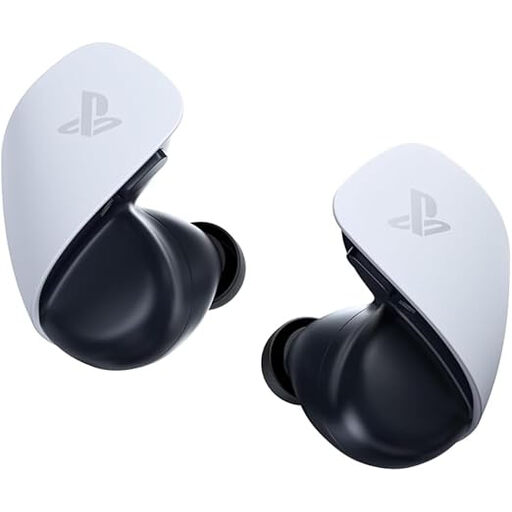
PlayStation PULSE Explore Wireless Earbuds, White
Consider this in-ear option for a PS5, PC, Mac or PlayStation Portal setup if you prefer earbuds to an over-ear headset. Check the PlayStation Link connection and voice-chat setup for your device, as well as whether the fit suits your usual session length.
View on Joybuy
Common questions
Can Switch Bluetooth audio carry my multiplayer voice chat?
No, not through a Bluetooth microphone connected to the Switch: Nintendo says Bluetooth microphones cannot be used with its Bluetooth-audio connection. Nintendo also cautions that Bluetooth audio may have latency and disconnects during local communication, so check the chat route required by your game.
Can a Bluetooth headset pair directly with Xbox One?
No. Xbox Support says Xbox One does not have Bluetooth headset connectivity. Check whether your headset instead supports a compatible controller’s 3.5 mm connection or Xbox Wireless; Bluetooth support for a phone does not establish console chat support.
Can PULSE Elite play game and phone audio together?
Yes, on supported devices: PlayStation says PULSE Elite can play PlayStation Link and Bluetooth audio simultaneously. PC and Mac use requires the PlayStation Link USB adapter, and PlayStation cautions that not every device is compatible.
What if a headset arrives faulty or does not match its description?
GOV.UK says a seller must offer a full refund if an item is faulty, misdescribed or does not do what it is supposed to do. If the headset works as described but its fit does not suit you, consider change-of-mind returns separately and check the seller’s applicable terms.


