What matters when choosing a headset?
Check outward sound leakage and your voice-chat setup before settling on wired or wireless; the connection must then work with the device you actually use.
| Concern |
What to check |
Who this matters to |
| Escaping game audio |
Look for closed-back earcups, a comfortable seal and, where available, model-specific leakage information. Do not use active noise cancellation as a measure of outward leakage. |
When someone is resting beside me, I need my game audio to stay less audible to them without relying on louder playback. Around 31% of consumers would put audio privacy first. |
| Voice-chat noise |
Check microphone position, mute access and whether any stated noise-reduction controls work on your chosen device and connection. |
If household sounds interrupt a call, I want teammates to understand me without hearing every sound in the room. Voice-chat control would come first for around 31% of consumers. |
| Platform and chat connection |
Match the exact model and variant to your console, PC or controller; check the required receiver or jack and voice-chat support. |
When I move between devices, I need both game audio and chat to work through the connection I plan to use. Around 23% of consumers would make compatibility their primary concern. |
| Late-session convenience |
For wireless models, check the stated battery life; for any headset, assess fit and how easily you can mute the microphone. |
During a late session, I would rather avoid an awkward cable, a charging interruption or a hard-to-reach mute control. Convenience would lead the choice for around 15% of consumers. |
Joybuy headsets for shared-home play
These wired, wireless and PlayStation-focused headsets offer different connection routes for gaming and voice chat. Check each model’s outward sound leakage and your device’s chat connection before choosing it for a shared room.
 No image available
Logitech ASTRO A10 Gen 2 Wired Headset — White
A wired option if you prefer to avoid charging during late sessions. Check the headset connection and microphone path on your device, and assess the earcup seal where someone sits nearby.
View on Joybuy
 No image available
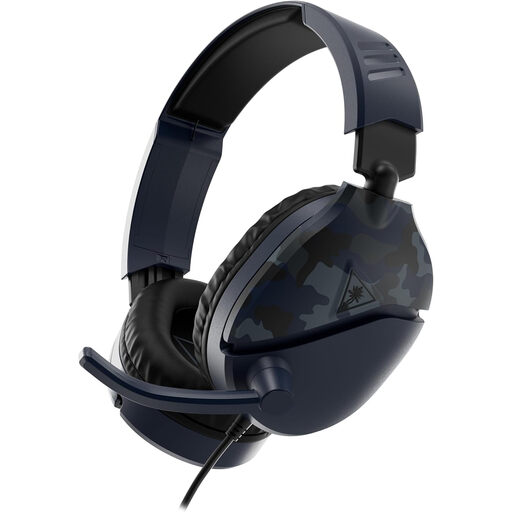
Turtle Beach Recon 70 Headset — Blue Camo
A wired choice labelled for Xbox Series X|S, Xbox One, PS5, PS4, Nintendo Switch and PC. Confirm the microphone connection on your particular device and check fit before relying on it to keep game audio less audible nearby.
View on Joybuy
 No image available
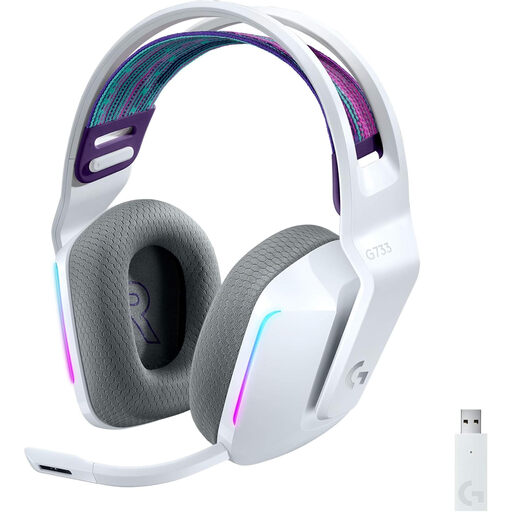
Logitech G G733 LIGHTSPEED Wireless Headset — White
Consider this wireless route if freedom from a cable matters during play. If you need G HUB microphone controls, confirm they work with your intended device and connection; also check whether the headset contains enough game audio for your room.
View on Joybuy
 No image available
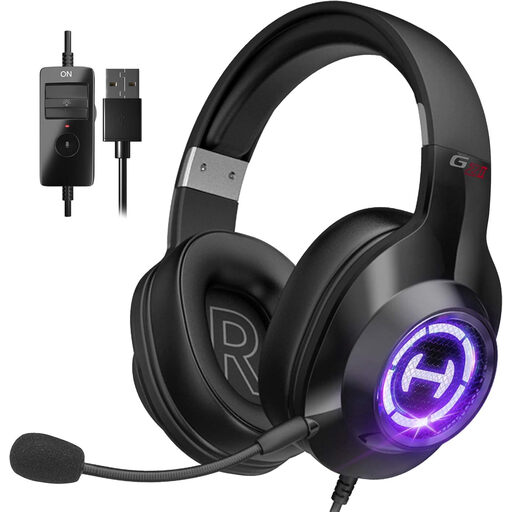
Edifier G2II USB Wired Headset — Black
A wired USB option labelled for PC, PS4 and Mac, with a 50 mm driver. Check the connection on your intended device and assess microphone behaviour and outward sound leakage in the room; the noise-cancelling wording in the product name is not a guarantee of chat clarity.
View on Joybuy
 No image available
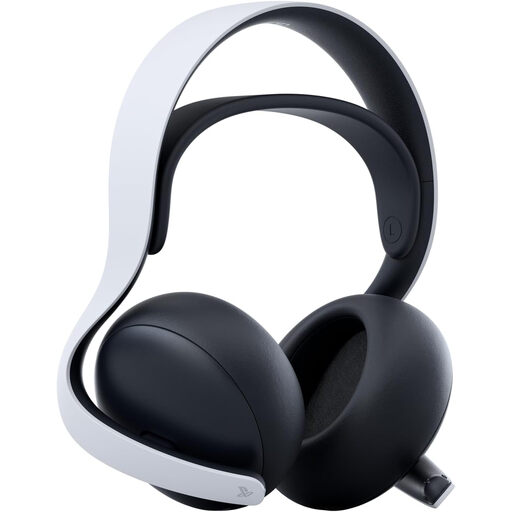
Sony PULSE Elite Wireless Headset — White
A PlayStation-centred wireless option if you also need voice chat. PlayStation describes a retractable microphone with noise rejection and a PlayStation Link connection for supported devices; confirm your adapter path and check outward audio leakage rather than treating microphone processing as room privacy.
View on Joybuy
Frequently asked questions
Will active noise cancellation stop someone next to me hearing my game?
No—not by itself. It addresses sound reaching your ears, whereas the other person hears sound escaping from the headset. For a shared room, check the earcup design, fit, listening level and any model-specific leakage information; RTINGS explains why open-back designs allow more sound to pass through.
Can I connect any Bluetooth headset directly to an Xbox?
No; Bluetooth capability alone does not establish a console voice-chat connection. Xbox states that Xbox One does not support Bluetooth headset pairing, while compatible wired headsets can use an Xbox controller with a 3.5 mm port. Check the exact console and headset connection before buying.
Can I use PULSE Elite for PC voice chat as well as PS5?
PlayStation lists PULSE Elite for PS5 and PC, among other supported devices, using its PlayStation Link connection path. Confirm your PC’s available port, the required adapter and compatibility with your intended chat application.
What should I check before adding a separate microphone to my headphones?
Check that the microphone fits the headphones and that the combined connection carries both audio and chat to your device. V-MODA notes that a PC with separate headphone and microphone sockets may need an adapter; for an Xbox controller, confirm that its 3.5 mm port accepts the intended headset connection.


