Console and PC switchers
If you play quests on more than one system, check how the headset carries both game audio and chat on each one. A multi-platform label alone does not tell you which adapter or connection each device needs.


Choose a headset for the console, PC or controller supplying game audio, rather than for the size of the TV or monitor. For long open-world sessions, weigh fit and charging routine alongside your need for environmental detail, party chat or phone audio; then check the exact model’s connection method and supported devices.
If you play quests on more than one system, check how the headset carries both game audio and chat on each one. A multi-platform label alone does not tell you which adapter or connection each device needs.
Extended exploration makes fit and your charging routine important alongside sound settings. Published battery hours can help you plan, but they cannot tell you how the headset will feel on your head.
If you want to keep a call or other phone audio available while playing, look specifically for simultaneous game-wireless and Bluetooth audio. Switching between sources is a different feature.
For consumers choosing a headset for large-screen open-world quests, establish the game device and connection first. Then decide which of sustained wear, game atmosphere or communication most affects your sessions.
| Concern | What to check | Who this matters to |
|---|---|---|
| Device and chat compatibility | Confirm the exact console or PC, its headset connection method and whether chat works through that route. | I need game and party audio to work on my actual console, not merely on a headset described as multi-platform; around 36% of consumers put device compatibility first. |
| Fit and charging routine | Consider ear-cup fit and adjustment alongside stated battery conditions and how the headset charges. | During a long quest, pressure around my ears or an awkward charging routine could interrupt play; roughly 29% of consumers prioritise sustained wear and charging. |
| Environmental audio | Check which spatial-audio or equaliser settings work on your device, and whether you can adjust the balance of dialogue and ambience. | When exploring, I want dialogue and distant effects to remain useful without losing the atmosphere; around 21% of consumers place game-world audio first. |
| Chat and phone audio | Distinguish simultaneous game-and-Bluetooth audio from source switching; check microphone and mixing controls on your platform. | If friends call while I am playing, I want to know whether I can hear them without dropping game audio; about 14% of consumers make chat and phone-audio flexibility their primary concern. |
A Bluetooth label does not establish an Xbox headset connection: Xbox Support says Xbox One consoles do not have Bluetooth functionality for this purpose.
Identify your exact console, then check the headset’s stated wireless, USB or compatible controller-jack route.
Manufacturer compatibility lists differ by model. HyperX lists PC, Mac, PS5, mobile and Switch for Cloud III S Wireless, while SteelSeries lists Xbox, PC, PlayStation, Switch and handhelds for Arctis Nova 7X Wireless Gen 2.
Check the complete model name, supplied adapter and the features available on each device you intend to use.
A battery rating does not establish personal comfort or match every volume and connection pattern. A base-station headset also changes how you store and charge it between sessions.
Compare the stated battery conditions with your routine: will you return the headset to a dock, or need it ready away from a fixed setup?
The PULSE Elite route is centred on PS5 and PlayStation Portal, with PC, Mac and mobile devices also on Sony’s compatibility list.
Arctis Nova 7X Wireless Gen 2 is a route for players moving among Xbox, PC, PlayStation, Switch and handheld devices.
Astro A50 X uses a base station for a fixed Xbox, PS5 and PC or Mac setup.
Cloud III S Wireless is a long-session option on the PC, Mac, PS5, mobile and Switch devices listed by HyperX.
These headsets cover PlayStation-and-PC, Xbox-and-PC, and PC-and-PS5 gaming routes. Match the named variant to the device supplying your quest audio, especially if you also need phone audio during play.
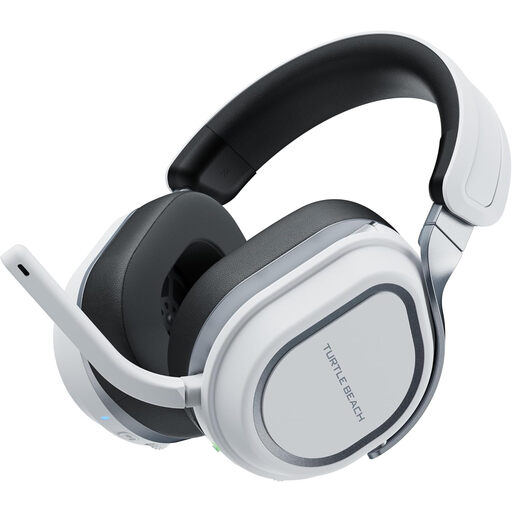 No image available
Consider this variant if you alternate between PlayStation gaming and a PC and want to check its game-and-phone audio options. Confirm the connection method for each device and assess fit for longer sessions.
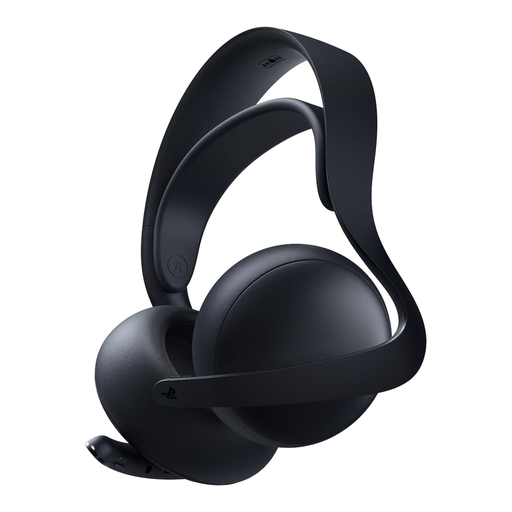 No image available
A PS5-focused choice if you also want to consider phone audio during a quest. Sony specifies PlayStation Link through a USB adapter, planar magnetic drivers and simultaneous Bluetooth connectivity for PULSE Elite; check the adapter setup and your charging needs. Do not assume Xbox compatibility.
 No image available
Consider this headset for PC or PS5 quests if connection flexibility and longer-session wear matter to you. Check which connection and audio settings work on your intended device, and whether the fit suits extended play.
 No image available
This PlayStation-and-PC variant is worth considering if you want to switch between game and phone audio sources. Check the switching controls on your device; source switching does not establish that both audio streams play simultaneously.
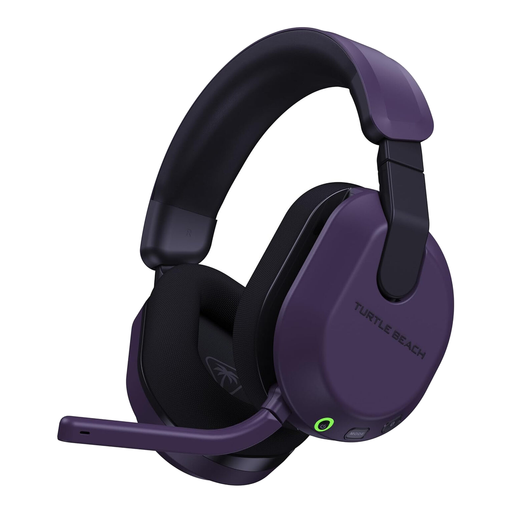 No image available
Choose the Xbox-labelled variant to investigate for quests on Xbox Series X|S or Xbox One, rather than assuming a similarly named PlayStation variant connects the same way. Check its chat and phone-audio behaviour on your console; confirm any PlayStation functions separately.
No: Bluetooth alone is not a direct headset connection for Xbox One, according to Xbox Support. Check the exact headset’s Xbox connection method or whether a wired connection through a compatible controller suits you.
The PlayStation wireless headsets covered by Sony’s pairing instructions use a USB adapter plugged into the console. Charge and switch on the headset as instructed, then follow its pairing indicator; use the maker’s directions for a third-party model.
Yes, Sony says PULSE Elite can maintain a Bluetooth connection while a compatible PS5 uses its PlayStation Link adapter. Sony also says that simultaneous Bluetooth connection does not affect PlayStation Link latency; check the device and adapter arrangement in its instructions.
For eligible UK distance sales, GOV.UK says customers can cancel up to 14 days after delivery. Read the seller’s cancellation and return conditions before using the headset, and distinguish a change-of-mind cancellation from remedies if goods are faulty, damaged or misdescribed.