
24/7 Customer Support

Free returns

Same-day & Next-day Delivery

Quality Guaranteed

Unlock Your Welcome Offers: FREE Delivery | Up to 80% OFF | Free 30-day JoyPlus trial
Download the APP
Buying gaming headsets and microphones can seem straightforward until you compare wireless standards, microphone designs, comfort features and device compatibility. A headset that works well with a PC may not offer the same experience on a Nintendo Switch, while a microphone with impressive-looking specifications may still be awkward to position on a small footprint.
This guide explains the practical details worth checking before you buy, with options for gamers, remote workers, students, streamers and content creators in the UK.
A wireless gaming headset may use Bluetooth, a 2.4GHz USB dongle or both. Bluetooth is convenient for phones and tablets, but 2.4GHz wireless is often selected for gaming because it is designed for a direct dongle connection. Check whether your device has the right USB port and whether the product supports your intended platform.
A Bluetooth gaming headset is not automatically suitable for every console. Nintendo Switch, PlayStation and PC compatibility can depend on the connection method, supplied dongle and available ports.
The phrase may refer to different features. A microphone can be described as noise-cancelling, while the ear cups may only provide passive noise isolation. Passive isolation comes from the physical fit of the cushions; it does not electronically remove surrounding sound.
For a busy home office, look at the microphone’s position, rotation and directionality. For commuting or shared rooms, consider an over-ear gaming headset with suitably padded ear cups, but remember that fit and comfort vary between users.
RGB lighting can complement a desktop setup, but it does not determine sound quality, microphone clarity or comfort. Prioritise the connection type, microphone controls, ear-cup construction and weight before decorative features. Also check whether lighting requires a separate USB connection, as some wired headsets use one plug for audio and another for illumination.
Choose the connection according to how you will use the product:
A plug-and-play headset or microphone can reduce setup time, but always confirm whether your laptop, console or phone needs an adaptor.
A boom microphone sits closer to the mouth and can be repositioned for voice chat. A gaming headset with microphone may include mute controls, a rotating arm or flip-to-mute operation. In-line microphones are more discreet and suitable for calls, but they are positioned further from the speaker’s mouth.
For streaming and podcasting, a dynamic microphone with boom arm can provide a more controlled desk setup. Directional patterns, such as cardioid or unidirectional designs, are intended to prioritise sound from the front, although placement and room acoustics still affect the result.
On-ear cups rest on the ear and may feel lighter, while an over-ear gaming headset surrounds the ear and can provide more physical isolation. Check the headband adjustment, cushion material and overall weight. A foldable design is useful for travel, but hinges and detachable cables should be handled carefully.
For earbuds, several silicone tip sizes can help you find a secure fit. If you intend to use gaming earbuds with microphone during portable play, check the charging case, connection method and console support.
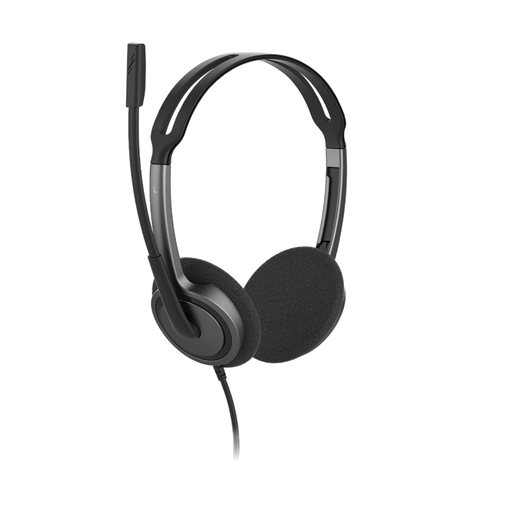
Why This Fits Their Persona: A practical choice for students, home workers and first-time headset buyers who want a simple wired connection for calls, lessons and everyday audio.
Its 3.5mm plug-and-play connection avoids driver installation and wireless charging requirements. The microphone rotates 270° for left- or right-side use.
72.5g lightweight design, 1.8m cable, adjustable headband and compatibility with Windows, macOS, iOS, Android and ChromeOS.
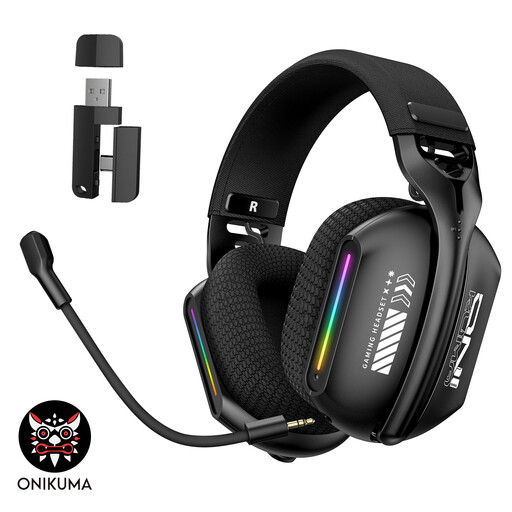
Why This Fits Their Persona: Suits PC and laptop gamers who want wireless flexibility alongside a wired fallback and a visual desktop feature.
It supports Bluetooth 5.3, wired use and 2.4GHz wireless, so buyers are not restricted to one connection type. The rechargeable design should still be charged with the included Type-C cable.
Memory-foam ear cushions, adjustable headband, 360° rotating microphone and RGB breathing-gradient lighting.
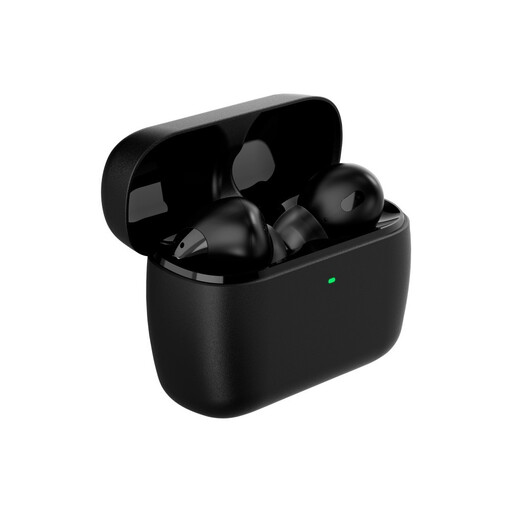
Why This Fits Their Persona: Designed for portable players using PC, Nintendo Switch, Steam Deck, PlayStation or mobile devices, particularly where compact storage matters.
The supplied USB-C dongle provides a dedicated 2.4GHz connection, while Bluetooth supports everyday mobile use. Multiple ear-tip sizes help with fit selection.
Compact in-ear design, rechargeable case, built-in microphone and dual-mode wireless connectivity.
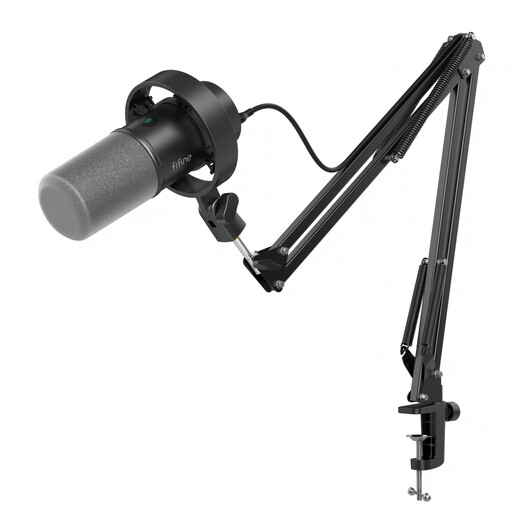
Why This Fits Their Persona: A suitable route for podcasters, voice-over creators and streamers who need desk-mounted positioning and both computer and mixer connectivity.
USB provides plug-and-play setup, while XLR supports an audio interface or mixer. The product information clearly notes that an XLR cable is not included and that onboard controls apply to USB use.
Dynamic unidirectional microphone, boom arm, shock mount, mute button, gain control and headphone monitoring jack.
We have compiled a complete, real-time list of products that fully satisfy these strict selection criteria and UK safety regulations.
A wired headset can be convenient for meetings because it does not require battery charging or wireless pairing. A 3.5mm model is useful across compatible devices, while a USB headset may provide a direct computer connection with inline volume and mute controls. Check your meeting device’s available ports first.
Some models support Nintendo Switch through a USB-C wireless dongle or the console’s compatible audio connection. Confirm the exact connection method, especially if you play in handheld mode, docked mode or use another accessory at the same time.
A corded USB/XLR microphone does not require a rechargeable battery. USB operation generally needs only the connected computer, while XLR use requires an audio interface or mixer. The main additional consideration is the cost of compatible accessories, such as an XLR cable or interface, if they are not included.