Choose a headset that connects to your main gaming platform, then judge how clearly you can distinguish useful sounds in your game. On PS5, set up headphone 3D audio before assessing directional cues; if you switch systems, check the exact headset variant and connection method. For longer sessions, weigh microphone needs and fit alongside audio settings rather than assuming a preset will improve map learning.
Who this is for
Players practising routes and callouts
If you repeatedly learn the same multiplayer map, you may want to distinguish approaching footsteps while building route knowledge and team callouts. PlayStation describes directional footsteps as part of its PS5 headphone 3D-audio experience; SteelSeries offers game-specific audio presets intended to bring out cues such as movement.
Players who switch platforms
If you move between a console, PC and phone, the complete headset variant and its connection methods matter. SteelSeries identifies separate Nova 5, 5P and 5X versions, while PlayStation documents a specific set of supported devices for PULSE Elite.
Players in longer desk or TV sessions
Repeated practice makes fit, microphone placement and charging routines worth checking alongside sound settings. Compare the exact model you plan to use rather than treating a stated battery life or weight as a promise of comfort.
What matters when choosing
Start with the platform and connection you will actually use, then assess directional-audio setup, squad chat and long-session fit in your main game.
| Concern | What to check | Who this matters to |
|---|
| Directional cues |
Check your platform's headphone audio settings and whether any game preset applies to your headset and game. On PS5, try a 3D-audio profile before judging the sound. |
If I am learning enemy approach routes, I need to tell where useful sounds are coming from, not merely hear them louder. Around 42% of consumers put directional cues first. |
| Connection and chat |
Match the full model suffix, adapter and chat connection to your main platform; check the microphone and mute controls you will use. |
When I practise with a squad, I need my callouts to reach teammates on the system we play on. Roughly 33% of consumers prioritise platform fit and communication. |
| Fit and charging |
Compare the exact model's stated weight and battery life, then consider fit and whether you need a wired fallback. |
During a long practice session, I want a headset I can keep wearing without planning a charge halfway through. About 25% of consumers place comfort and power first. |
Buying pitfalls
-
Assuming every wireless variant works on every console
Connection methods and supported platforms can differ even within a headset family. SteelSeries distinguishes Nova 5, 5P and 5X, while PlayStation describes PULSE Elite connections for particular devices.
Match the complete model name and supplied adapter to your main system before ordering; do not rely on Bluetooth alone.
-
Expecting a preset to teach you the map
PS5 directional audio involves console settings, while SteelSeries game presets are tuning options. Neither establishes that a particular player will recognise routes more accurately.
Set up the relevant audio mode, try it in the game you practise and compare whether you can distinguish the cues you need.
-
Choosing by battery life without checking fit
Manufacturer-stated runtimes do not tell you how earcups or headbands will feel throughout repeated sessions.
Consider fit and charging alongside the stated runtime, and check whether the exact model offers the wired fallback you need.
-
Putting an old rechargeable headset in household rubbish
GOV.UK advises against putting unwanted electrical products and batteries in household rubbish, noting a fire risk with some discarded lithium-ion batteries.
Use an appropriate electrical-waste or battery collection point; if the battery cannot be removed, take the complete headset as electrical waste.
Brands to consider
SteelSeries
The Arctis Nova 5 wireless line is relevant if you want game-specific presets and a choice of platform variants.
- SteelSeries describes Nova 5, 5P and 5X as separate versions and identifies the 5X as its Xbox route.
- Check the full suffix and the connection supported by each device you use; a shared family name does not establish identical compatibility.
PlayStation
PULSE Elite is a PS5-centred route for players interested in PlayStation Link connectivity and PS5 headphone audio setup.
- PlayStation documents PULSE Elite use with PS5, PlayStation Portal, PC, Mac and mobile devices, and describes an included PlayStation Link USB adapter for PS5 connection.
- That device list does not establish support for another console; check its exact connection requirements separately.
Razer
BlackShark V2 HyperSpeed is relevant if headset weight and communication features are central to your practice setup.
- Razer specifies a 280 g weight for this model and describes wireless and USB wired connection options.
- A stated weight does not establish long-session comfort or positional-audio performance; confirm compatibility with your exact system.
Joybuy headset choices
These headsets offer wired or wireless options for practising multiplayer maps. Choose by your main platform and connection needs, then assess audio settings and fit in your own setup.
 No image available
ASUS ROG Pelta wireless gaming headset, black
Consider this wireless headset if you want to try different audio settings during map practice. Check which connection mode works with your gaming device, and judge directional cues in your own game.
View on Joybuy
 No image available
Turtle Beach Stealth 500 wireless headset for PC, PS5 and PS4, black
For map practice on a named platform, check how this wireless model connects and which audio settings are available in your game. If weight matters during long sessions, confirm the figure for this exact model before choosing it.
View on Joybuy
 No image available
Edifier G2II USB wired 7.1 headset for PC, Mac and PS4, black
Consider this wired option if your map-practice setup uses a compatible device and you need a microphone. The product name specifies 50 mm drivers and RGB lighting; check device support before relying on its 7.1 virtual-surround setting, particularly if you use PS5.
View on Joybuy
 No image available
Turtle Beach Stealth 600 Gen3 wireless headset for PS5, PS4 and PC, black
This wireless model is a consideration if you practise on one of the named platforms and want to adjust your game audio. Check its connection and settings for your device, and do not assume tuning will make directional cues clearer in every game.
View on Joybuy
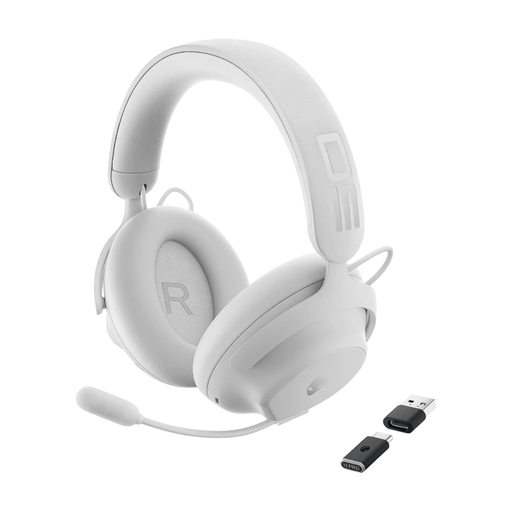 No image available
DELL Alienware Pro wireless gaming headset, white
Consider this wireless model if you need to balance map audio and squad communication. Confirm the connection method for your exact console or PC before buying; a virtual-surround setting alone cannot establish positional accuracy in your game.
View on Joybuy
Questions and answers
Do I need a special headset for directional cues on PS5?
Not necessarily: PS5 provides headphone 3D-audio setup, including a personalised profile or presets. Try that setup before deciding whether a different headset would better meet your connection, microphone or fit needs.
Why does the headset's model suffix matter?
The suffix can identify a different platform route. SteelSeries distinguishes Arctis Nova 5, 5P and 5X and identifies the 5X as its Xbox route, so check the full model name and connection requirements for your system.
How do I set up PS5 audio before comparing headsets?
Open the PS5 headphone 3D-audio settings and create a personalised profile or select a preset. PlayStation's setup uses sounds at different positions and directions; try the resulting profile in the game where you are learning the map.
How should I dispose of an old rechargeable headset in the UK?
Take unwanted electrical equipment to an appropriate recycling collection point rather than putting it in household rubbish, as advised by GOV.UK. If its battery cannot be removed, recycle the complete headset as electrical waste.


