What matters when choosing?
Start with the microphone and the room you will record in, then check the connection to your recording device. Once those work for your setup, consider private listening and whether the headset remains comfortable through a session.
| Concern | What to check | Who this matters to |
|---|
| Clear recorded speech |
Look for a positionable boom mic and accessible mute control. Test a short recording with your usual keyboard and room activity. |
If keyboard noise or nearby voices could compete with my speech, I need the recording to remain understandable; around 36% of consumers put voice clarity first. |
| Private listening |
Check that the ear cushions fit comfortably for headphone-only playback, and plan how you will keep your speaking level controlled. |
When someone else is sharing the room, I want game and co-host audio in my headphones without speaking over it. Quiet shared-room use comes first for around 29% of consumers. |
| Reliable recording connection |
Match the exact connector or wireless mode to your device’s microphone input; check whether processing requires compatible software. |
If I move between gaming and recording devices, I need my microphone to reach the right app without changing the setup unexpectedly; around 21% of consumers prioritise connection reliability. |
| Long-session fit |
Assess adjustment and cushion fit during a normal-length session, including whether the boom stays in position. |
I may wear the headset throughout both gameplay and recording, so pressure or heat could make it hard to keep using; comfort is the primary concern for around 14% of consumers. |
Joybuy headset choices
These gaming headsets cover wired desk setups and a wireless option for recording in a shared bedroom. Check the microphone input and mute arrangement on the exact model: a listed noise-cancelling feature is not a substitute for listening to a recording made in your room.
 Image unavailable
ONIKUMA K8 Wired Gaming Headset
Consider this for a wired desk setup if an adjustable boom and inline mute are useful while recording.
The listing describes a flexible 360° microphone and separate 3.5 mm audio and microphone plugs; its USB connection is for lighting. Check whether your device needs an adapter for the two plugs. Microphone noise cancellation is a product claim, not a measure of bedroom isolation.
View on Joybuy
 Image unavailable
Edifier G2II USB Gaming Headset, Black
This wired option is worth considering for a PC or PS4 setup when a detachable microphone suits your routine.
The listing describes a USB connection, 50 mm drivers and microphone-related software settings. Check device compatibility and whether the exact headset has the physical mute control you want. Its noise-cancelling microphone claim does not establish how it will handle your room.
View on Joybuy
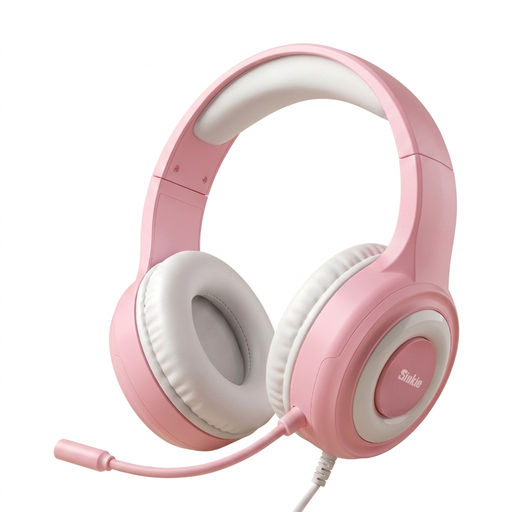 Image unavailable
Siukie CH25 Wired Over-Ear Gaming Headset
Consider the CH25 if you want to position a flexible microphone in a wired gaming setup.
The listing describes 50 mm drivers and separate 3.5 mm audio and microphone connections. Confirm how those plugs connect to your recording device and whether the exact model provides a mute control. Its microphone noise-cancellation description is not a podcast-isolation result.
View on Joybuy
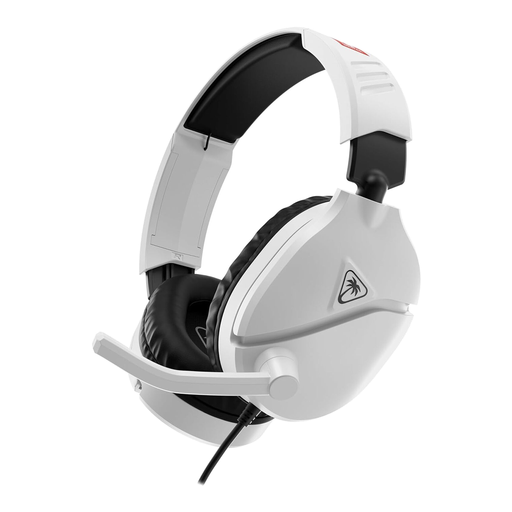 Image unavailable
Turtle Beach Recon 70N Nintendo Licensed Headset, White
This wired headset may suit a setup where a flip-to-mute microphone is more important than connection flexibility.
The listing specifies a 3.5 mm connection, 40 mm speakers and synthetic-leather ear cushions. Check microphone-input compatibility with your recording device and make a speech test in the bedroom rather than assuming the headset will suppress background sound.
View on Joybuy
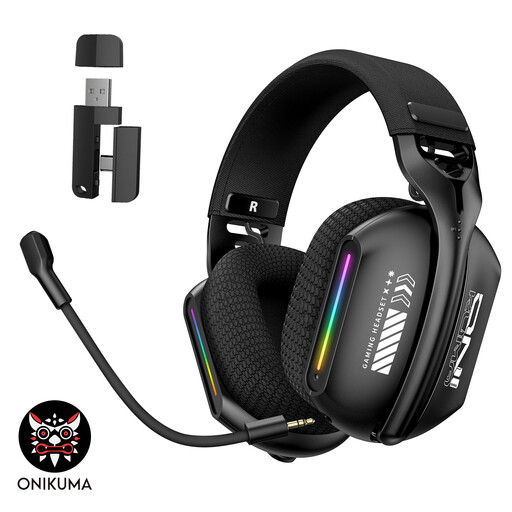 Image unavailable
ONIKUMA GT808 Triple-Mode Wireless Headset
Consider this option if freedom from a cable matters enough to add charging and connection-mode checks to your recording routine.
The listing describes 2.4 GHz wireless, Bluetooth and wired modes, a bendable adjustable microphone and memory-foam cushions. Confirm which mode sends microphone audio to your recording device, and check the mute arrangement if you need one.
View on Joybuy
Questions about recording
Can a gaming headset remove bedroom echo from a podcast?
No headset microphone can remove the effect of a reflective room on its own. Shure’s microphone guidance explains why placement and unwanted reverberation matter: keep the boom consistently near your mouth, record at a quieter time where possible and listen back to a test clip.
Is wired or wireless better for recording at a desk?
A wired headset is the simpler choice if its connector carries microphone audio to your recording device and you want to avoid charging. Choose wireless when cable freedom matters to you, after checking battery management and which connection mode the recording app can use.
What should I check before recording with a new headset?
Select the headset as the intended playback and microphone device, position the boom near your mouth and make a short test recording while speaking normally and using your usual keyboard. If you plan to use microphone-processing software, check that the recording app receives its processed input.
Do headphones make late-night recording harmless to housemates?
No: headphones keep playback private, but your spoken voice remains audible in the room. Agree suitable recording times with the person sharing it and control your speaking level. For noise problems in England and Wales, GOV.UK points to local councils; Scotland and Northern Ireland have different reporting routes.


