Players with limited socket access
If charging interrupts your routine, compare stated battery life with the connection mode you will use and plan where the headset can recharge.


If charging during ranked matches is the main concern, start with a wireless headset that has a dedicated 2.4 GHz gaming connection and a stated battery life that fits your routine. A wired headset avoids battery charging altogether if a cable suits your desk; whichever route you choose, check microphone chat and compatibility with your exact gaming device.
If charging interrupts your routine, compare stated battery life with the connection mode you will use and plan where the headset can recharge.
For callouts and coordination, microphone controls and chat support on your gaming platform may matter more than additional audio modes.
If you move between a gaming device and a phone, check which of the headset’s wireless or wired modes works with each device and its voice chat.
Decide whether you would rather recharge a wireless headset occasionally or keep a cable connected, then check gaming and chat compatibility before comparing extra connection modes.
| Concern | What to check | Who this matters to |
|---|---|---|
| Charging during play | Compare stated battery life in your intended gaming mode and identify an available USB charging source. | I want to finish ranked sessions without arranging a wall socket around the headset, so recharge frequency is my main concern. Around 36% of consumers put this need first. |
| Team chat and fit | Check microphone operation and mute controls in your chosen mode; assess fit for the length of your sessions. | If teammates depend on my callouts, I need voice chat I can use comfortably throughout a match. Around 29% of consumers make communication and fit their primary concern. |
| More than one device | Match the exact variant, receiver connector and Bluetooth or wired modes to each device you intend to use. | I switch between gaming and phone audio and do not want to assume one connection works everywhere. Around 21% of consumers prioritise that flexibility. |
| A simpler wired setup | Confirm the device’s headset port, the supplied connector and a workable cable route. | I would rather manage a cable than another battery to charge. Around 14% of consumers put battery-free operation first. |
Manufacturer figures are stated maximums, sometimes tied to a particular connection mode or setting. A wireless headset still needs a place and time to recharge.
Compare the figure for the mode you plan to use and check whether an available USB source fits your charging routine.
Bluetooth, a 2.4 GHz receiver and a wired connection are different routes. Device and voice-chat support can change with the headset variant and connection mode.
Match the exact variant and receiver connector to your gaming device, then confirm microphone chat in the mode you will use.
An incompatible connector may leave you needing an adapter or a different headset.
A specified microphone design does not establish how teammates will hear you in your room and chat application.
Check microphone and mute operation in your chosen connection mode, then adjust the chat application’s input level for your setup.
GOV.UK advises separate recycling for electrical products and batteries displaying the crossed-out wheelie-bin symbol.
Use an appropriate electrical-waste or battery collection point, following its instructions for the headset and any removable battery.
The Arctis Nova 5 wireless range is relevant if you want a gaming connection alongside a way to switch to phone audio.
The Cloud III line offers a choice between a rechargeable wireless model and a wired headset that does not need charging.
PRO X 2 LIGHTSPEED is relevant if you want to compare several connection options in one headset.
BlackShark V2 Pro is a model to assess if microphone design is central to your choice.
These wireless models are relevant if you prefer to keep a cable off the desk during ranked play. Compare their stated battery conditions, then confirm the receiver and microphone-chat support for your device; a wired headset remains an option if you would rather avoid charging.
 No image available
Consider this wireless model if you want to keep the headset cable off your desk during matches. Check its stated battery condition against your settings, and confirm receiver and microphone-chat support for your device.
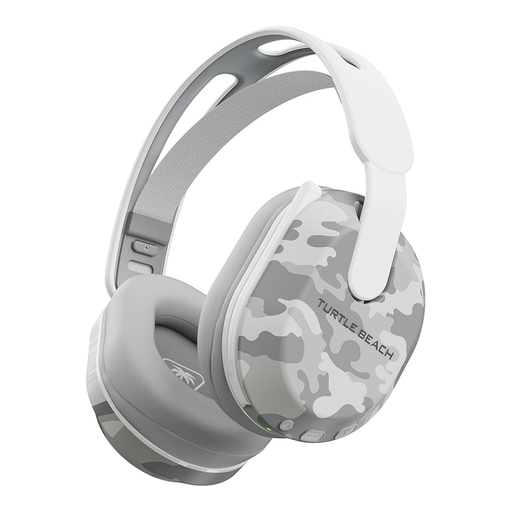 No image available
This model suits a PS5, PS4 or PC setup where wireless play and Bluetooth are useful. Its title states up to 40 hours of battery life; confirm the receiver connection and microphone chat on your device before buying.
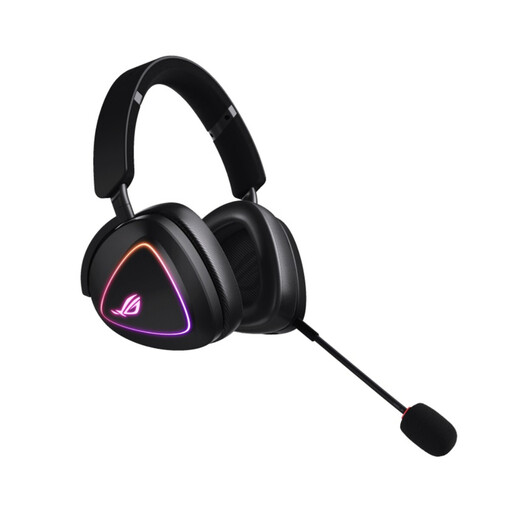 No image available
If avoiding frequent charging is your priority, compare this wireless model’s stated endurance in the mode you intend to use. Verify its gaming receiver and microphone-chat compatibility with your platform.
 No image available
This wireless model is listed for PS5, PS4 and PC and may suit a setup where charging access is limited. Check the battery claim for your intended mode, along with microphone controls and chat support.
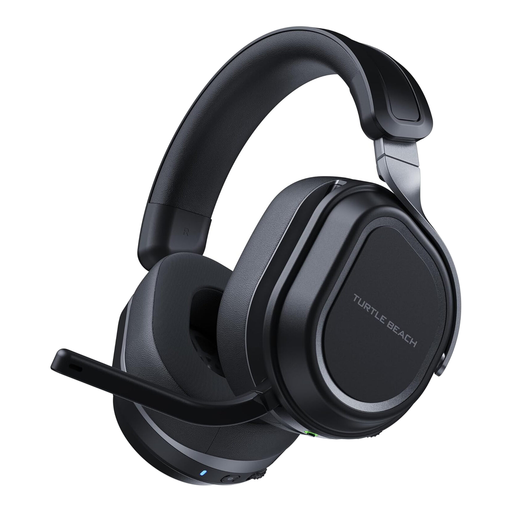 No image available
If you want wireless game audio alongside phone audio, check how this variant’s connection modes work with your devices. Confirm Xbox compatibility for the exact variant before ordering, as well as microphone-chat support.
No. A wireless headset still needs periodic charging, even if its battery life lets you charge between sessions. Check whether an available PC, console or USB charging source fits your routine.
Check the headset’s dedicated gaming connection first rather than assuming Bluetooth serves the same purpose. SteelSeries describes 2.4 GHz as the high-speed gaming mode on Arctis Nova 5 Wireless, while HyperX lists 2.4 GHz separately from Bluetooth on Cloud III S Wireless; confirm support on your platform.
Confirm the exact headset variant, your gaming device, the receiver or cable connector, and microphone-chat support in the mode you intend to use. A connection listed for one platform or variant does not establish support for every other setup.
It can if avoiding headset charging matters more to you than keeping a cable off the desk. HyperX lists 3.5 mm, USB-C and USB-A options for the wired Cloud III; check which connection your device accepts and where the cable will run.
Use an appropriate collection point for electrical products and batteries displaying the crossed-out wheelie-bin symbol rather than putting them in household rubbish. GOV.UK advises separate recycling; follow the collection point’s instructions for any removable battery.