Long-session story explorers
If you spend hours with dialogue, music and environmental sounds, comfort and intelligible audio may matter more to you than features aimed at competitive play.


Choose a headset that connects to your console, PC or controller before weighing up surround-sound claims. For long science-fiction RPG sessions, consider fit and dialogue clarity alongside the freedom of wireless play; a wired headset avoids charging, while wireless models need their exact platform version and connection method checked.
If you spend hours with dialogue, music and environmental sounds, comfort and intelligible audio may matter more to you than features aimed at competitive play.
If you play from a sofa facing a TV or projector, check how the headset connects to your particular PlayStation or Xbox setup before deciding whether you want a cable.
If you move between a console or PC and your phone, check whether the headset can switch between game audio and mobile audio—or handle both in the way you need.
Start with your gaming platform and connection, then decide how much long-session comfort, cable-free movement and phone-audio access matter in your seating position.
| Concern | What to check | Who this matters to |
|---|---|---|
| Platform compatibility | Match the exact headset version and its wired or wireless connection to your console, PC or controller. Check whether a required adapter is included. | I want to sit down and play without discovering that my console cannot use the headset's advertised connection. Around 31% of consumers put compatibility first. |
| Audio and long-session fit | Consider ear-pad fit and weight, and check which headphone audio settings your platform supports. PlayStation offers personalised or preset headphone 3D-audio settings on PS5. | During a long story session, I want to follow dialogue and enjoy the soundtrack without an uncomfortable fit. Clear audio and comfort come first for around 31% of consumers. |
| Wireless and phone audio | Check the selected version's console connection, rated battery life and whether Bluetooth can operate alongside game audio or only through switching. | From the sofa, I would rather move without a cable and keep phone audio accessible. Around 23% of consumers place that flexibility first. |
| Wired simplicity and chat | Confirm whether the plug is USB or 3.5 mm, whether the cable reaches your seating position and whether any advertised processing needs specific PC software. | I would rather avoid charging and have a straightforward microphone connection than manage another wireless device. That is the primary concern for around 15% of consumers. |
Xbox Support says Xbox One does not connect Bluetooth headsets directly to the console. Headset makers may also sell different Xbox, PlayStation and PC versions of one model.
Check the exact version, its console connection and whether the necessary wireless adapter is included.
Razer limits the BlackShark V2 X USB's advertised 7.1 surround feature to Windows 10 64-bit; the headset name alone does not establish that the feature works on a console.
Check feature support for your operating system, console and connection method separately from basic headset compatibility.
PlayStation offers personalised and preset headphone 3D-audio settings on PS5, so the platform setup is part of assessing how game audio sounds to you.
Try dialogue and environmental sounds in your usual seating position, adjust the available audio profile and check comfort over a normal session.
GOV.UK advises against putting electrical products and batteries in household rubbish when they no longer work or are wanted.
Use an appropriate electrical-waste or battery collection route when the headset reaches the end of its useful life.
The Arctis Nova 7X Wireless Gen 2 is a wireless option for players considering more than one gaming platform.
The Stealth 600 Gen 3 is offered in platform-specific Xbox, PlayStation and PC selections.
The G522 LIGHTSPEED is presented by Logitech G as a PC-gaming wireless headset.
The Maxwell 2 is a wireless option for players considering its driver design and platform-specific variants.
The BlackShark V2 X USB is a wired, PC-focused option for players who prefer not to charge a headset.
These Joybuy choices include wireless headsets labelled for Xbox or PlayStation and PC, plus a wired option. Choose by your actual gaming platform and seating position rather than assuming the same connection suits every large-screen setup.
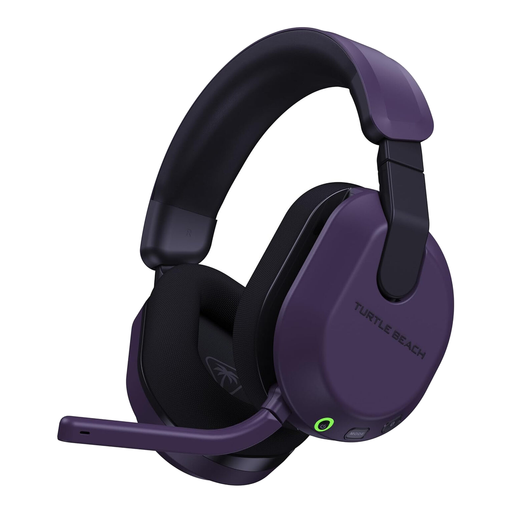 No image available
Consider this version for wireless play on the Xbox or PC platforms named in its title, particularly if you also want phone audio available.
If you play on PlayStation too, check the connection and available features for that setup rather than assuming they match Xbox use.
 No image available
This PlayStation and PC version suits a setup where you want wireless game audio and may also use phone audio during a session.
If Xbox is part of your setup, confirm support for this exact version before choosing it.
 No image available
Consider this wireless model if you move between PS5, PC or Nintendo Switch; check which connection mode works with each device you use.
Confirm Xbox support if needed, and check the Bluetooth version if that specification affects your choice.
 No image available
A wired option makes sense if you would rather avoid charging and can connect a headset at your usual seat.
Check that the 3.5 mm connection suits your device and that the cable will reach comfortably.
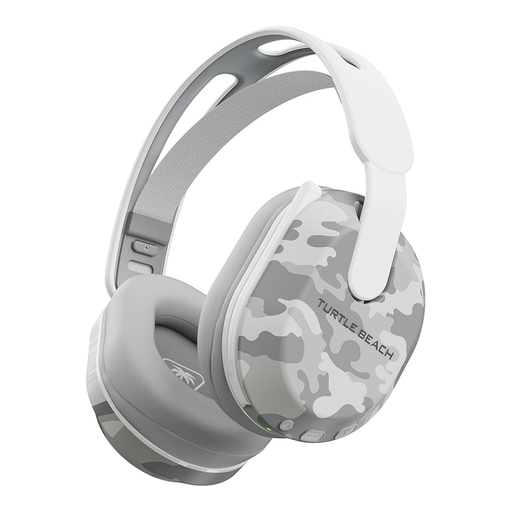 No image available
This PlayStation and PC version is worth considering if you want wireless play with Bluetooth available for phone audio.
Its title states a rated battery life of up to 40 hours. Check the fit for long sessions and confirm Xbox support if you need it.
No: choose the headset connection for the console, PC or controller driving the screen, not for screen size alone. If you sit away from the equipment, also consider cable reach or the wireless connection you can use.
No. Xbox Support says Xbox One does not support a direct Bluetooth headset connection to the console. Look for a headset connection specifically supported by your Xbox setup, or check whether a compatible controller offers a 3.5 mm wired route.
Use the PS5 headphone 3D-audio settings to create a personalised profile or select a preset. PlayStation describes both options; try the available settings with dialogue and environmental sounds you know before judging the result.
Contact the retailer and describe the fault, keeping your order details and any useful evidence. GOV.UK states that consumer law protects purchases made both remotely and in person; the appropriate remedy depends on the circumstances, rather than simply on a retailer's change-of-mind policy.
No. GOV.UK advises that unwanted electrical products and batteries should not go in household rubbish. Use an appropriate electrical-waste or battery collection route instead.