Small-desk cable minimisers
You want room to move around a compact PC or console setup without a headset cable crossing the desk. Look for a gaming connection supported by your device rather than assuming Bluetooth will work.


Choose a gaming headset with a dedicated wireless connection if clearing the cable from your small desk matters most, but check support for your exact gaming platform; Bluetooth alone is not a universal console connection. A wired headset makes more sense if you can manage the cable and would rather avoid charging. For long RPG sessions, assess fit and the connection you will use for chat before relying on a surround-sound label.
You want room to move around a compact PC or console setup without a headset cable crossing the desk. Look for a gaming connection supported by your device rather than assuming Bluetooth will work.
You may wear the headset through extended dialogue and exploration. Headset mass, the fit of the pads and headband, and the need to recharge a wireless model all deserve attention alongside audio features.
If you move between a PC, console, handheld or mobile device, check the exact headset variant and its connector or wireless receiver for every device you intend to use. Check chat support separately if you need a microphone in-game.
For science-fiction RPGs at a small desk, start with the connection your gaming device accepts, then decide whether a clear desk or freedom from charging matters more. Give fit and chat controls their own check before choosing audio extras.
| Concern | What to check | Who this matters to |
|---|---|---|
| Cable clearance | Check whether the exact gaming device accepts the headset’s wireless receiver, and consider its charging routine. | At a cramped desk, I want to move without catching a headset cable. Around 31% of consumers put cable clearance first. |
| RPG audio | Check which audio features work on your intended platform and whether an open-back design suits the room. | I want the game’s dialogue and atmosphere to matter more than an audio label that I cannot use. For around 25% of consumers, audio presentation is the primary concern. |
| Long-session fit | Consider headset weight and pad and headband design; published features cannot establish how it will fit you. | If I play for hours or wear glasses, pressure and fit could decide whether I keep the headset on. Comfort comes first for around 25% of consumers. |
| Platform and chat | Confirm the exact connector or wireless version, microphone function and chat support for each device. | I need voice chat to work on the device I actually use, particularly if I switch platforms. Around 19% of consumers make compatibility and chat their leading concern. |
Turtle Beach’s UK compatibility guidance says Xbox consoles do not support standard Bluetooth audio. A Bluetooth-capable headset therefore needs another supported connection for Xbox use.
For Xbox, check the exact headset version for Xbox Wireless or a dedicated Xbox-compatible dongle. For any other console, consult the compatibility information for that variant.
Removing the cable from the desk means keeping a wireless headset charged. Battery-life figures vary by model and should not be applied to a whole brand range.
Compare the stated battery life and charging method with your usual session length. If remembering to charge it would be more troublesome than routing a cable, consider wired.
An audio-processing label does not establish support on every device or connection. Corsair, for example, describes Dolby Audio 7.1 for the HS55 Surround on PC and Mac.
Check the feature against your exact headset, platform and connection mode, then weigh it against fit and the connection you need.
A wired headset avoids charging, but its cable can get in the way at a compact desk. The device also needs a suitable connection for the audio and microphone functions you intend to use.
Measure from your device or controller to your seat, identify the available ports and check whether your setup needs an adapter.
Its Arctis Nova 1 and Arctis Nova 5 illustrate different connection choices for a compact setup.
The G435 is a reference point for buyers considering a lighter wireless headset.
The HS55 Stereo represents a wired choice for a stationary desk where charging is unwelcome.
Its Atlas Air provides an open-back option for buyers considering a quiet, private PC setup.
These options cover wireless headsets for clearing a small desk and wired headsets for a fixed gaming position. Choose by the connection your device accepts, then check the cable or charging routine and the features you need for chat.
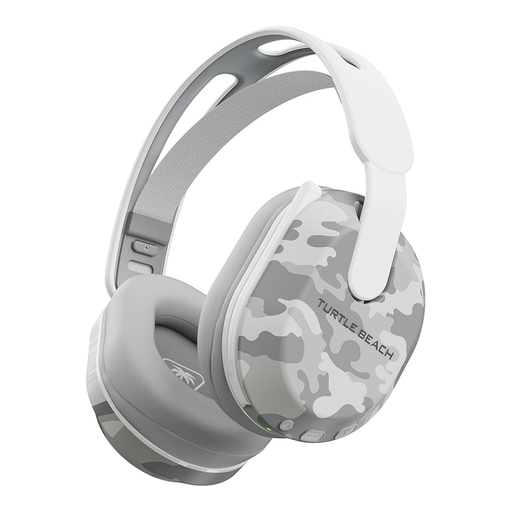 No image available
Consider this wireless option if a headset cable would obstruct your small desk and you play on a device named in the listing.
The product title lists Bluetooth and up to 40 hours of battery life. Check which connection you would use for gaming and whether its charging routine and fit suit longer sessions.
 No image available
This wireless model is worth considering when removing a headset cable is a priority at your gaming desk.
Confirm the exact connection supported by your device, including chat, and assess the charging routine and fit before choosing it for long sessions.
 No image available
A wired headset suits a fixed desk position if avoiding a charging routine matters more to you than keeping the desk free of cable.
Check the route from your device to your seat, the available audio connection and how the headset fits during longer play.
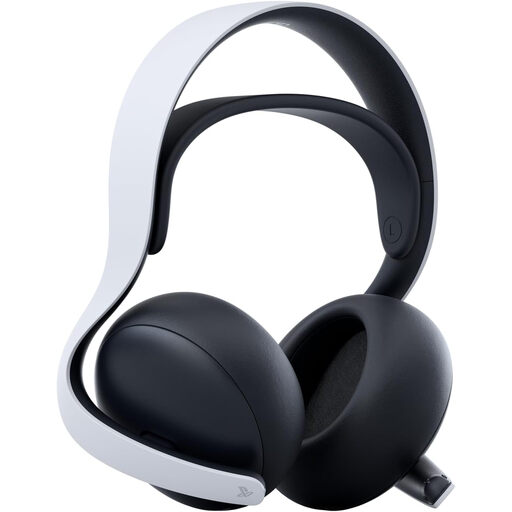 No image available
This wireless option is relevant if you want to clear the cable from a compatible PS5, PC or PlayStation Portal setup.
Check support for your intended connection and chat device, particularly if you use another platform. Assess its fit before relying on it for extended RPG sessions.
 No image available
Consider this wired option for a stationary PC or PS4 position if you can route its cable comfortably.
The product title lists a USB connection, 50 mm drivers and 7.1 processing, and names PC, PS4 and Mac. Check processing and chat support on your intended device; the listing says this model is not for Xbox.
No: Turtle Beach’s UK compatibility guidance says Xbox consoles do not support standard Bluetooth audio. For wireless Xbox play, confirm that the exact headset version supports Xbox Wireless or uses a dedicated Xbox-compatible dongle.
Choose wireless if clearing the headset cable is your priority and your device supports that model’s gaming connection. Choose wired if you can manage the cable and prefer not to charge the headset; Corsair, for example, lists a 1.8 m cable and no battery requirement for its HS55 Stereo.
For qualifying distance purchases, Citizens Advice describes a usual 14-day cooling-off period, but exceptions and conditions can apply. Check the seller’s return instructions and any applicable conditions before opening or using the headset; a change-of-mind return is different from seeking a remedy for faulty goods.
Contact the retailer about a remedy and keep your order details and a record of the fault. GOV.UK states that a retailer cannot remove customers’ consumer rights through its policy; Citizens Advice has separate guidance for faulty goods.