What matters when buying?
For online play in a shared bedroom, settle the child’s primary need first, then check the accessory against their exact device; account-level communication settings matter whichever hardware you choose.
| Concern |
What to check |
Who this matters to |
| Private listening and quick muting |
Check how the microphone mutes and whether both audio and microphone input work through the intended device or controller. |
If my child plays while someone else uses the bedroom, I want game sound off the room speakers and a mute they can reach quickly. About 36% of consumers put private listening and quick muting first. |
| Device compatibility and space |
Match the connector and required functions to the exact device; for a monitor, check video output and measure the desk and stand. |
When our devices change or desk space is tight, an accessory needs to connect without making the shared setup harder to use. Device compatibility and space are the primary concern for about 29% of consumers. |
| Comfort during regular use |
Check adjustment, stated weight and fit, including pressure around glasses where relevant. |
If my child wears a headset regularly, I need one they can actually wear comfortably rather than choosing by its feature list alone. About 21% of consumers place fit for repeated use first. |
| Communication boundaries |
Set up the relevant child or family account and review its communication and privacy controls. |
Before my child joins online play, I want to decide who can contact them; a headset cannot set that boundary. Managing communication and privacy comes first for about 14% of consumers. |
Wired headsets on Joybuy
These headsets address personal listening for online play in a shared bedroom. Compare their stated connections and microphone controls with the child’s device; a headset does not replace family-account settings.
 No image available
Logitech ASTRO A10 Gen 2 wired headset, white
Consider this for shared-room play when an accessible microphone mute is a priority. Logitech G lists a flip-to-mute microphone, inline volume control and a 3.5 mm wired connection for the Astro A10 Gen 2. Confirm microphone chat through the child’s device or controller, and check fit for the child.
View on Joybuy
 No image available
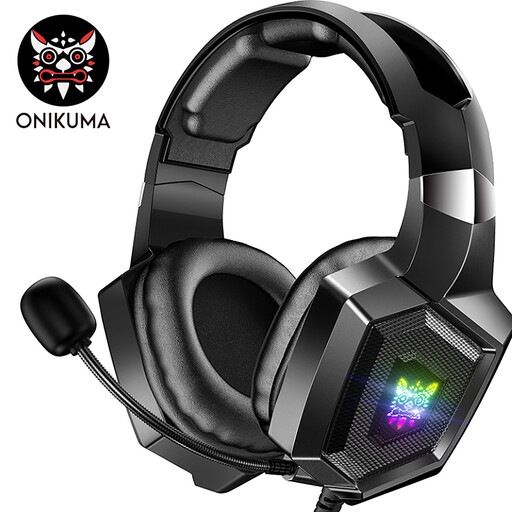
ONIKUMA K8 wired gaming headset
Consider this for personal listening if its connection suits the child’s gaming device. The product name identifies a flexible microphone and RGB lighting; check the exact audio and microphone connections, how muting is operated and whether chat works on the intended device before buying.
View on Joybuy
 No image available
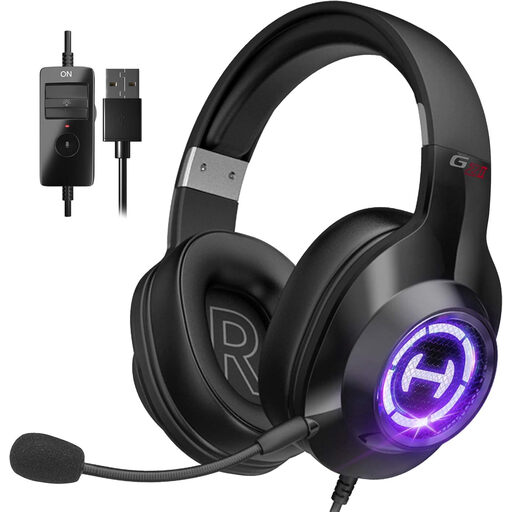
Edifier G2II USB wired headset, black
Consider this where the child’s device can use a USB headset for game audio and microphone chat. The product name lists PC, PS4 and Mac compatibility and a 50 mm driver. Check USB chat support on the exact device and whether there is a physical microphone mute if quick muting matters; the microphone’s noise-cancelling description does not establish how much sound another person hears in the room.
View on Joybuy
 No image available
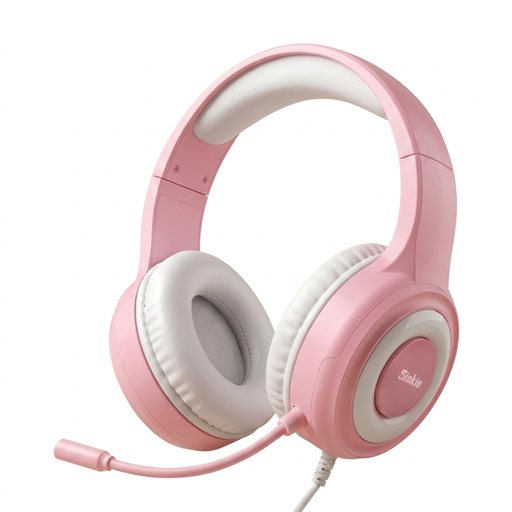
Siukie CH25 wired headset, blue LED
Consider this for personal listening after checking which connections the child’s device requires. The product name lists USB and 3.5 mm connections, a microphone and a 50 mm driver. Confirm which connection carries audio and chat, whether the microphone can be muted quickly and how the headset fits the child.
View on Joybuy
Questions about shared-bedroom gaming
Can a headset manage who speaks to my child online?
No. A headset can provide private listening and a microphone control, but communication permissions belong to the account and platform. Set up the relevant child or family controls before online play and check them again when the child changes games or platforms.
Where do I manage communication on PlayStation, Xbox or Nintendo Switch?
Use the controls for the platform the child plays on. PlayStation family management includes online communication and privacy settings, while Xbox lets a family organiser manage who can communicate with a member. Nintendo’s parental controls can restrict features; Nintendo UK says supervised users under 16 need linked app controls and additional parental controls to use GameChat on Switch 2.
Does a PEGI age rating cover online chat?
A PEGI rating is a minimum-age recommendation based on content, not a complete decision about a child’s online interactions. Review the particular game’s communication features and the platform’s parental settings alongside its rating.
Will one controller work across the child’s devices?
Only if the exact controller supports those devices and the required game features. Xbox lists its Wireless Controller for Xbox consoles, Windows PC, iOS and Android; PlayStation notes that DualSense features can vary by device, game and connection. Check each intended system and game before purchase.
What should I check before putting a monitor in a shared bedroom?
Measure usable desk width and depth, including room for the stand and cables, then confirm that the child’s device can output video through a compatible connection. A separate monitor also needs an audio plan and will not manage voice chat or the child’s own speech in the room.


