A closed-back wired headset is a practical starting point if you share a home, play on several devices and need an integrated chat microphone—but check the connector and chat support on each device. If you mainly play on Xbox or PS5, choose a headset connection designed for that console; a desk-based PC setup can instead pair closed-back headphones with a separate microphone. Earcups can isolate the wearer from household noise, but they will not silence your speaking voice or guarantee that no game sound escapes.
Who needs which setup?
Gamers using several devices
If you move between a computer, console and phone, check how both game audio and the chat microphone connect to each one. HyperX lists 3.5 mm, USB-A and USB-C options for its wired Cloud III; those options do not mean every device provides identical audio features.
Xbox- or PS5-first voice-chat players
Start with your main console and chat service rather than a general wireless label. Microsoft distinguishes Xbox headset connections from Bluetooth phone use, while PlayStation requires linked accounts for Discord voice chat on PS5.
PC players with a fixed desk setup
Separate closed-back headphones and a USB microphone let you choose where the microphone sits. This arrangement needs its own connections and desk space, so confirm the complete voice-chat setup before treating it as an alternative to a one-piece headset.
What should you check before buying?
Identify the gaming device and chat service first, then decide how you will manage sound and conversation around other people at home.
| Priority | What to check | Your needs |
|---|
| Device connection |
Match the exact console or computer to its 3.5 mm, USB or supported wireless route. For Xbox One, Microsoft says Bluetooth is not a console headset connection. |
I switch devices, so I need game audio and my microphone to work on each one—not just Bluetooth audio on my phone. |
| Household sound |
Look at earcup construction and accessible volume controls. Closed-back isolation concerns sound reaching the wearer; it is not a guarantee against sound escaping or spoken conversation being heard. |
Game sound should stay personal, but I also need to manage my volume and speaking voice when others are nearby. |
| Voice chat |
Confirm microphone connection, mute access and the planned chat service. PlayStation says PS5 Discord chat needs linked Discord and PlayStation accounts and cannot run alongside a PlayStation party chat. |
When someone interrupts me, I want to mute promptly without searching through game menus. |
| Setup and movement |
Compare a cable with the charging and receiver arrangements of a wireless model. For separate headphones and a USB microphone, check both connections and where the microphone will sit. |
I can make room for separate equipment at a PC desk; away from that desk, I would rather check whether one headset covers my devices. |
Shared-home buying pitfalls
-
Assuming Bluetooth means wireless console compatibility
Bluetooth support may be intended for a phone or computer. Microsoft says Xbox One does not have Bluetooth functionality for connecting a headset.
Check the console-specific connection: a compatible controller headset, an appropriate console wireless connection or the exact supported receiver.
-
Ignoring the model suffix
Wireless headsets in one product family can be intended for different platforms. SteelSeries identifies the Arctis Nova 5X as its Xbox-oriented variant.
Check the complete model name and supported-device list for the variant you intend to use.
-
Expecting closed-back earcups to quiet the whole room
Passive isolation helps separate the wearer from surrounding sound; it does not control how loudly the player speaks or guarantee that nobody nearby hears game audio.
Keep listening and speaking levels appropriate for the household, and arrange quiet-hour expectations separately.
-
Planning a separate microphone without checking the host
A USB microphone and headphones form two audio connections. A console chat setup may instead depend on its controller port or supported headset connection.
For a console, confirm that its intended game-chat workflow accepts both devices before choosing a separate microphone arrangement.
Relevant brand references
These examples illustrate different connection routes; a brand name alone does not establish compatibility for every model.
HyperX
The wired Cloud III is an example for players moving among supported gaming devices.
- HyperX lists 3.5 mm, USB-A and USB-C connection options and compatibility with PC, PlayStation, Xbox, Switch, Mac and mobile.
- Confirm which connector and audio features work with each device you own.
SteelSeries
The Arctis Nova 5X illustrates a wireless gaming route that also offers Bluetooth phone audio.
- SteelSeries describes switching between 2.4 GHz gaming audio and Bluetooth 5.3 on the Nova 5X.
- Check the exact Nova 5 variant and its supported-device list, particularly for Xbox use.
Xbox
Microsoft’s Xbox Wireless Headset is a console-focused option with listed Windows and Bluetooth mobile compatibility.
- Microsoft lists Xbox Series X|S, Xbox One, Windows PCs and Bluetooth mobile devices among its compatible systems.
- Microsoft says some voice-chat features on supported consoles may require a Game Pass subscription; check the feature you plan to use.
PlayStation
Sony’s PULSE Elite is centred on PlayStation Link devices, with Bluetooth available for mobile devices.
- Sony lists PS5, PC, Mac and PlayStation Portal among PlayStation Link connections, alongside Bluetooth phone or tablet use.
- Those connections do not establish a native Xbox wireless route; PS5 Discord chat has separate account requirements.
Audio-Technica
The ATH-M50x represents closed-back headphones for a desk setup with a separate chat microphone.
- Audio-Technica describes circumaural earcups that provide passive isolation from ambient noise.
- Team chat needs a separate microphone and a compatible connection to the gaming device.
Joybuy gaming audio options
These options cover wired headsets, wireless headsets and gaming earbuds for personal listening and chat. Choose by your device connection and household arrangement, not by list position alone.
 No image available
Logitech Astro A10 Gen 2 Wired Headset – White
A wired option for personal game audio in a shared room. Confirm the connection and microphone operation on your gaming device; the headset name alone does not establish how much sound others may hear.
View on Joybuy
 No image available
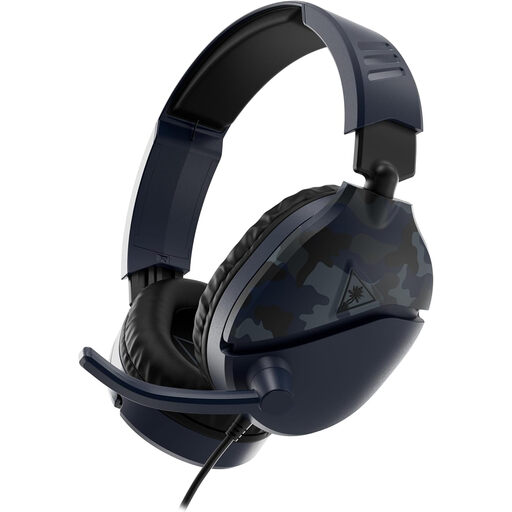
Turtle Beach Recon 70 – Blue Camo
The product name lists Xbox Series X|S, Xbox One, PS5, PS4, Nintendo Switch and PC. If you move between them, check the connection and microphone function on each device rather than assuming the same chat features everywhere.
View on Joybuy
 No image available
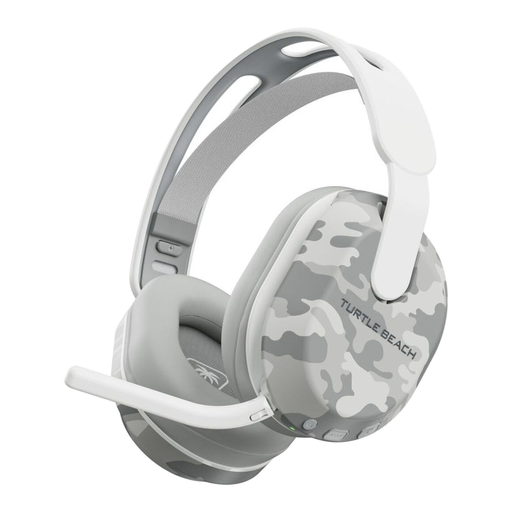
Turtle Beach Stealth 500 Wireless – Arctic Camo
A wireless headset named for Xbox and PC use. Check its exact connection method on your device and allow for charging; Bluetooth support by itself would not establish an Xbox console connection.
View on Joybuy
 No image available
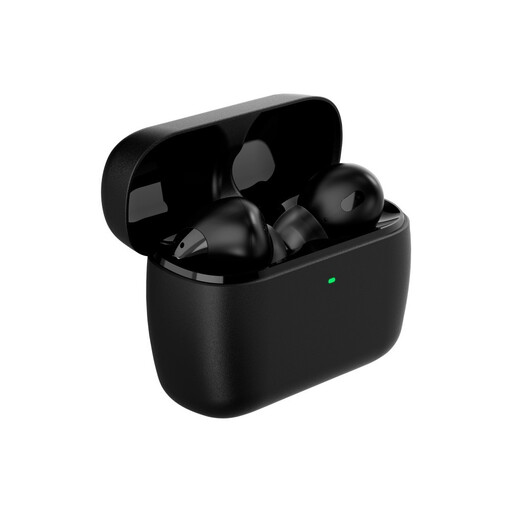
HyperX Cloud MIX Buds 2 Gaming Earbuds with Mic
An in-ear option when you would rather carry earbuds than an over-ear headset. Check connection and voice-chat compatibility with your exact device, as well as how you will mute the microphone during household interruptions.
View on Joybuy
 No image available
Edifier G2II USB Wired Gaming Headset – Black
A USB wired option named for PC, PS4 and Mac use, with a 50 mm driver and RGB light in its product name. It is not listed for Xbox; check microphone and mute operation for your intended chat setup.
View on Joybuy
Common questions
Can any Bluetooth gaming headset connect directly to an Xbox console?
No: Microsoft says Xbox One does not connect headsets over Bluetooth. For that console, check for an Xbox-compatible wireless headset or a compatible 3.5 mm headset connected through the controller or eligible Stereo Headset Adapter.
What do I need for Discord voice chat on PS5?
Link your Discord and PlayStation accounts and keep the PS5 system software current. PlayStation says you cannot be in a Discord voice chat and a PlayStation party voice chat at the same time; confirm that your chosen microphone works with the console.
Will a closed-back headset make gaming silent for everyone else?
No. Closed-back earcups provide passive isolation for the wearer, not a guarantee that game sound will never escape. They also cannot quiet your speaking voice, so manage volume and chat around others in the home.


