Players making team callouts
If someone nearby talks or types during matches, look for a boom microphone with stated directional pickup or noise reduction. Check where the microphone sits relative to your mouth and whether you can mute it easily.


For online arena matches in a shared bedroom, start with a headset that fits comfortably over your ears and has a boom microphone suited to team chat; microphone noise reduction and listening isolation address different problems. Choose wired or wireless around your playing position and charging preferences, but confirm game audio, voice chat and any advertised processing on your exact device before buying.
If someone nearby talks or types during matches, look for a boom microphone with stated directional pickup or noise reduction. Check where the microphone sits relative to your mouth and whether you can mute it easily.
If nearby sounds make game cues harder to follow, assess closed earcups, cushion seal and comfort together. A noise-cancelling microphone affects your outgoing voice, not necessarily what reaches your ears.
If you move between PC, console or mobile play, check the exact headset variant and connection method for each device. Game audio, voice chat and software features may have different requirements.
Work out whether room noise affects your teammates, your own listening, or both. Then check positional-audio options and the connection your gaming device supports.
| Concern | What to check | Who this matters to |
|---|---|---|
| Outgoing voice clarity | Check boom-mic positioning, stated directional pickup or noise reduction, and mute access. Confirm whether filtering needs platform software. | When other people are talking or typing nearby, I need teammates to understand my callouts without hearing so much of the room. Around 31% of consumers put outgoing communication first. |
| Room-noise distraction | Check for closed earcups and assess cushion seal and comfort; microphone noise reduction is a separate feature. | If bedroom sounds compete with game cues, I want a comfortable fit rather than relying on higher volume. For around 31% of consumers, reducing listening distractions is the primary need. |
| Positional game cues | Check whether spatial or virtual-surround processing works with your device and game, and whether you can use ordinary stereo instead. | When movement cues matter in an arena match, I want an audio mode that works with my actual setup. Around 23% of consumers chiefly prioritise positional game information. |
| Device compatibility | Confirm the exact variant’s connector or receiver, voice-chat support and any required controller connection. | If I change between devices, I need both game sound and chat to work without assuming every USB, Bluetooth or 3.5 mm connection behaves alike. Compatibility comes first for around 15% of consumers. |
A feature that reduces noise in outgoing chat does not necessarily keep bedroom sounds from reaching your ears.
Assess the boom microphone and the earcup fit separately. Razer describes the BlackShark V2 X USB’s closed earcups as providing passive isolation, but fit still matters.
A headset can have the right features yet lack the connection needed for game audio or voice chat on your device. Xbox Support says an Xbox One cannot pair directly with a Bluetooth headset.
Check the exact variant, receiver or adapter, controller port and supported chat method before buying.
The World Health Organization says hearing risk rises with both sound level and listening duration.
Prioritise a comfortable fit, keep the volume moderate and take listening breaks during long sessions.
Processing may depend on the operating system, platform and game. Razer states that 7.1 processing on the BlackShark V2 X USB is limited to Windows 10 64-bit.
Check the feature’s requirements and keep a stereo option available for your usual games.
The BlackShark range includes a wired PC-oriented route and a wireless competitive-gaming route.
The Arctis Nova 7 is a wireless option for players considering multiple devices and microphone filtering.
The PRO X 2 LIGHTSPEED is a wireless route for players assessing several connection methods.
These wired and wireless gaming headsets offer different starting points for a shared-bedroom setup. Compare their stated connections with your device, then assess microphone use and fit for the room where you play.
 No image available
Consider this wireless model if you want to play without a headset cable. Check the connection and voice-chat method for each device you use, as well as charging needs; assess fit and room-noise distraction separately.
 No image available
For a wired PC, PS4 or Mac setup, check that your device supports USB game audio and chat. The product name lists 50 mm drivers, 7.1 surround sound and a noise-cancelling microphone; confirm the surround feature’s requirements and assess how the microphone handles your room.
 No image available
This wired option suits players who would rather not manage headset charging. Confirm the plug and chat requirements for your controller or computer, and check comfort and earcup fit if bedroom noise is distracting.
 No image available
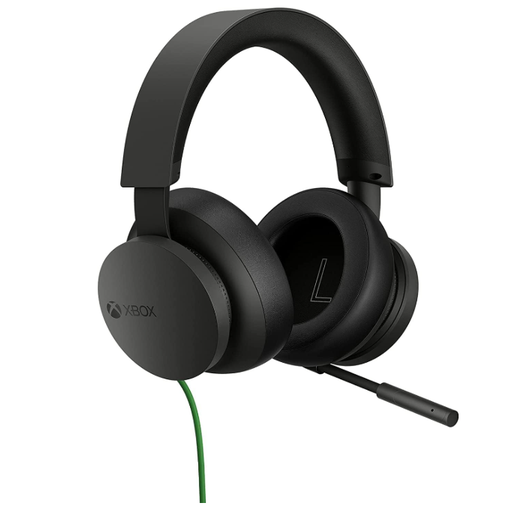
For an Xbox-focused wired setup, confirm how it connects to your particular controller and supports chat. Its stereo designation should not be treated as proof of a particular positional-audio result; check any processing you plan to use with your device and game.
 No image available
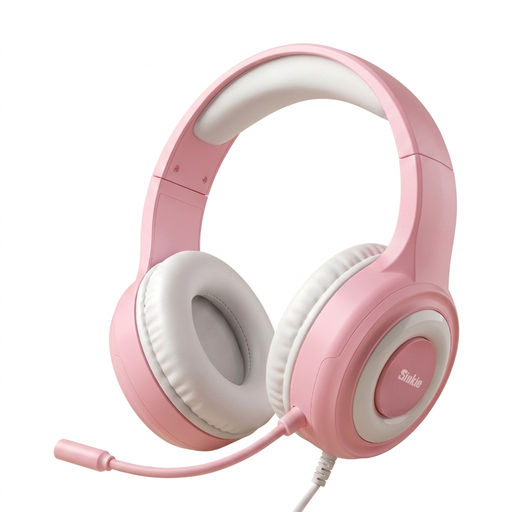
If you want a wired headset for team chat, check whether its connections suit your console, controller or PC. The product name lists a 50 mm driver, 3.5 mm and USB connections, and a noise-cancelling microphone; confirm the role of each plug and assess voice pickup and fit in your room.
No: microphone noise reduction concerns the sound sent to your teammates, not necessarily the sound reaching your ears. For listening, assess closed earcups and a comfortable seal; Razer describes the BlackShark V2 X USB’s closed earcups as providing passive isolation.
No. Xbox Support says Xbox One consoles do not have Bluetooth functionality for direct headset pairing. Check whether your particular headset supports another Xbox connection method or can connect through a compatible controller’s 3.5 mm port.
Keep volume moderate and take breaks rather than turning it up to mask room noise. The World Health Organization says both sound level and exposure time affect hearing risk, and advises limiting volume to no more than 60% of maximum.
Check the seller’s change-of-mind return terms and the manufacturer’s warranty for the exact headset, then assess fit and device connection promptly within any applicable return window. If the product is faulty, check the remedies that apply separately from a change-of-mind return policy.