Squad-callout players
If teammates need to hear quick status updates, focus on microphone operation, accessible mute and a voice-chat connection that works on your platform.


Choose a headset that supports game audio and squad chat on your main platform before comparing sound settings. For frequent call-outs, look for a usable microphone and mute control; choose wired play if you want to avoid charging, or check the exact console version, receiver and battery rating if you prefer wireless freedom. Game presets and positional-audio features are useful settings to assess, not guarantees that you will hear every cue.
If teammates need to hear quick status updates, focus on microphone operation, accessible mute and a voice-chat connection that works on your platform.
If footsteps and reloads matter to your decisions in a match, look at adjustable EQ or game profiles. Their presence does not guarantee a competitive advantage in every game.
If cables get in the way during extended sessions, compare fit and the battery rating for the wireless mode you will use, as well as compatibility with your console or PC.
Start with the connection your main platform accepts, then decide whether a cable or wireless receiver suits your setup. Compare microphone controls, sound adjustment and long-session use within that choice.
| Concern | What to check | Who this matters to |
|---|---|---|
| Platform and chat compatibility | Match the exact model and receiver to your device; confirm both game audio and voice chat work through the intended connection. | If my headset cannot handle squad chat on my main console, its other features will not help me play with the team. Around 33% of consumers put platform and chat compatibility first. |
| Call-outs and audio adjustment | Check microphone and mute controls, then whether EQ or game profiles work on your platform. | When a match gets busy, I need teammates to understand brief call-outs while I can still pick out useful game cues. Clear communication and adjustable audio come first for around 27% of consumers. |
| Comfort and wireless endurance | Consider fit and ear-pad construction; compare battery claims for the connection mode you intend to use. | I want to stay comfortable through a long session without stopping sooner than expected to charge. Around 20% of consumers chiefly care about fit and wireless endurance. |
| Charging-free simplicity | Confirm the wired connector, cable arrangement and microphone path for your controller or device. | If I would rather plug in and play than manage a battery or receiver, I can accept a cable limiting movement. A straightforward wired connection is the primary concern for around 20% of consumers. |
Models in one headset family can have different platform versions and controls. A wireless connection alone does not establish that game audio, microphone and chat-mix features will work on your console.
Match the full version name to your main device and check how its receiver connects before ordering.
HyperX gives different 2.4 GHz and Bluetooth ratings for Cloud III S Wireless, as does Corsair for HS80 MAX Xbox. The larger figure may not describe the mode you use for squad matches.
Compare the stated runtime for your intended gaming connection rather than the highest figure on its own.
Choosing by the Bluetooth figure could leave you charging more often during 2.4 GHz play.
EQ, profiles and driver specifications describe available features, not how clearly every player will hear a particular cue. Game sound design, settings and fit also affect the experience.
Use those features to narrow your choices, then check platform support and the seller's return terms before deciding whether the sound and fit suit you.
Similar family names can refer to different headsets or variants. PCMag UK names Arctis Nova Pro Omni in its roundup; that name should not be treated as interchangeable with Arctis Nova Pro Wireless.
Compare the complete model name and platform version whenever you move from an external recommendation to a product listing.
The Arctis Nova range offers game-oriented settings and wireless connection choices.
Cloud III S Wireless is a wireless option for the PC, Mac, PS5, mobile and Switch platforms listed by HyperX.
The PRO X3 LIGHTSPEED line puts microphone and audio adjustment among its stated features.
Maxwell 2 is an audio-focused wireless option with distinct console versions.
HS80 MAX Xbox combines Xbox-oriented controls with stated support for several other platforms.
These choices cover wireless headsets listed for particular PC or console setups and wired models for players who prefer charging-free squad play. Check the exact platform version and chat connection against your own setup.
 No image available
Consider this wireless option for squad play on the listed PC, PlayStation or Switch platforms. If Xbox is your main device, confirm connection and chat support for this exact model; check whether the audio controls you want work on your platform.
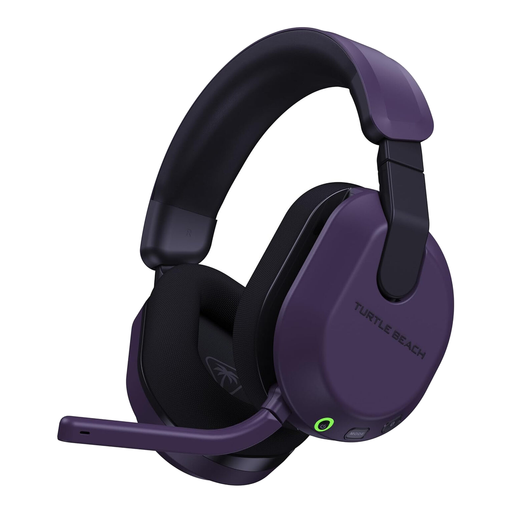 No image available
This Xbox-version headset is a choice for wireless squad chat on the platforms named in its title. Check the transmitter setup and the controls available on your device; if battery life determines your choice, confirm the rating for your gaming connection.
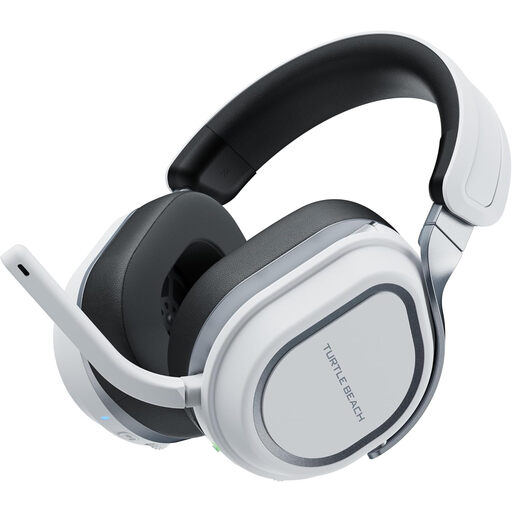 No image available
This version is aimed at wireless play across the named PlayStation and PC platforms. For frequent call-outs, check its microphone and mute controls before buying; confirm the battery rating for your intended connection mode.
 No image available
Consider this wired model if avoiding charging matters more than moving without a cable. Confirm that your controller or device has the connection needed for both game audio and microphone use.
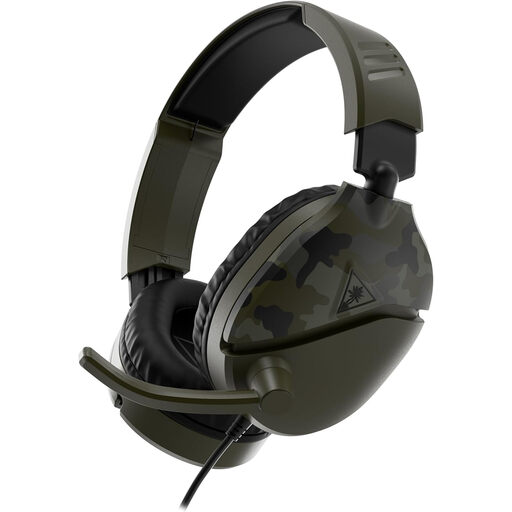 No image available
This wired choice covers several platforms named in the product title without requiring headset charging. Check the audio-and-microphone connection on your device, and assess whether a cable suits the way you play.
Do not rely on Bluetooth alone for an Xbox One: Xbox Support says that console does not have Bluetooth functionality. Check the exact headset's Xbox connection method and chat support before choosing a wireless model.
For PlayStation wireless headsets that use a supplied USB adapter, PlayStation Support instructs users to charge the headset, insert the adapter into the console and turn on the headset to pair it. Follow the manufacturer's instructions instead if you choose a third-party model.
Not necessarily: compare the rating for the connection mode you will use. HyperX states up to 120 hours on 2.4 GHz and up to 200 hours on Bluetooth for Cloud III S Wireless; Corsair states up to 65 hours on 2.4 GHz and up to 130 hours on Bluetooth for HS80 MAX Xbox.
No. GOV.UK guidance distinguishes customers' legal refund rights from a seller's own policy and says sale items retain the same refund rights as full-price items. Keep your order details and contact the seller about a fault rather than assuming its change-of-mind policy determines your remedy.