Squad-call players
If short callouts are central to your matches, look closely at microphone positioning, accessible mute controls and how game audio and chat are balanced on your platform.


Choose a headset connection that supports game audio and squad chat on the console or PC you actually use. For long squad matches, weigh microphone controls, fit and the freedom of wireless play against charging and platform-specific compatibility; an HDMI switching base station makes sense mainly if you regularly move between compatible systems at the same screen.
If short callouts are central to your matches, look closely at microphone positioning, accessible mute controls and how game audio and chat are balanced on your platform.
If you usually play at one TV or monitor, choose a wired or wireless connection explicitly supported by your particular Xbox, PS5 or PC setup.
If your console and PC share a display, system switching may be useful. Check the named devices and video connections before committing to a headset with a base station.
Start with the connection that carries both game audio and chat on your platform. Then decide whether cable-free movement or switching between systems is worth the charging or extra connections involved.
Choose it when: You play on one system and want a headset that does not need charging.
Trade-off: The cable runs to your controller, and headset microphone support depends on the controller and connection.
Choose it when: You want cable-free play and the exact headset edition supports your console or PC.
Trade-off: You need an available port and must charge the headset; PlayStation or PC dongle support does not establish Xbox support.
Choose it when: You mainly play within one console ecosystem and want its specified wireless connection.
Trade-off: Features designed for that platform may not carry over to another console.
Choose it when: You regularly switch between compatible consoles and a computer at the same large screen.
Trade-off: A base station adds connections and setup complexity that a single-console player may not need.
| Concern | What to check | Who this matters to |
|---|---|---|
| Game cues and squad chat | Check the microphone and mute controls, plus whether advertised audio modes work on your console and game. | I need teammates to understand brief callouts without losing track of game sounds. Around 33% of consumers put cue-and-call clarity first. |
| Platform compatibility | Match the exact headset edition and connection to your console or PC; confirm that microphone chat works through it. | When I play on a particular console, the headset must carry both the match and my voice. Platform certainty comes first for around 25% of consumers. |
| Long-session convenience | Consider fit and controls; for wireless models, check the stated battery maximum and charging arrangement. | I want to move without a headset cable, but I do not want charging or an uncomfortable fit to interrupt a long session. Around 25% of consumers make long-session convenience their primary concern. |
| Multi-system switching | Confirm the named systems and the display, cable and video-passthrough requirements of any base station. | If my console and computer share one screen, changing systems without rebuilding the headset setup matters to me. That is the leading need for around 17% of consumers. |
Xbox-native, PlayStation Link and USB-dongle connections have different platform requirements. A headset family name alone does not establish what a particular edition can do.
Check the exact model and its stated game-audio and microphone-chat connections for your console before comparing other features.
Audio modes and presets can depend on the platform, game or companion app; a Windows feature does not automatically work on a console.
Check the platform-specific feature notes and your console’s audio settings. Treat positional-audio claims as tuning options, not a promised match advantage.
A multi-system base station adds hardware and connections without simplifying a setup that stays on one console.
Consider it when you regularly switch among the supported systems, and confirm that the proposed HDMI arrangement suits your display.
Additional HDMI cabling may be needed for the intended setup.
A wireless headset’s quoted battery figure is a maximum rating, not a promise for every volume or connection mode.
Plan where you will charge it, or choose a compatible wired connection if charging interruptions are unacceptable.
Its Arctis Nova 5X is relevant to players considering a wireless headset for more than one supported device.
PULSE Elite is most relevant to a PS5-centred setup using PlayStation Link.
The BlackShark V2 X console line offers a wired route for players using a compatible headset port.
Astro A50 X is relevant to a shared-screen setup with Xbox, PS5 and PC or Mac.
Quantum 910X is relevant to Xbox-led players considering wireless play alongside other stated platforms.
These headsets cover controller-connected wired play, platform-specific USB wireless and a PS5-focused wireless connection. Choose the edition for your system; these products do not represent the HDMI switching route discussed above.
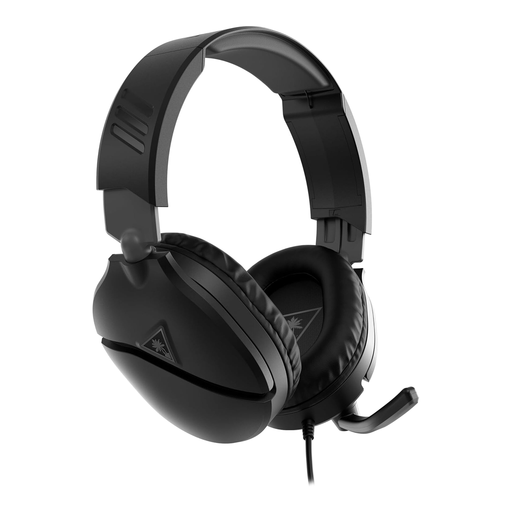 No image available
For controller-connected squad play when you would rather avoid charging a headset.
The Joybuy listing specifies a 3.5 mm connection and a flip-to-mute microphone, with PS5, PS4, Xbox Series X|S and Xbox One among the named platforms. Confirm that your controller supports headset audio and microphone chat through its port; the cable limits movement.
 No image available
For wired squad play if you want a microphone you can flip up to mute.
The Joybuy listing specifies a 3.5 mm connection, in-line volume control and replaceable ear cushions, and names PlayStation, Xbox, PC, Mac and Nintendo Switch. Check the audio and chat connection on your intended device; fit remains personal.
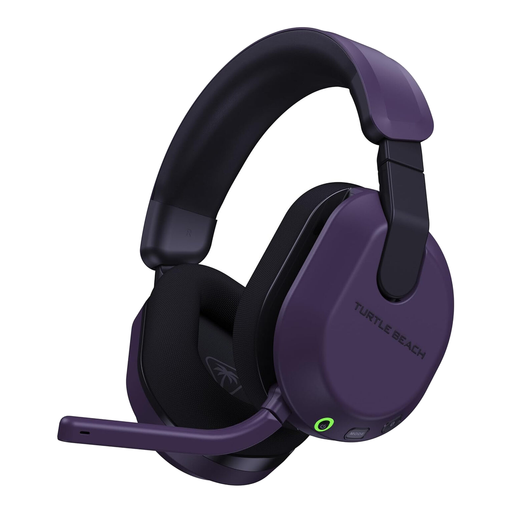 No image available
For Xbox players who want to move without a headset cable during squad matches.
The Joybuy listing names Xbox Series X|S, Xbox One and PC, and specifies a 2.4 GHz USB transmitter and flip-up-to-mute microphone. It quotes up to 80 hours of battery life, a maximum rather than guaranteed runtime. If you plan to use PlayStation, confirm that its stated Bluetooth-only mode carries the game audio and chat you need.
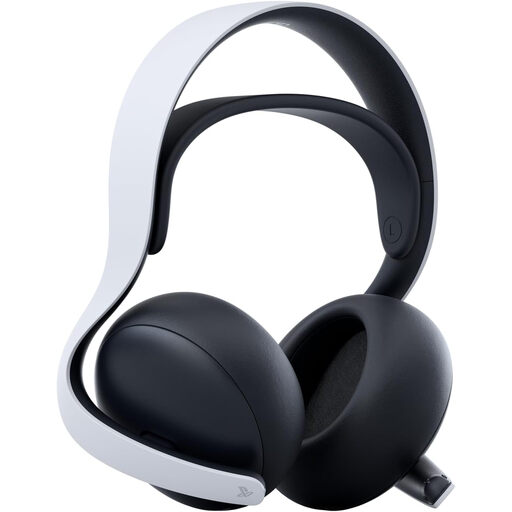 No image available
For PS5-centred squad play using the headset’s PlayStation Link connection.
The Joybuy listing specifies a retractable, mute-capable microphone and a charging cradle. It quotes up to 30 hours of battery life, which is a maximum; PlayStation Link should not be treated as an Xbox wireless connection.
 No image available
For PS5 or PS4 players who prefer a USB-transmitter wireless connection.
The Joybuy listing also names PC and describes app-based audio adjustment and up to 80 hours of battery life; actual runtime can vary. If squad chat controls are decisive, confirm the microphone and mute arrangement for this edition before buying. Check Xbox game-audio and chat compatibility separately if you also use Xbox.
Use the connection specified for both your headset and console, rather than assuming that connecting to the TV will carry microphone chat. Xbox Support says its Stereo Headset plugs into the headset port on a paired Xbox Wireless Controller; wireless models need their stated console connection instead.
No: Bluetooth support on a headset does not by itself establish an Xbox game-audio and chat connection. Xbox Support distinguishes the Xbox Wireless Headset’s direct console connection from its Bluetooth connection to other devices, so check the exact model’s Xbox instructions.
Keep your order details and contact the seller about the fault. GOV.UK explains that consumer rights apply to goods bought remotely or in person; a question about a faulty headset is different from simply changing your mind about a suitable fit.
Check the electrical-waste collection options available where you live rather than assuming the headset belongs in ordinary household rubbish. GOV.UK identifies the Waste Electrical and Electronic Equipment Regulations 2013, as amended, as the legislation underpinning UK electrical-equipment recovery and recycling controls.