Voice-first spare-room streamers
You want commentary to remain understandable around modest home noise, such as a PC fan. Microphone position and quick access to mute matter more to you than surround features alone.


For commentary from a fixed spare-room desk, a wired headset avoids charging; choose wireless if freedom from a cable matters enough to manage the battery and check the exact platform edition. In either case, prioritise a usable boom microphone, accessible mute control, fit and the connection that carries your voice into the stream. OBS Project says noise suppression can help with mild background noise, but it cannot make a loud room quiet.
You want commentary to remain understandable around modest home noise, such as a PC fan. Microphone position and quick access to mute matter more to you than surround features alone.
You stream or chat from one desk but play on a PC, console or both. The supplied connections and the microphone path on each device shape your choice.
You want to move without a headset cable and are willing to charge between sessions. You also need a wireless edition compatible with the device you use for gaming and commentary.
Start with the connection between your gaming device, microphone and stream; then weigh room noise, fit and whether avoiding a cable is worth a charging routine.
| Concern | What to check | Who this matters to |
|---|---|---|
| Commentary clarity | Check boom-mic placement and mute access. In OBS, test modest noise suppression against your normal room noise. | If a fan or keyboard is audible while I speak, I want my commentary to stay understandable without cutting off my voice. Around 36% of consumers put commentary clarity and manageable room noise first. |
| Device compatibility | Match the exact headset edition and connector or transmitter to your gaming device; check how its microphone reaches your streaming setup. | When I switch between a PC and console, I need the headset microphone to work along the connection I actually use. For around 29% of consumers, confirmed compatibility is the primary concern. |
| Long-session comfort | Consider ear-cup material, headband fit and glasses clearance; check the applicable return terms if you need to assess fit. | If I wear a headset throughout a long game and commentary session, pressure around my ears or glasses can become distracting. Comfort comes first for around 21% of consumers. |
| Cable-free use | Check the supported wireless platform and charging arrangements; treat any stated maximum battery life as a claim, not a session guarantee. | I would rather move around my desk without a cable, even if that means remembering to charge. Around 14% of consumers make cable-free convenience their main priority. |
OBS Project says its suppression filter can reduce mild background noise but is generally ineffective against large amounts of noise. Stronger settings can also distort speech.
Reduce avoidable noise where you can, position the microphone near your mouth and record a short sample with your usual game audio before streaming.
Turtle Beach notes that compatibility differs between Stealth 600 Gen 3 models. A connection or chat feature on one edition should not be assumed to work on another.
Check the exact edition, supplied transmitter and microphone connection against your console or PC and streaming setup before checkout.
Turtle Beach describes the Stealth 600 Gen 3 battery life as up to 80 hours; that maximum is not a promise for every setting or use pattern.
Charge before a scheduled stream and decide whether you need another way to monitor audio if charging interrupts your setup.
Charging can take time away from use or interrupt a session.
A headset may feel comfortable over a long session even when game audio is louder than it needs to be. Royal Free London NHS Foundation Trust advises limiting headphone volume and taking breaks.
Keep monitoring volume only as high as needed for the game and commentary, and take breaks during longer sessions.
The wired Cloud III is worth considering for a fixed desk where several supplied connection types would be useful.
The Stealth 600 Gen 3 suits consideration when wireless game audio and switching to a Bluetooth device matter to you.
The BlackShark range offers distinct wired and wireless routes for people comparing boom-microphone features.
The wired Arctis Nova Pro system is relevant if you regularly use two systems at the same desk.
These headsets cover wired fixed-desk choices and wireless choices for spare-room gaming commentary. Match each model’s stated platform to the device that will carry your microphone into the stream.
 No image available
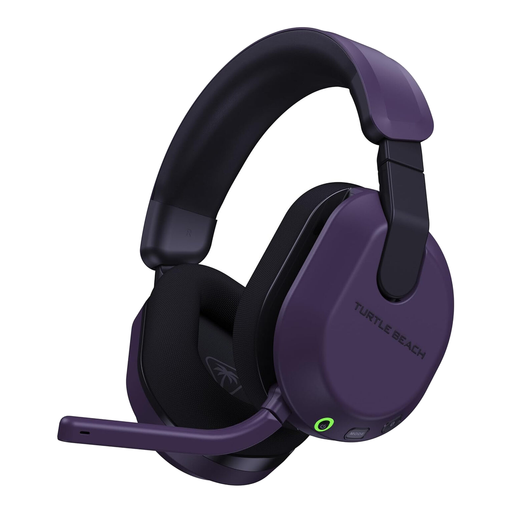
Consider this wireless edition if you game on a supported Xbox or PC and prefer a cable-free desk. Check how its microphone will reach your streaming software; do not assume another console uses the same connection.
 No image available
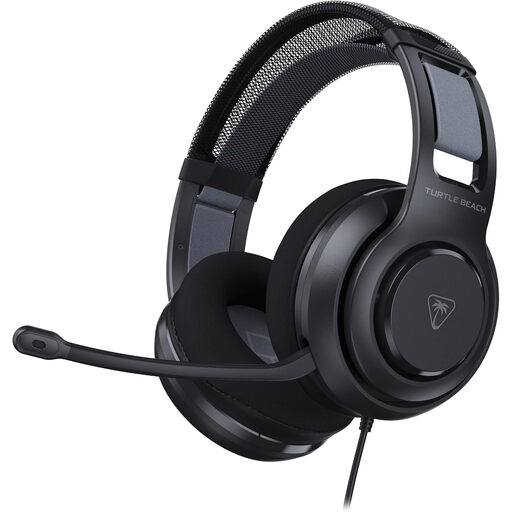
A fixed-desk option if its headset connection and microphone input suit your console or PC. Check the audio path used for streaming, particularly if your game and stream run on different devices.
 No image available
Consider this wireless headset if commentary and freedom from a cable are both priorities. Confirm support for your gaming platform and the microphone route into your stream before buying.
 No image available
This wired model suits consideration at a fixed gaming desk where you would rather avoid charging. Check that its connection carries microphone input to your particular PC, console or streaming arrangement.
 No image available
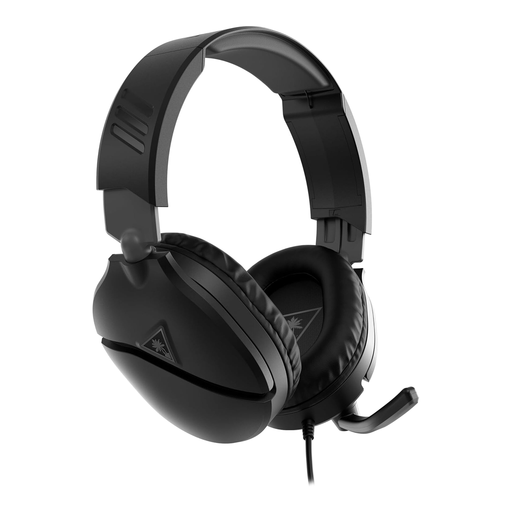
A wired choice to consider for the PlayStation and Xbox consoles named in its title. If you stream through a PC or separate capture setup, check its headset and microphone connections for that arrangement too.
No: OBS Project says its Noise Suppression filter can reduce mild background noise, including PC-fan noise, but is generally ineffective in a loud room. Reduce avoidable noise first and test a short recording; stronger suppression can distort your voice.
An OBS noise gate can close the microphone between spoken phrases, rather than remove noise while you talk. Set its thresholds against your room noise and speaking level, then test quiet words so their beginnings are not cut off.
Choose wired if you stay at one desk and want to avoid charging; consider wireless if cable-free movement matters more. Either way, confirm the exact device connection and how the headset microphone enters your stream.
No. Turtle Beach says Stealth 600 Gen 3 compatibility varies by model, so check the precise platform edition, transmitter and chat or microphone route for the console you use.
Keep headphone volume moderate and take breaks. Royal Free London NHS Foundation Trust advises keeping headphone volume no higher than 60% of maximum and taking at least a five-minute break each hour.